
How to Scan a Binder of Pokemon Cards Efficiently
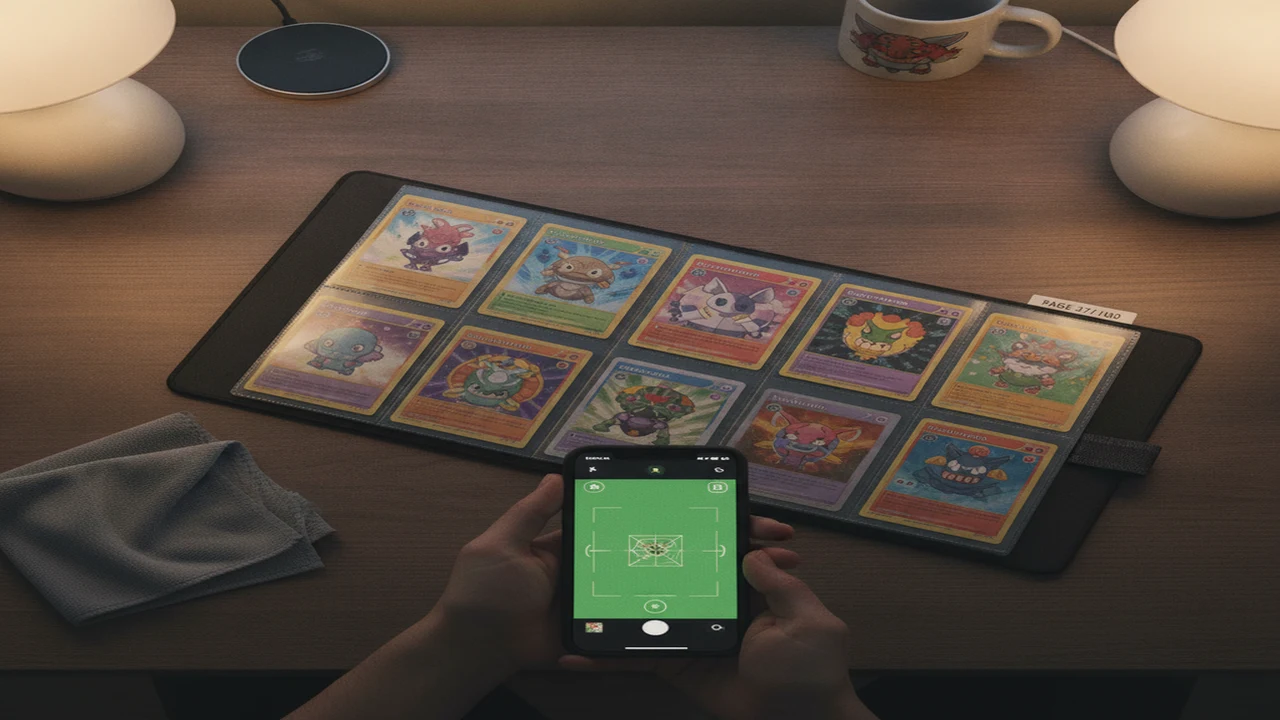
Efficient binder scanning means creating an accurate digital inventory with as few repeated photos, corrections, and manual entries as possible. The practical workflow combines consistent lighting, page-by-page capture, identity checks, price-source review, and a Pokemon card collection tracker that preserves quantities, variants, condition notes, and binder locations.
Speed matters less than avoiding a bad inventory. If a trading card scanner app assigns the wrong set, misses a reverse holo, or treats a raw card like a graded copy, the collection total can become misleading. A controlled first pass followed by targeted manual research is usually faster than fixing hundreds of unchecked scans later.
Quick answer: Remove cards only when glare or binder pockets block identification, then scan one page at a time under even light. Confirm the set number and variant before saving each result. A Pokemon card scanner with multi-card scanning can speed up the first pass, but valuable cards still need sold-price checks and separate graded-value research.
What should you prepare before scanning a Pokemon card binder?
Prepare a clean table, a charged phone, diffuse lighting, a microfiber cloth, and a small sorting tray. A basic phone stand helps keep the camera parallel to the page, which reduces blur and reflections. Turn off direct flash unless the room is too dark, because flash commonly creates a bright spot across sleeves and foil cards.
Keep removable paper markers nearby for cards that need another photo, a variant check, or price research. Do not use sticky notes directly on cards. Before starting, decide whether the digital inventory will follow the binder's existing order or be reorganized by set, rarity, or Pokemon.
- Clean the phone lens and the outside of each binder page.
- Use two lamps aimed from opposite sides rather than one overhead light.
- Close unnecessary apps and confirm that enough storage and battery remain.
- Test the scanner on ten varied cards before committing the entire binder.
Should you scan Pokemon cards inside or outside the binder?
Start with cards inside the binder. Clear, flat nine-pocket pages often provide enough detail for instant camera card identification while reducing unnecessary handling. Place the binder on a dark, nonreflective surface and adjust the lights until card names and collector numbers remain readable.
Remove a card only when cloudy plastic, curved pages, double sleeves, glare, or an overlapping pocket blocks recognition. Valuable cards deserve extra care: use clean, dry hands, support the card by its edges, and move it directly to a clean sleeve or scanning mat. The extra handling is worth it only when the in-pocket result cannot be verified.
How do you scan each binder page without losing your place?
Number each page before scanning, including blank pages that may later receive cards. Work in reading order from the upper-left pocket to the lower-right pocket. A scanner with multi-card scanning can create a quick first pass, but each identified card should still be matched to its physical pocket.
The TCG collection total calculator can be used for identification and initial collection totals. Pause after every page and compare the number of saved records with the number of occupied pockets. Flag failures rather than repeatedly fighting one difficult card while the rest of the binder waits.
- Prepare the phone, lights, binder, and temporary markers.
- Number the binder page before taking photos.
- Light the page evenly from both sides.
- Scan cards in a consistent reading order.
- Confirm every proposed identification before saving it.
- Flag glare, damaged cards, and uncertain variants.
- Price-check only the cards that justify deeper research.
- Organize records by binder, page, and pocket.
- Export the collection after each major scanning session.
- Back up the exported file somewhere outside the app.
Which card details should you verify before saving a scan?
Check the card name, set symbol, collector number, language, rarity, and artwork before saving. Similar artwork can appear across reprints, promotional releases, theme decks, and regional editions. The collector number is usually more reliable than artwork alone when separating those versions.
Look closely for reverse-holo patterns, first-edition marks, stamped logos, promo identifiers, and parallel foils. A Pokemon card scanner may recognize the main card correctly while selecting the wrong printing. For duplicate-heavy pages, confirm that the app records the proper quantity rather than creating a mixture of nearly identical variants.
Condition also belongs in the record, but it should be a conservative note such as damaged, played, lightly played, or apparently clean. A phone photo cannot establish a professional grade, particularly when the card remains inside a sleeve.
How should you check Pokemon card market value after scanning?
Treat the scanner's number as a starting estimate, not a guaranteed selling price. When asking how much is my Pokemon card worth, first determine whether the displayed figure comes from active listings, marketplace averages, or completed sales. Asking prices can remain unrealistically high without producing a buyer.
Use the card scanning toolkit as a companion price-checking option, then compare relevant raw-card estimates with recent marketplace evidence. TCGPlayer price comparison is useful for raw singles, while Cardmarket price comparison can provide European context. Real eBay sold card prices are especially useful when the exact variant has enough recent sales.
A binder card is normally raw. PSA graded card values, CGC graded card values, and BGS graded card values apply only to cards authenticated at those grades. Research graded sales separately when a card appears valuable enough to justify professional evaluation.
How do you organize scanned cards into a useful collection tracker?
Create a binder name and record page and pocket locations. Add quantity, language, variant, condition, purchase cost, and short notes where supported. Keep duplicates distinct from a wish list so the TCG collection tracker can answer both what you own and what you still need.
MonPrice Collector & Scanner is another contextual option for collectors interested in market trend tracking, a price alert watchlist, and CSV and JSON export. Its estimated values and daily marketplace updates should not be treated as substitutes for sold-listing evidence, particularly on scarce cards.
Test exports early. Open the CSV or JSON file and confirm that card names, sets, variants, quantities, notes, and locations survived. An export that contains only names and estimated totals may be inadequate for rebuilding a carefully documented binder.
What scanning mistakes waste the most time?
Glare is the most common problem, but inconsistent orientation is close behind. Keep every page square to the camera and rotate individual cards only when necessary. Cleaning cloudy pockets and adjusting the lights usually works better than repeatedly rescanning from the same angle.
Do not accept results faster than you can verify them. Common errors include saving the wrong printing, overlooking reverse holos, applying graded prices to raw cards, and relying on one Pokemon card price tracker. Another expensive mistake is entering an entire binder before checking free-tier caps, export restrictions, subscription renewal terms, and collection limits.
Separate scanning from deep research. Finish an accurate page inventory first, then return to flagged cards. Interrupting every page to research a low-value duplicate turns a manageable binder project into an all-day pricing session.
What are the limitations of Pokemon card scanner apps?
Recognition and real-time Pokemon card prices remain dependent on image quality, database coverage, and the pricing source. Scanner apps are useful for inventory work, but they cannot see every surface defect or guarantee that a displayed price reflects what a buyer will pay today.
- Foil glare, sleeves, card rotation, and worn artwork can cause failed or incorrect identification.
- A Pokemon card grading app cannot replace professional grading because dents, surface wear, centering, and alterations may not appear in one photo.
- Pricing may combine listings, estimates, and delayed sales data, so the source and sale date require checking.
- PSA, CGC, and BGS graded values should never be applied directly to ungraded cards.
- Free-tier scan limits, exports, alerts, or collection totals may require a subscription.
- Camera and photo-library permissions are reasonable for scanning, but unrelated permissions should be declined.
- Set numbers, parallel foils, promos, languages, and reprints still require manual review.
- Cloud-only collections create lock-in risk when no practical export or backup is available.
Which binder-scanning workflow is worth using?
The worthwhile approach is controlled page-by-page scanning rather than blind bulk capture. Use instant card price lookup for the identification pass and initial totals, then verify variants and expensive cards manually. Test Pokemon TCG scanner as a companion before paying for a subscription.
Collectors comparing the best TCG scanner app should judge recognition on their own cards, not just advertised features. A ten-card trial containing foil, vintage, promo, foreign-language, and damaged examples reveals more than scanning ten clean modern commons.
Comparison
| Binder situation | Recommended scanning method | Main risk | Required follow-up |
|---|---|---|---|
| Clear nine-pocket page | Scan in place under two diffuse lights | Small collector numbers may blur | Match the saved count to occupied pockets |
| Reflective or cloudy sleeve | Change the light angle, then remove only failed cards | Glare can hide artwork and foil patterns | Confirm the collector number outside the pocket |
| Mixed sets and variants | Scan one card at a time in reading order | Similar artwork may produce the wrong printing | Check set symbol, number, language, and foil type |
| Duplicate-heavy page | Use batch capture followed by a quantity check | Variants may be merged as duplicates | Verify each card before consolidating quantities |
| High-value raw card | Remove carefully if the sleeve blocks detail | Handling damage or an inflated estimate | Review condition and recent sold prices |
| Slabbed or graded card | Capture the label and card clearly | Wrong grading company, grade, or certification | Compare sales for the same company and grade |
Limitations
No scanner can determine condition reliably from a binder-page image. Whitening, scratches, dents, print lines, centering, and alterations may require angled light and close inspection outside the sleeve. AI card pre-grading should be treated as screening guidance rather than a promised grade.
Privacy and ownership matter for a large collection. Review camera, photo-library, analytics, and account permissions before uploading the binder. Confirm whether collection records remain available after cancellation and whether the app provides a useful local export, because a cloud total without card-level backup creates avoidable lock-in.
Frequently Asked Questions
Can a phone scan Pokemon cards through binder sleeves?
A phone can scan cards through clear, flat binder sleeves when lighting is even and the collector number remains visible. Reflective, cloudy, or curved pockets may require removing the card.
Can Card Value Scanner identify multiple Pokemon cards at once?
Card Value Scanner supports multi-card scanning for a faster first pass. Each result should still be matched to its pocket and variant before saving.
Does Card Value Scanner show how much a Pokemon card is worth?
Card Value Scanner provides market-price context and collection totals. Card Value Scanner estimates should be checked against recent sold evidence for valuable or unusual cards.
Can Card Value Scanner compare raw and graded card values?
Card Value Scanner can provide raw-market and graded-value context. Card Value Scanner does not make an ungraded binder card equivalent to a PSA, CGC, or BGS copy.
Does Card Value Scanner require camera or photo-library permissions?
Card Value Scanner needs camera access for live scanning or photo-library access when importing an image. Card Value Scanner users should decline permissions unrelated to those functions.
Can Card Value Scanner track an entire Pokemon card binder?
Card Value Scanner can be used as a Pokemon card collection tracker for identification and collection totals. Card Value Scanner records should be exported or backed up when practical.
Is TCG App free, or does it require a subscription?
TCG App users should check the current free allowance, feature limits, renewal price, and cancellation terms before scanning a full binder. TCG App subscription details can change over time.
Should valuable Pokemon cards be removed from the binder before scanning?
Card Value Scanner users should remove a valuable card only when the pocket blocks identification or condition review. Careful edge handling and immediate resleeving reduce the added risk.