
Affordable AI Email Tools: Plans, Limits, and Privacy
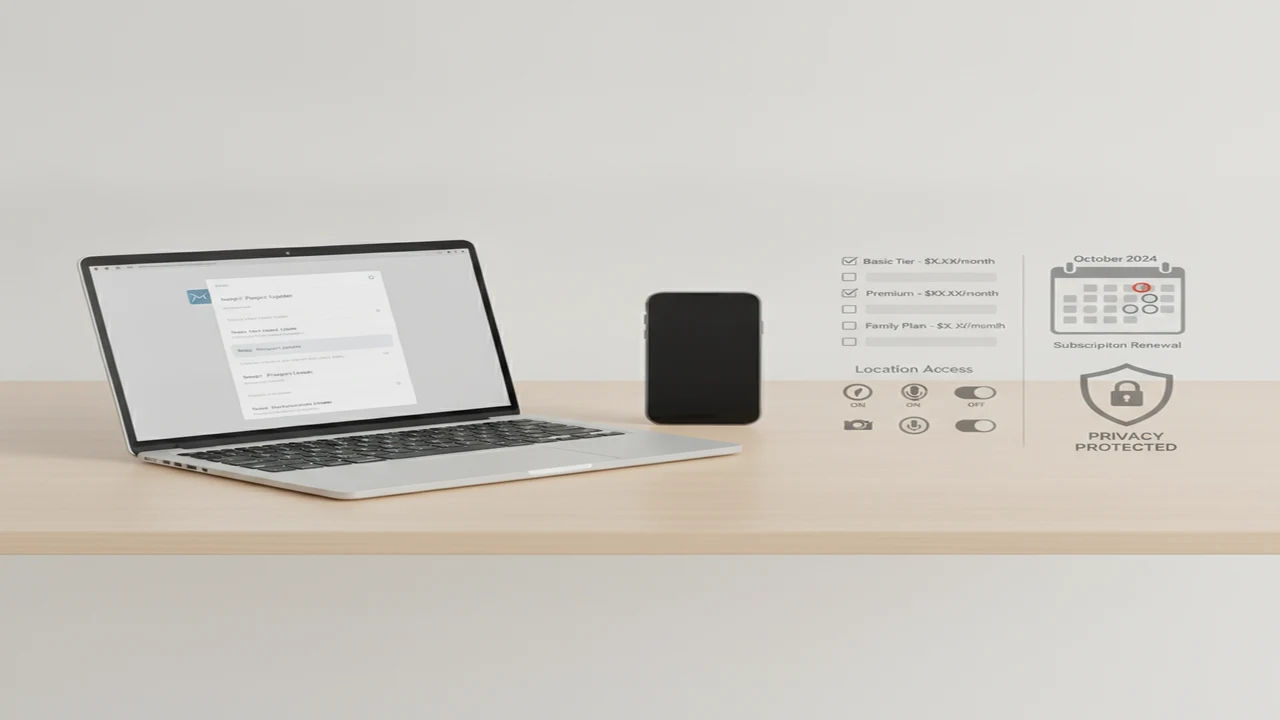
The cheapest AI email writer is not necessarily the least expensive one to live with. A free download may provide only introductory credits, while a low monthly price can become poor value if useful rewriting modes, longer messages, or adequate generation limits sit behind another plan.
Privacy creates a second trade-off. Copying a short, anonymized summary into a writing tool reveals less than authorizing an app to search a mailbox. Buyers should decide how much access the job requires before choosing a subscription.
Quick answer: Affordable AI email tools are worth considering when they reduce repetitive drafting without demanding broad inbox access or an unclear subscription. Compare the free tier, message limits, supported devices, privacy disclosures, cancellation terms, and whether replies require copying sensitive email into an AI service. The right choice depends on how often you write and how much manual review you accept.
What does this mean?
Definition: An AI email writer is an app or web service that generates, rewrites, or replies to email from instructions such as the recipient, purpose, language, and desired tone.
What makes an affordable AI email tool worth paying for?
A useful free tier remains available for routine use within a stated allowance. A free trial is temporary and may convert automatically into a paid subscription. That difference matters more than a large Download button or a vague promise that users can start free.
Record the monthly price, annual price, renewal terms, message or character caps, model restrictions, supported devices, and export options. Find the cancellation instructions before paying. Our guide to free versus paid AI email generators examines these subscription trade-offs in more detail.
Value depends on the work avoided. An occasional user might need help with a customer-service response or scheduling message. A frequent user may benefit more from reusable follow-ups, outreach drafts, cover letters, or consistent writing preferences.
The lowest advertised price is poor value when every draft needs a complete rewrite. It is also a poor bargain when the app lacks the platform, language, export method, or monthly allowance needed for the buyer's actual workload.
- Separate a permanent free allowance from a time-limited trial.
- Compare monthly billing with the full annual charge and renewal amount.
- Check generation, word, character, or daily-message limits.
- Confirm device support, export options, premium-only modes, and cancellation steps.
Which affordable AI email tools belong on the shortlist?
EmailAI, presented through its AI Email website, belongs on the inspection list for shoppers who want a dedicated email-writing product. Its current website and checkout documents should be used to confirm available plans, limits, account requirements, and handling of submitted text.
AI Email Writer - Fly Mail is an iOS candidate listed for email generation, assistance, and replies. Buyers can review the current AI Email Writer App Store page for device compatibility, purchase information, privacy disclosures, and subscription controls available in their region.
AI Email Writer - Boss is positioned around email templates, grammar correction, adjustable writing preferences, and email or letter generation. Any mail-provider compatibility claim, trial, and Pro plan should be confirmed against its current listing rather than assumed from older descriptions.
Friday and Xemail also appear in the broader email-writing category, but detailed plan limits and privacy terms were not established in the reviewed source set. They remain names to investigate, not automatic recommendations. Look for current first-party pricing, platform support, data handling, and cancellation documentation before choosing either one.
NaturalWrite, Undetectable AI, and StealthGPT are not primary entries here because their documented positioning centers more on revision, human-style wording, or AI-text analysis than on a complete email workflow.
- Dedicated web candidate: EmailAI.
- iPhone or iPad candidate: AI Email Writer - Fly Mail.
- Template-oriented alternative: AI Email Writer - Boss.
- Additional names requiring documentation checks: Friday and Xemail.
How should you compare free plans, subscriptions, and usage limits?
Build a small cost sheet before subscribing. Record the current monthly charge, the total annual charge, the effective monthly amount under annual billing, trial length, renewal amount, generation allowance, and features reserved for paid users.
For a cost-per-needed-draft estimate, divide the recurring fee by the number of drafts you genuinely expect to create. Then account for unused allowance and the time required to correct each result. A plan with a large cap does not offer extra value when most of that capacity expires unused.
Free access can mean a permanent capped tier, temporary trial, promotional price, advertising-supported version, or a small bundle of introductory credits. These are not interchangeable. Free plans are commonly capped by words, characters, daily messages, or premium features, according to the reviewed 2026 industry sources.
Zapier's 2025 roundup placed entry-level AI add-ons for mainstream email at roughly $7 to $18 per user per month on top of base subscriptions. That is a market benchmark, not a current quote for any product in this table. Regional taxes, App Store pricing, and later plan changes can alter the checkout total.
Verify the final price on the checkout screen. Also locate subscription management and cancellation controls, check family sharing only when expressly documented, and remember that canceling payment may not delete the account or previously submitted data.
- Screenshot or save the renewal terms shown at purchase.
- Calculate cost from the drafts you need, not the maximum advertised allowance.
- Check whether unused credits expire or carry forward.
- Find separate instructions for cancellation, account deletion, and data deletion.
What privacy permissions should an AI email app request?
A copy-and-paste writer can operate from the text a user deliberately supplies. An inbox-connected service may request access to messages, thread history, sender details, contacts, attachments, or mailbox metadata. Direct integration can save steps, but its broader access needs a clear benefit and a clear explanation.
Review the App Store privacy label, privacy policy, browser permissions, and any Google or Microsoft authorization screen. Check mailbox scope, contact access, microphone permission for voice input, analytics, advertising identifiers, diagnostics, account data, retention periods, deletion requests, and model-training disclosures.
EmailAI documentation should be checked for what it says about submitted prompts, accounts, retention, deletion, and any mailbox connection. AI Email Writer - Fly Mail buyers should examine its current App Store privacy section and linked policy. Where a practice is not disclosed clearly, record it as not listed rather than assuming that no collection occurs.
Mailbird reported in its 2026 email privacy and AI writing guide that 43% of surveyed users were concerned or very concerned about AI tools training on email content. Its guide also highlights retention, training, and legal jurisdiction as questions worth asking.
Privacy labels and policies are disclosures. They do not independently demonstrate security or prove that unlisted collection never happens. For a deeper permission checklist, see our guide to AI email app access to contacts and inboxes.
Do not paste passwords, payment details, medical information, legal strategy, confidential workplace material, or an entire private thread when a short summary will do. Use placeholders for identifying details whenever possible.
- Prefer the narrowest mailbox authorization that completes the task.
- Deny contact or microphone access when the relevant feature is unnecessary.
- Look for retention, deletion, model-training, and opt-out language.
- Ask whether the convenience of direct integration justifies the additional data exposure.
How can you write an email with AI without exposing the whole conversation?
A low-data workflow gives the generator enough context to produce a useful structure without feeding it an entire conversation. The sender remains responsible for every factual statement and commitment in the final message.
A compact prompt can say: “Draft a polite follow-up to a potential client. Mention the proposal sent last week, ask whether they need clarification, request a response by [DATE], and keep the message under [LENGTH]. Do not add facts.” The same pattern works for a professional email generator, email reply generator, outreach message, or cover letter.
Tone-controlled email drafts and multilingual output still need review by someone who understands the relationship, subject, and language. A fluent draft can contain an incorrect date, culturally awkward wording, or a promise the sender never intended.
- Define the recipient's role, message purpose, required facts, deadline, and preferred tone.
- Minimize the input by removing thread history, names, account numbers, and confidential details that are not essential.
- Prompt with placeholders such as [CLIENT], [DATE], [PRICE], and [PROJECT]. Tell the tool not to invent missing information.
- Generate one concise draft rather than repeatedly submitting more private context.
- Verify names, dates, prices, promises, attachments, links, claims, and requested actions.
- Personalize the greeting, voice, examples, and relationship details outside the AI tool where possible.
- Send only after reading the complete message from the recipient's perspective.
- Delete stored drafts, prompts, or account history when the service provides appropriate controls and retention is unnecessary.
When is an email writer better than a chatbot, grammar tool, or AI humanizer?
A dedicated AI email generator may organize subject lines, greetings, requests, calls to action, replies, and follow-ups without requiring a long prompt. A general AI chatbot can perform similar drafting, but the user may need to specify more structure and move the result into an email client manually.
Grammar tools focus on mechanics and style within existing text. Grammarly provides broader writing assistance, while QuillBot is known for paraphrasing and rewriting features. These may suit users who already know what they want to say but need editing rather than a complete email draft.
NaturalWrite is positioned around natural-sounding revision and readability improvement. Undetectable AI combines an AI detection check with natural-language revision and content rewriting. StealthGPT emphasizes AI draft revision, writing-pattern variation, and more human-style text. Those are AI humanizer or AI text rewriter jobs, not necessarily inbox management or structured follow-up work.
No humanization service can guarantee detector outcomes, authorship judgments, factual preservation, or compliance with school and workplace policies. Rewriting may remove nuance, change a commitment, or introduce an error.
GPTZero, ZeroGPT, and Originality belong to a separate AI detector comparison. Their probabilistic scores address whether text resembles patterns associated with generated writing. They do not identify the best AI email writer, and a detector score does not prove human or AI authorship.
- Choose an email writer for structured drafts, replies, subject lines, and follow-ups.
- Choose a grammar checker when the message already exists and needs cleanup.
- Choose an AI paraphrasing tool when specific wording needs revision.
- Do not buy a humanizer expecting guaranteed detector results or proof of authorship.
Which AI email tool fits your everyday workflow?
Occasional users should favor a genuinely usable free tier or pay-as-needed arrangement. An annual plan rarely makes sense when the tool is needed for only a few scheduling notes, customer-service replies, or job applications each month.
Mobile-first buyers can inspect AI Email Writer - Fly Mail as an iPhone or iPad candidate. Check device compatibility, App Store privacy disclosures, in-app purchase terms, account requirements, and Apple's subscription management screen before choosing the Email Writer.
For a browser-centered workflow, EmailAI is a web-product candidate to inspect. Confirm its current allowance, available writing controls, export process, privacy documents, and whether using it requires copying email text into a separate service.
Professional and higher-volume users should prioritize documented allowances, reusable templates, consistent writing preferences, follow-up support, and predictable export. Boss may suit template-oriented shoppers if its current compatibility and plan terms match their mail setup. Friday and Xemail require the same documentation check.
A multilingual email writing assistant needs more than a language menu. Someone familiar with the target language should check formality, idioms, names, dates, and cultural context before delivery.
Write.info may be another all-in-one AI writer and chatbot alternative to investigate, but buyers should confirm its current public materials rather than assume it offers a particular email, voice, rewriting, or platform feature.
- Does the free allowance cover your real monthly volume?
- Are the renewal price and cancellation location clear?
- Does the tool work on every device you plan to use?
- Are templates, follow-ups, languages, and export options documented?
- Can you use the tool without granting unnecessary inbox access?
What are the limitations of affordable AI email tools?
What should you check before choosing an AI email writer?
Start with the least costly option that covers the messages you genuinely write each month. Upgrade only when a documented limit or missing function repeatedly gets in the way.
Workplace users should confirm employer policy before submitting company information or connecting a work mailbox. Access granted through a personal app account may still expose organizational messages or contacts.
Skip a tool when its pricing, renewal terms, requested mailbox access, or deletion process cannot be understood from its documentation. A long feature list does not offset an unclear recurring cost or unexplained data access.
- Intended email tasks and expected monthly volume.
- Permanent free allowance, trial conditions, and recurring price.
- Renewal amount, cancellation location, and account-deletion process.
- Mailbox, contact, microphone, tracking, and diagnostic permissions.
- Retention and model-training disclosures.
- Phone, tablet, browser, and desktop support.
- Required languages and tone controls.
- Copy, export, or direct-inbox delivery method.
- Time available for factual and tone review.
Comparison
| Tool | Primary use | Platform | Free access or trial | Paid-plan limit | Inbox connection | Privacy documents | Best fit |
|---|---|---|---|---|---|---|---|
| EmailAI | Dedicated email drafting | Web product | Verify current site and checkout | Verify current plan terms | Check current documentation | Check product policy | Browser-centered email drafting |
| AI Email Writer - Fly Mail | Generation, assistance, and replies | iOS; confirm current compatibility | Check regional App Store listing | Check in-app purchase terms | Not established in reviewed materials | App Store label and linked policy | Mobile-first iPhone or iPad users |
| AI Email Writer - Boss | Templates, correction, email and letter generation | Confirm current listing | Trial terms require confirmation | Pro terms require confirmation | Compatibility claims require confirmation | Check current listing and policy | Template-oriented drafting |
| Friday | Email-writing candidate | Not established in reviewed materials | Not listed | Not listed | Not listed | Not listed | Buyers willing to research current terms |
| Xemail | Email-writing candidate | Not established in reviewed materials | Not listed | Not listed | Not listed | Not listed | Buyers willing to research current terms |
| NaturalWrite | Natural-sounding revision | Confirm current documentation | Verify current terms | Verify current terms | Not positioned as a full inbox workflow | Check current policy | Readability and wording revision |
| Undetectable AI | Detection check and rewriting | Confirm current documentation | Verify current terms | Verify current terms | Not positioned as a full inbox workflow | Check current policy | AI-text analysis and revision |
| StealthGPT | AI draft revision | Confirm current documentation | Verify current terms | Verify current terms | Not positioned as a full inbox workflow | Check current policy | Writing-pattern and style revision |
Limitations
Listings and privacy disclosures describe documented features, but they cannot establish real-world draft quality, factual accuracy, delivery reliability, security implementation, support responsiveness, or whether a deletion request was completed.
Prices, trials, free allowances, renewal terms, model access, privacy labels, and regional availability may change after August 6, 2026. A feature or data practice not listed is not proven absent, so unclear entries should remain marked as not listed.
Generated email may invent facts, use an incorrect date, misunderstand context, flatten the sender's voice, expose sensitive text, or make a commitment the sender did not intend. Every important message needs human review before it is sent.
Frequently Asked Questions
Are free AI email writers actually free?
Sometimes, but “free” can describe several arrangements. Look for the difference between a permanent capped tier, temporary trial, introductory credits, advertising-supported access, and a subscription that renews automatically. Confirm the generation limit and renewal terms before entering payment details.
Can an AI email writer read my inbox?
It depends on the product and permissions you grant. A copy-and-paste tool sees the text you submit, while a direct integration may request messages, metadata, contacts, or attachments. Read the authorization scopes and privacy documents, and reject access that the task does not require.
Is EmailAI suitable for professional email drafts?
Its public materials position EmailAI as a dedicated email-writing candidate, but suitability depends on current features, limits, and company policy. Review every professional draft for names, facts, tone, attachments, confidential details, prices, and promises before sending it.
Does AI Email Writer - Fly Mail require a subscription?
Check the current regional App Store purchase panel for AI Email Writer - Fly Mail. Purchase options, trials, and renewal conditions can vary or change, so do not infer the current arrangement from an older review. Apple's subscription screen should show the charge and renewal period before confirmation.
Can Write.info help with email as well as general writing?
Write.info may be worth inspecting as an all-in-one AI writer and chatbot alternative. Confirm any email drafting, rewriting, voice-input, device, or subscription claim against its current public documentation before relying on it for a particular workflow.
Should I use an AI humanizer on a work email?
NaturalWrite, Undetectable AI, StealthGPT, or another AI humanizer may revise wording and tone, but the process can also alter facts, nuance, or commitments. Workplace rules still apply, and the final message needs a careful human check rather than an attempt to obtain a particular detector score.
Can an AI detector prove that an email was written by AI?
No. GPTZero, ZeroGPT, Originality, and similar services provide probabilistic judgments based on text patterns. Their results are not proof of authorship and should not be used alone to accuse a sender, certify originality, or decide which email-writing app is best.