
How to Use Writing AI Without Exposing Private Documents
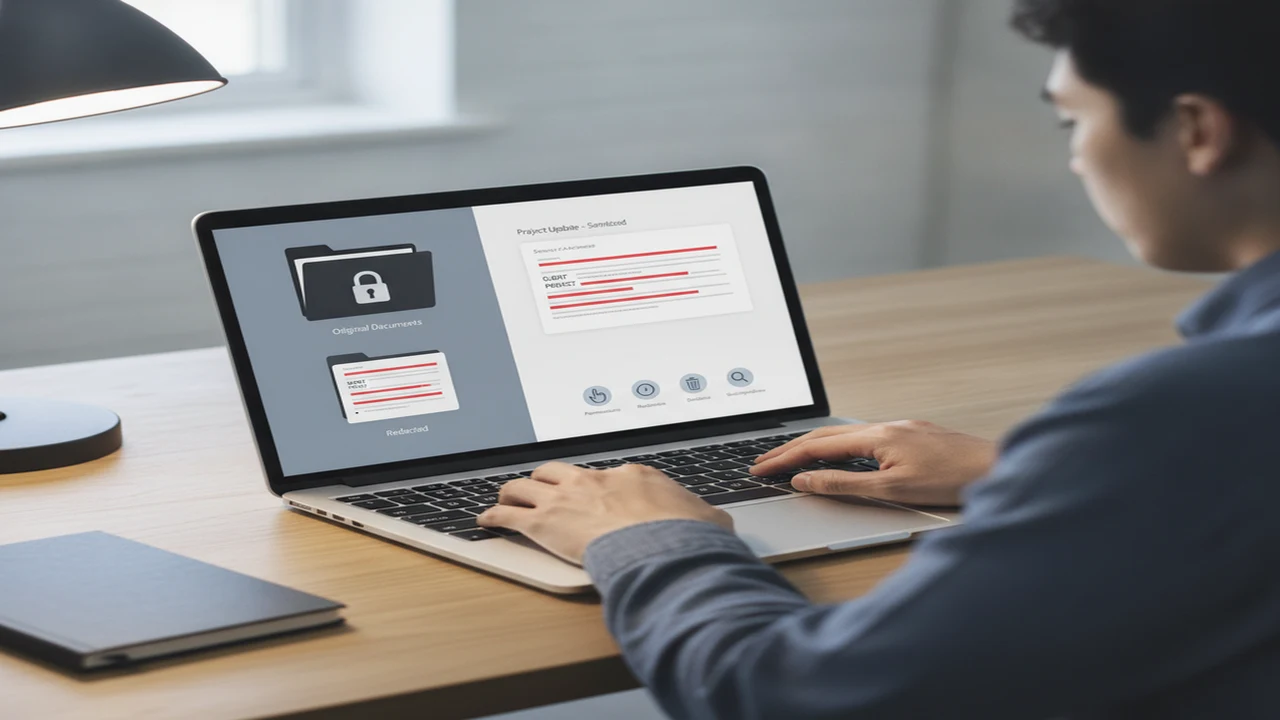
The safest AI writing prompt is usually not a complete document. It is a small, sanitized excerpt that contains enough structure for the requested edit but leaves names, account details, private history, and unique identifiers in your local copy.
This matters even when the writing task seems harmless. Cisco reported that 92% of organizations considered privacy a business imperative in 2023, while a global survey cited by UseAIWriter in 2026 said more than 60% of IT leaders were concerned about employees putting sensitive information into generative AI tools. The everyday risk often begins with what a person chooses to paste.
Quick answer: Use writing AI with the smallest possible excerpt, remove names and identifying details, and keep the original document outside the prompt. Check the tool’s privacy policy, retention terms, permissions, and subscription limits first. For sensitive work, request a structure or generic rewrite instead of uploading the source file, then restore necessary details in your own document editor.
What does this mean?
Definition: Privacy-safe AI writing is a workflow that limits what confidential, personal, financial, medical, employment, or client information reaches an AI service while still using the tool for outlines, tone changes, grammar help, or generic drafts.
What information should you remove before using writing AI?
Send the minimum text needed for the writing task, not the entire document. If you want help improving one paragraph, extract that paragraph rather than uploading the report, email chain, contract, or spreadsheet it came from.
Remove direct identifiers such as names, email addresses, phone numbers, home addresses, customer records, medical details, account numbers, passwords, private access links, internal identifiers, legal strategy, and unpublished financial figures. Check the filename and document metadata as well as the visible words.
Public business facts are usually less sensitive than private context, but combinations matter. A job title, unusual project, location, date, and transaction amount could identify a person even after the name is removed.
- Replace a customer’s name with CLIENT A.
- Replace a supervisor’s name with MANAGER.
- Replace an exact date with DATE or MONTH.
- Replace a price, salary, or balance with AMOUNT.
- Remove credentials, reset links, attachment URLs, and access tokens entirely.
How should you choose an AI writing tool for private material?
Start with the privacy policy, not the feature headline. Check what the provider collects, how long prompts and uploads may be retained, whether content can be used to improve models, how deletion requests work, and which company receives the data. Look for third-party model providers because information may pass through more than one service.
For example, the AI Email Writer site is a listing to examine for current policy, account, and subscription details. Its presence on a public website does not establish how suitable it is for your particular document, so judge the stated terms against the sensitivity of your material.
AI Email Generator: Xemail, Friday, and Boss are other email-focused options that require the same review. Xemail’s public description includes business email templates and an AI reply generator, but any generated message still needs checks for facts, recipient, and tone. Policy language alone is not enough to crown a best AI writer.
Our guide to deciding whether an AI email app should access your contacts and inbox explains why account integration deserves a separate decision. For broader privacy habits, Wired’s privacy guidance also discusses redaction, settings, and tool selection.
How can you redact a document without ruining the writing task?
Good redaction preserves grammatical relationships. Deleting every noun can leave an AI writing assistant guessing, while consistent placeholders retain who did what without revealing the real parties.
For example: “ROLE will send COMPANY the PROJECT revision before DEADLINE.” You can ask for a clearer or more professional version while instructing the tool to preserve every placeholder and add no facts.
Tracked changes, comments, headers, footers, filenames, copied spreadsheet cells, and hidden metadata can carry details that the main paragraph does not show. Plain text copied from a sanitized working file is generally easier to inspect than a full upload.
- Duplicate: Make a working copy while keeping the master document outside the AI service.
- Remove metadata: Clear comments, revision history, author fields, headers, footers, and revealing filenames.
- Redact: Replace identifying details with consistent labels such as ROLE, COMPANY, PROJECT, and DEADLINE.
- Minimize: Extract only the paragraph or sentences required for the task.
- Check again: Read the excerpt for rare facts, embedded links, IDs, and identifying combinations.
- Submit: Request a narrow change to structure, clarity, grammar, or tone, with an instruction not to invent facts.
- Restore: Review the result and reinsert real details only inside the local master document.
Which workflow is safest for email, folders, and mixed document piles?
For a single email, draft a generic version outside the inbox. Paste only the minimum thread context into an AI email writer and reply assistant such as FlyMail, then add names, dates, account information, links, and attachments after the draft returns to your own editor.
For organized folders, use a binder-like system. Keep approved local templates with placeholders for recurring client, employee, sales, or support messages. This avoids repeatedly submitting old documents just to reproduce their structure.
A shoebox-style collection needs sorting before writing assistance. Classify an unsorted backlog locally by sensitivity and purpose, and do not bulk-upload a directory merely to discover what it contains. Xemail, Boss, and Friday may be considered for individual email drafts, but none should be assumed suitable for a confidential archive without express, current documentation.
- Single message: Use the smallest redacted excerpt and restore recipient details locally.
- Organized folders: Reuse a sanitized master template instead of old correspondence.
- Mixed pile: Sort files first, quarantine sensitive categories, and select excerpts one at a time.
Which permissions, settings, and subscription terms should you check?
A permission should correspond to a feature you plan to use. A text-only grammar checker may not need your microphone, contacts, photos, or whole email account. Deny optional access initially, then enable a permission only when its benefit is clear.
Check whether conversation history or model-improvement use can be disabled. Account deletion should also explain what happens to stored prompts and uploads, because removing an app or clearing visible history may not initiate backend deletion.
Free tiers can come with prompt caps, ads, limited exports, model restrictions, or short trials that convert to weekly or annual billing. Paid plans are not automatically more private. When considering FlyMail, read its current listing and subscription terms directly rather than relying on an old review or screenshot.
For the cost side, see our free versus paid AI email generator guide. The related overview of affordable plans, limits, and privacy can help identify renewal and usage-limit questions before signup.
Can AI detectors tell whether a private document used AI?
If you are wondering how accurate are AI detectors, the plain answer is that they can be wrong in both directions. Short, heavily edited, technical, or multilingual writing can be especially difficult to assess. A result is an automated estimate, not proof of authorship or misconduct.
ZeroGPT offers AI content detector and generated-text analysis functions. GPTZero and Originality are other detection tools, while QuillBot and Grammarly sit more broadly in the writing-tool category. No score from these services redacts a file, prevents prompt retention, verifies factual accuracy, or makes a confidential upload safe.
Searches for an AI text rewriter, AI humanizer, or a way to humanize AI text often focus on changing style. Do not alter work solely to evade school, workplace, publication, or client rules. The best AI detector cannot replace disclosure requirements, source checks, or human review.
What routine should you follow before sending any text to an AI service?
Use the same decision sequence for every AI chatbot, professional email generator, or writing assistant. Stop if disclosure would violate a contract, employer policy, professional duty, school rule, or the subject’s reasonable expectation of privacy.
A reusable prompt pattern is: “Improve the tone and structure of this redacted excerpt. Preserve all placeholders, do not infer identities, and do not add facts, dates, promises, or figures.” The same checklist applies if FlyMail is being considered for a professional email draft.
- Classify the material as public, internal, confidential, regulated, or personally sensitive.
- Duplicate the source so the untouched master remains local.
- Minimize the request to the smallest useful excerpt.
- Redact names, contact details, numbers, links, metadata, and unique context.
- Verify the provider’s policy, permissions, retention controls, deletion process, and price.
- Submit one narrow task with an instruction not to invent facts.
- Review every sentence for disclosure, accuracy, tone, and placeholder changes.
- Restore real details only in the approved local document.
- Delete visible history and follow the provider’s documented account or content-deletion process when appropriate.
Comparison
| Check | What to look for | Lower-exposure choice | Reason to pause |
|---|---|---|---|
| Prompt retention | Retention period and storage location | Short retention or documented no-storage option | No clear retention explanation |
| Model-improvement use | Whether prompts or uploads may train or improve models | Documented opt-out that applies to submitted content | Training use is mandatory or unclear |
| Account deletion | Whether deletion covers prompts, uploads, and backups | Documented request process and timeframe | Only visible profile data is discussed |
| File and photo access | Optional versus broad library access | Selected-file access when needed | Full-library access for a text-only task |
| Contacts and email access | Exact account data read or modified | Draft without connecting the account | Broad inbox access without a needed feature |
| Microphone access | Whether voice input is optional | Keep disabled for typed prompts | Required access without a voice task |
| Third-party providers | Model hosts, analytics services, and subprocessors | Named providers with documented roles | Unclear onward data sharing |
| Free tier and trial renewal | Limits, ads, conversion date, billing period, and auto-renewal | Clear caps and renewal controls | Weekly billing or unclear trial conversion |
| Export and history controls | Ability to export, clear, or disable history | Optional history with usable deletion controls | Permanent history or restricted export |
Limitations
Redaction reduces exposure but may not prevent identification through rare facts, writing history, metadata, or combinations of placeholders. A document can remain recognizable even after obvious names and account details disappear.
Listings and privacy policies describe stated practices, can change, and may summarize complicated data flows. They do not independently verify how every provider handles each prompt.
Generated text can introduce false facts, reveal context through rewritten placeholders, use an unsuitable tone, or conflict with workplace and publication rules. This guide is not a security audit, legal opinion, or guarantee that a document is safe to submit.
Workplace, school, client, legal, and professional requirements may prohibit submission even after redaction. Highly sensitive legal, medical, HR, financial, or strategic documents may require an approved organizational system or a properly configured local workflow.
Frequently Asked Questions
Is it safe to paste confidential text into an AI writing assistant?
Usually not without explicit authorization and appropriate contractual safeguards. Use a minimal redacted excerpt for low-risk tasks, and keep confidential source documents in an approved system.
Can I use FlyMail without pasting an entire email thread?
Use minimum-context drafting whenever the task allows it. Provide only the redacted sentences needed for the reply, then check FlyMail’s current policy and settings before adding names, dates, or account details locally.
What should I check before using Write.info for a sensitive draft?
Review Write.info’s current privacy policy, retention language, model-improvement terms, third-party providers, deletion controls, permissions, and subscription conditions. Do not infer privacy protections from the product category or price.
Does deleting an AI chat also delete the submitted document?
Not necessarily. Clearing visible history and deleting backend copies can be separate processes, so check the provider’s current retention and account-deletion policy.
Can an AI text rewriter remove private information automatically?
It may change or omit some identifiers, but you should not assume it found everything. Inspect names, numbers, metadata, rare facts, links, placeholders, and identifying combinations yourself before submission.
How accurate are AI detectors after a document has been edited?
False positives and false negatives remain possible, particularly with short or heavily edited text. ZeroGPT and similar services provide automated assessments, not conclusive proof of who wrote a document.
Is a paid AI email writer more private than a free one?
Not automatically. Compare documented retention controls, permissions, account settings, third-party processing, deletion options, and renewal terms rather than using price as a privacy signal.