
Should an AI Email App Access Your Contacts and Inbox?
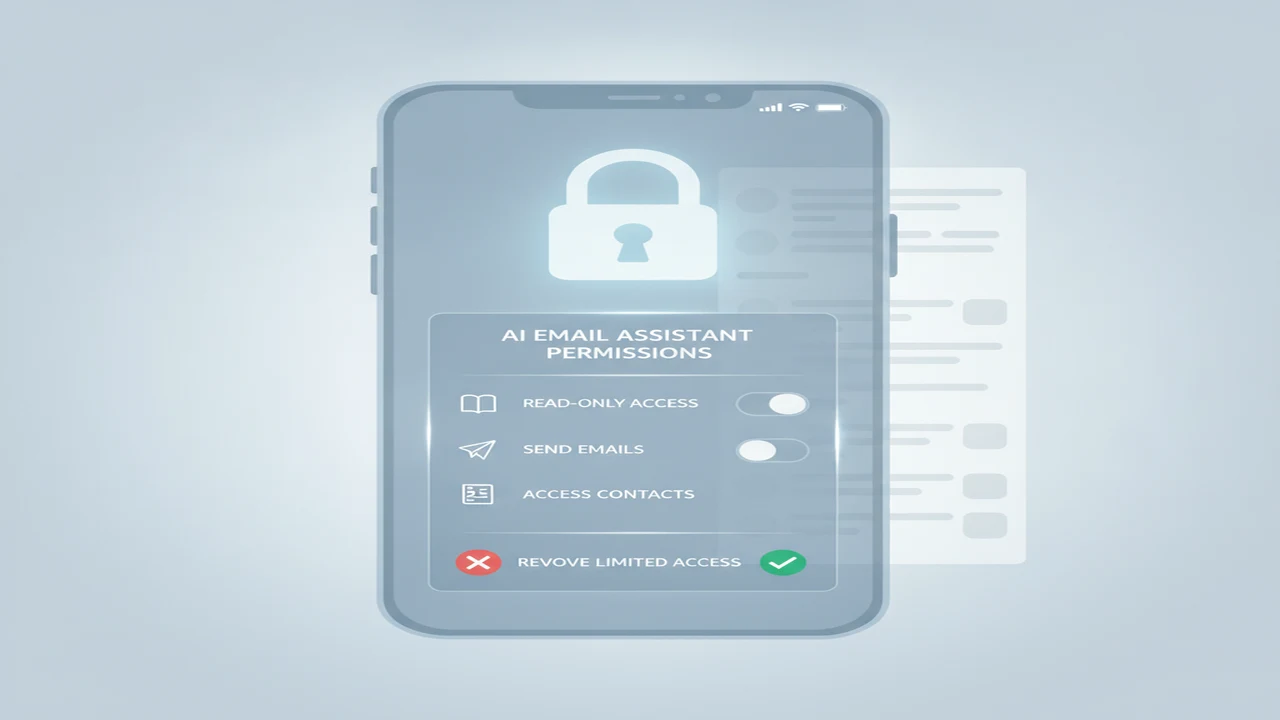
An email account is more than a collection of messages. It can reveal purchases, medical appointments, travel plans, work discussions, password-reset links, financial alerts, attachments, and the people you communicate with. Giving an outside AI assistant broad mailbox access therefore deserves more thought than pasting a generic prompt into a writing box.
Third-party access is already a priority for many organizations: 56% of security leaders called third-party vendor risk management a top security priority, according to the Verizon Data Breach Investigations Report 2024. The same report said 88% of breaches involved the human element. Those figures do not show that AI email tools are inherently unsafe, but they support checking permissions instead of approving every prompt automatically.
Quick answer: Inbox or contact access can be reasonable when it directly supports a feature you intend to use, such as summarizing threads, finding recipients, or drafting replies with context. It should not be required for a basic AI email generator. Check whether access is optional, which data leaves your device, how long information is retained, and whether you can easily revoke permission.
What does this mean?
Definition: AI email app access is permission for an app or connected service to read, send, organize, or process messages, recipient details, address-book entries, and related account metadata.
What does inbox and contact access actually allow?
A request to access email may cover several kinds of information. These can include message bodies, subject lines, attachments, sender and recipient details, timestamps, labels, folders, account identifiers, and other mailbox metadata. Contacts may include names, addresses, phone numbers, employers, notes, and group memberships. Calendar access is usually a separate permission, even when an assistant presents email and scheduling as one feature.
Read-only permission generally allows an app to retrieve information without sending or changing messages. Compose or send permission may let it create drafts or deliver email from your account. Mailbox-management permission can go further by changing labels, moving messages, archiving mail, or deleting content. The ability to act on a mailbox creates a different risk from simply reading one selected thread.
The access route also matters. Using an operating-system share sheet to send selected text to an AI email generator exposes a limited item chosen by the user. Connecting an entire Gmail, Outlook, or other mailbox can expose a much larger body of current and historical information, depending on the granted scope.
Think of selected-message access as handing over one folder from a binder. Full mailbox access may be closer to opening a digital shoebox containing years of unorganized receipts, personal discussions, and attachments. Even when the goal is inbox cleanup, the second workflow gives the service much more context than the first.
When is inbox access justified by the feature?
Context-aware reply drafting can reasonably require access to the thread being answered. Thread summaries, follow-up reminders, inbox search, message organization, and scheduled replies may also need some mailbox connection. The key question is whether the requested scope corresponds to the specific feature you turned on.
An email reply generator might need the selected conversation to understand earlier questions, commitments, and tone. A standalone AI email generator usually can create a new message from a prompt containing the recipient’s role, the goal, and a few relevant details. Full historical inbox access would be difficult to justify for that simpler job.
Before approving broad access, ask whether the same feature works through pasted text, a share extension, a forwarded message, or selected-message access. Draft-first tools that let you inspect a proposed response before sending also reduce the operational risk created by automatic sending.
A useful proportionality rule is simple: every permission should map to a feature you knowingly use. An official app-store presence can make installation easier, but it does not replace reading the account provider’s permission screen or the developer’s current privacy terms.
When does an AI email app really need your contacts?
Contact access can improve recipient autocomplete, relationship-aware tone suggestions, contact lookup, personalized outreach, and reminders linked to particular people. It may also help a service distinguish two recipients with similar names. Those conveniences matter more to someone managing regular outreach than to someone drafting an occasional complaint or thank-you note.
For occasional use, manually entering an address or selecting a recipient through the operating system may be enough. A professional email generator or multilingual email writing assistant does not inherently need the full address book to produce well-structured text. Tone, language, length, and purpose can usually be supplied in a prompt.
Check whether denying contact permission still leaves the core writing screen available. If the entire app stops working, look for an explanation connecting contact access to its main function rather than assuming the request is essential.
Remember that an address book contains information about other people, not only you. Names, phone numbers, employers, private notes, job titles, and organizational relationships may all be exposed when contacts are synchronized. That added sensitivity is a strong reason to keep contact syncing optional unless the recipient feature is genuinely useful.
Which privacy and permission details should you check before connecting an account?
Use the provider’s actual OAuth or operating-system approval screen as the starting point. Marketing descriptions such as smart inbox access can conceal meaningful differences between reading mail, sending mail, editing drafts, managing folders, and retrieving contacts. Readers concerned about document exposure can also use our guide to sharing private material with writing AI more carefully.
- Identify: List the feature you want and inspect every permission shown on the connection screen. For Gmail, wording may distinguish read-only, compose, send, modify, or broader access. Microsoft account scopes may likewise separate reading, writing, sending, and contact retrieval.
- Match: Connect each requested scope to a visible function. Summarization may need reading, while scheduled delivery may need sending. A Gmail safety setup explainer illustrates why permission scope and revocation deserve attention when an outside assistant connects to email.
- Read: Review the privacy policy for model training, human review, third-party processors, retention periods, encryption claims, deletion requests, and what happens after account deletion. Phrases such as improving services deserve closer reading when they cover message content or attachments.
- Limit: Look for selected-message access, optional contact syncing, draft-only operation, local controls, or a writing mode that works without a connected mailbox. Business, school, and healthcare accounts may also have organizational rules that restrict connections to outside AI chatbots.
- Price: Check whether narrower access is available on the free tier or whether mailbox connections require a paid plan. A fee describes the commercial offer, not the quality of the privacy protections.
- Revoke: Find the account provider’s connected-app page before authorizing access. Confirm that you can disconnect the service, disable contact syncing, delete stored history where controls exist, and reconnect later with a narrower scope if necessary.
How do common AI email and writing tools differ in the access they may need?
Tools presented under the AI writing label can have very different workflows. Friday, Xemail, and Boss are names shoppers may encounter around email-focused writing, while mailbox assistants may appear as complete email clients, browser extensions, or services layered onto Gmail or Outlook. A prompt-based writer can often operate on user-supplied text, while a thread-aware inbox assistant may ask for account integration.
The product category matters more than whether a listing uses the phrase best AI email writer. A browser extension working on the open message, a copy-and-paste AI text rewriter, and an assistant that organizes thousands of messages do not need identical access. Compare the documented function with the permission prompt rather than assuming every AI email writer and reply assistant works the same way.
GPTZero and Originality belong to a different category. GPTZero emphasizes document analysis, sentence-level review, and AI-writing signals. Originality focuses on AI content detection, originality checking, and publisher content workflows. Neither category should be confused with a conventional inbox assistant, and an AI detector score should support human review rather than decide a school or workplace case by itself.
How much should you pay for privacy and convenience features?
Occasional writers may be satisfied with a free tier or with writing features already included in their phone, operating system, or email provider. If you only need a few tone-controlled email drafts each month, a recurring subscription and permanent mailbox connection may add little value.
Daily reply management is a different buyer profile. Higher limits, multiple inboxes, thread context, follow-up writing, and organization tools can justify a subscription when they save consistent time. Large archive cleanup may justify broader temporary access, but buyers should still ask whether the connection can be removed after the project.
Find out what payment actually changes. A paid plan might remove generation limits, add account connections, support multiple inboxes, or simply allow more drafts. Paying does not guarantee better privacy, just as a free app is not automatically unsafe. Look for an explicit explanation of whether data handling differs by plan.
Watch for trials that convert automatically, annual prices displayed as a monthly equivalent, message caps, and separate charges for additional inboxes. Our free versus paid AI email generator guide covers those billing trade-offs, while the overview of affordable AI email tools and plan limits is useful when subscription cost is the main concern.
How can you reduce exposure without giving up AI drafting?
Start with the narrowest workflow that produces a useful draft. Give the AI chatbot a short description of the situation, paste only the necessary passage, or share one selected message. Redact names, account numbers, case identifiers, addresses, signatures, and unrelated quoted history when those details are not needed.
A binder-style workflow uses chosen folders, labels, or threads as context. That limits exposure compared with connecting a digital shoebox containing years of unsorted mail. If archive access is necessary for cleanup, consider whether the permission can be temporary and revoked when sorting is complete.
Many writing jobs can begin with user-supplied context. Tone-controlled email drafts need a goal and preferred style. An AI follow-up email writer needs the prior commitment and desired next step. An AI outreach email generator may need a recipient role and value proposition, but not necessarily an entire contact database.
Review connected apps periodically, remove integrations you no longer use, and delete stored conversations where controls are available. Never paste passwords, payment details, private attachments, confidential work material, or sensitive information about another person. Narrow settings reduce exposure, but no single permission choice promises complete anonymity or security.
What are the limits of a listing-based privacy review?
Comparison
| Tool or workflow type | Typical task | Minimum access to look for | Permission concern | Lower-access alternative |
|---|---|---|---|---|
| Prompt-only AI email writer | Create a new message from instructions | No mailbox or contact connection | Prompts may still contain personal information | Use a short redacted prompt |
| Selected-message reply assistant | Draft a response using one conversation | Access to the chosen message or thread | Quoted history and attachments may expose unrelated details | Paste only the relevant passage |
| Mailbox-connected inbox assistant | Search, summarize, organize, draft, or send | Read-only access unless editing or sending is required | Broad scopes can expose or change a large archive | Connect selected folders or revoke access after cleanup |
| Contact-aware outreach tool | Autocomplete recipients and personalize follow-ups | Optional lookup or selected-recipient access | A full address book reveals information about other people | Enter recipient details manually |
| AI writing detector or originality checker | Review document-level or sentence-level writing signals | Only the submitted text | Confidential email text may leave the email system | Submit a redacted excerpt and use human review |
Limitations
Public listings and policies describe documented practices but cannot independently confirm backend behavior, security quality, deletion outcomes, or whether safeguards work exactly as described. Permission prompts and subscription terms may also change with the app version, platform, region, account type, and feature selected.
Broad permission labels do not always reveal how much information a particular workflow processes. A safeguard missing from documentation is not proven absent, while a listed safeguard has not been independently verified here.
No installation log, connected-account review, security audit, or accuracy study was used for this article. Automated AI-writing and originality scores from services such as GPTZero or Originality can also vary with text type and revision, so they should not replace source evidence and human judgment.
Frequently Asked Questions
Can an AI email app read every message in my inbox?
It may be able to if you grant a broad mailbox-reading scope, but access depends on the permission shown by your email provider. Look for selected-message or read-only options and avoid management or sending access unless the intended feature needs them.
Does an email reply generator need access to my contacts?
Usually not for basic reply drafting. It may need the selected email thread, while contact access is more relevant to autocomplete, recipient lookup, relationship context, or personalized outreach.
Can I use Write.info without connecting an entire mailbox?
Verify the current Write.info listing, privacy policy, and permission prompt rather than assuming what it requires. Look for a prompt-only, copy-and-paste, share-sheet, or other no-connection workflow before granting mailbox access.
Is it safer to paste an email into an AI chatbot?
Pasting one redacted passage generally exposes less mailbox data than connecting an entire account. The pasted text can still contain sensitive information, so remove names, account details, attachments, signatures, and unrelated quoted messages first.
Can Write.info help draft email without storing the final message?
Check Write.info’s current privacy policy and product documentation for retention, history controls, deletion, and any no-connection workflow. Do not assume that closing a draft or disconnecting a mailbox automatically deletes previously processed text.
Does paying for an AI email writer improve privacy?
Not automatically. A paid plan may increase limits or add inbox connections without changing retention or model-training terms, so compare privacy disclosures separately from subscription features.
How often should I review and revoke email app permissions?
Review connected apps every few months and whenever you stop using a service, change jobs, or finish a mailbox-cleanup project. Revoke unused access through your Google, Microsoft, Apple, or other account settings and delete stored history where the service provides that control.