
Free vs Paid AI Email Generators: Plans and Privacy
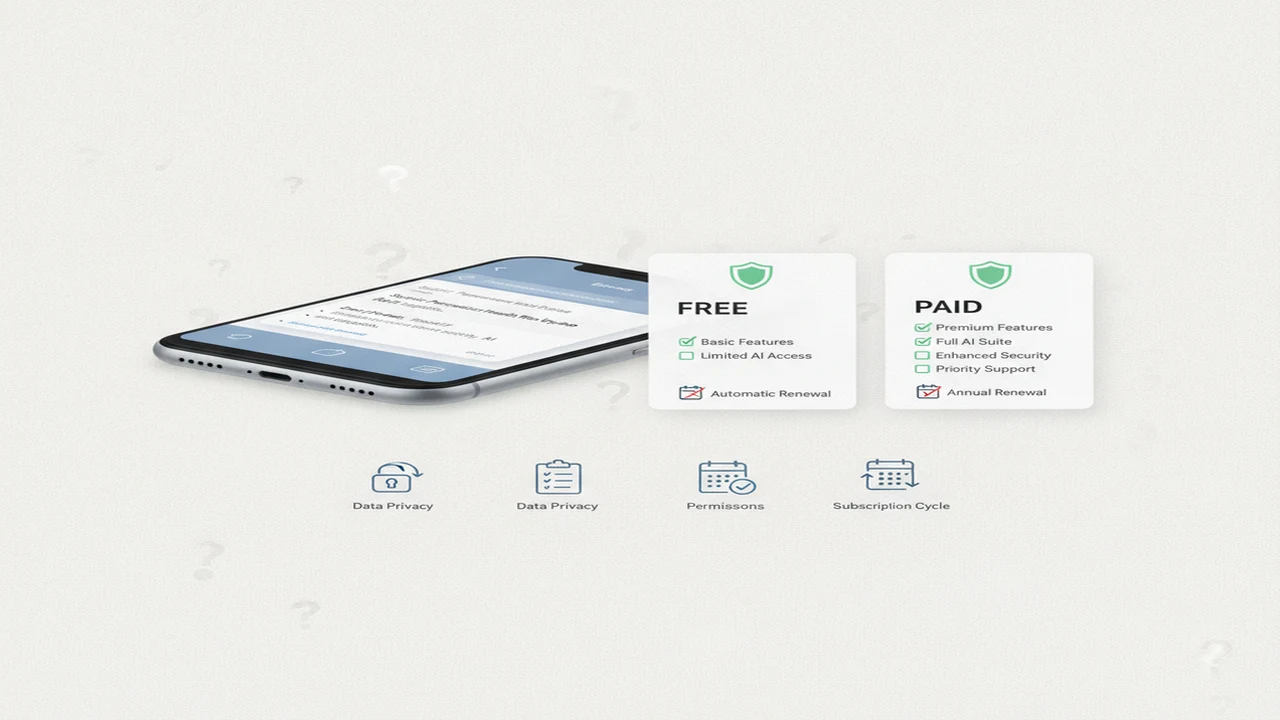
The price shown beside an AI email app rarely tells the whole story. A free download may have tight generation limits, while an annual subscription can look inexpensive per month but require a much larger payment upfront. The useful question is not simply whether an app charges. It is whether the paid features solve a repeated email problem.
Privacy deserves equal weight. Drafting a birthday message from a short prompt is different from pasting a confidential customer thread or connecting an entire inbox. This guide separates drafting quality from subscription convenience and shows what to inspect before giving an email tool money or sensitive text.
Quick answer: Free AI email generators can handle occasional, low-risk drafts, but usage caps, limited tone controls and uncertain data handling can make paid access more useful for frequent work. Compare the full renewal price, reply features, supported devices, permissions, privacy disclosures and cancellation path. A dedicated email tool suits repetitive replies, while a broader writing assistant may offer better value when email is only one task.
What does this mean?
Definition: An AI email generator is a writing tool that turns prompts, message context or selected text into email drafts and replies, often with controls for tone, length, language and purpose.
What changes when you move from a free AI email generator to a paid plan?
Free access commonly comes with output caps, fewer tone or length choices, advertisements, limited history or restricted model access. A paid plan may raise those limits and add an email reply generator, saved templates or workflow features. Payment does not guarantee that a draft will be accurate, natural or appropriate for its recipient.
One 2026 comparison from Word.Now describes typical free allowances of roughly 25 to 50 replies per month, versus unlimited use or a much higher cap on paid tiers. That is a guide-level market estimate, not a rule for every service, so confirm the quota shown for the plan you are considering.
Occasional personal messages usually need little more than a basic draft and careful editing. Job applications benefit from tone and length controls but still require personal details. Customer replies, outreach and repeated workplace email can make higher limits or reusable formats worth paying for, especially when the alternative is rebuilding the same prompt each time.
What do free and paid AI email plans actually cost?
The documented iOS example in this guide is AI Email Writer - Fly Mail. On August 6, 2026, its US App Store presentation identified it as a free download with in-app purchasing. Exact regional prices, available billing periods and trial offers should be checked on the purchase screen because they can vary and were not established as one fixed price for this review.
Calculate value from the renewal charge, not the introductory label. Divide an annual price by 12 to compare it with a monthly plan, but remember that the annual amount is normally collected upfront. Check whether a trial converts automatically, whether unused allowances roll over, and whether cancellation preserves access through the already-paid period.
A Miniloop comparison from 2026 listed at least five major AI systems with free options and placed paid plans in a broad range of about $9 to $49 per month. Hostinger's 2026 small-business comparison reported free email-marketing allowances from 200 to 2,000 emails per month, with some AI writing features tied to paid plans starting near $9 to $39. These figures describe different product categories, so they are context rather than a price promise for a specific app.
Which privacy details should you check before sharing an email?
Start with the app's privacy label and full privacy policy. Look for statements about data linked to your identity, diagnostics, prompt retention, use of content for model training, account deletion, encryption and third-party processors. A store privacy label summarizes developer disclosures; it should be read alongside the complete policy.
Pasting selected text into a generator is a narrower exchange than granting access to an inbox, contacts, files, microphone or notifications. Broader permissions may support contextual replies or voice input, but each permission should match a feature you intend to use. If voice input is documented, inspect both microphone access and any explanation of where speech is processed.
Do not enter passwords, card details, health information, confidential workplace material or another person's sensitive data unless your organization expressly permits the tool. Our guide to using writing AI without exposing private documents covers safer ways to reduce the amount of source material you share.
- Find the retention period for prompts, drafts and account records.
- Check whether submitted text may be used to train or improve models.
- Confirm how to delete saved drafts and the underlying account.
- Review inbox, contact, file and microphone permissions separately.
- Identify outside analytics, cloud or speech-processing providers.
Which paid features matter for writing and replying to email?
Prioritize features that remove a repeated step. New drafts, replies, follow-ups, outreach and cover-letter formats can reduce prompt setup. Tone and length controls help when the same message needs a concise, friendly or formal version. Templates and saved history matter only if you will actually reuse them.
The listing positions AI Email Writer - Fly Mail as an AI writer for iPhone and iPad. A dedicated professional email generator can ask for recipient, purpose and tone in a structured format, while a general AI chatbot may cover email alongside reports, brainstorming and other writing. The dedicated route can be quicker; the general tool may replace more than one narrow subscription.
Tone-controlled email drafts can be useful for customer service or difficult workplace replies. A multilingual email writing assistant may also justify payment when supported languages match your needs. Still check names, dates, amounts, commitments, translations and cultural tone. A grammar checker can improve sentence mechanics without making the underlying claims true.
How can you write an email with AI without losing your own voice?
The safest answer to how to write an email with AI is to give the tool a narrow job and keep final authority. Provide enough context to produce a useful draft, but remove private material that is not needed. Preserve your concrete details and familiar phrasing instead of asking an AI text rewriter to flatten every sentence into generic business language.
AI Email Writer - Fly Mail is one possible drafting route. You can also draft in another writing tool and move the reviewed text into your mail app. Do not assume inbox integration or automatic sending unless the current listing explicitly documents it.
- For an AI follow-up email writer, provide the previous contact date, requested action, deadline and preferred formality. Example: “Draft a polite follow-up to Jordan after our July 30 proposal. Ask whether the team can respond by August 12. Keep it under 120 words and avoid sounding urgent.”
- Identify the recipient and the outcome you want.
- Check the incoming message and note the questions that require answers.
- Describe only the context needed to draft the response.
- Choose a tone, length and level of formality.
- Generate a draft rather than asking the tool to send anything automatically.
- Edit invented claims, generic wording and phrases that do not sound like you.
- Verify names, dates, deadlines, links, attachments and promises.
- Send only after one complete human read.
Where do Grammarly, Undetectable AI, and ZeroGPT fit?
These products address adjacent jobs rather than identical email workflows. Grammarly is a broader proofreading assistant offering grammar checking, tone feedback and clarity suggestions. Some generative features or integrations may require payment, and each suggestion still needs contextual judgment.
Undetectable AI combines an AI detection check with natural-language revision intended to humanize AI text. Rewriting can alter meaning, confidence or tone, so it should not be used blindly. ZeroGPT is an AI content detector that supplies an AI probability assessment or generated-text analysis, not proof that a particular person did or did not write something.
How accurate are AI detectors? False positives and false negatives are possible, particularly with short, edited, technical or multilingual passages. An AI detector comparison cannot determine whether an email is truthful, considerate or factually sound. See our guide to AI email plans, limits and privacy when the buying decision is about drafting rather than detection.
AI Email Writer - Fly Mail is positioned as a dedicated email drafting and reply tool, which separates its main job from proofreading, humanizing and detection products. Detector avoidance is not a responsible reason to buy any email app.
How should you choose between a free tier and a subscription?
Use free access for infrequent, low-risk drafts when its documented limits are acceptable and you are willing to edit every message. Paid access becomes easier to justify when repeated replies, higher limits, useful tone controls, multilingual work or saved workflows remove meaningful effort.
Compare the total annual cost, renewal date, cancellation path, supported platforms and export options. Required permissions should also match the feature being purchased. A reply shortcut does not automatically justify contacts or full-inbox access, a trade-off explored in our guide to AI email app inbox and contact permissions.
- Personal email: start free unless you regularly exceed a documented cap.
- Job search: consider paying for useful tone or application formats, then cancel when the search ends if the terms allow.
- Freelance outreach: pay only when reusable follow-ups or higher volume save more time than the subscription costs.
- Customer support: prioritize consistent replies, team controls and clearly documented data handling.
- High-volume workplace use: require organizational approval, suitable privacy terms and a dependable cancellation or account-deletion process.
Comparison
| Option type | Typical cost pattern | Draft and reply limits | Tone and language controls | Mail or sharing workflow | Data and permission checks | Best suited to | Main watch-out |
|---|---|---|---|---|---|---|---|
| Free AI email generator | No charge or free allowance | Often capped; verify current quota | Basic or limited | Usually copy, paste or share | Review prompt retention and policy | Occasional personal drafts | Free access may be restricted |
| Paid AI email subscription | Monthly or annual renewal | Higher cap or advertised unlimited use | Often broader, if documented | May add integrations or saved workflows | Check account access and processors | Frequent replies and repeated work | Renewal cost and unused capacity |
| General-purpose writing assistant | Free tier plus broader paid plan | Shared across many writing tasks | Varies by plan and model | Copy, extension or supported integration | Check how all submitted content is handled | Users who need more than email | May require more prompt setup |
| Dedicated iOS email writer | Free download; in-app terms apply | Check current terms | Check current listing | App-based drafting or documented sharing | Inspect privacy label and requested permissions | iPhone or iPad email drafting | Exact price, trial and limits may vary |
Limitations
This comparison relies on public listings and documentation checked August 6, 2026, not installed-app observations or measured drafting accuracy. Prices, trials, usage caps, platform requirements, supported features and privacy disclosures can change after publication. Listings can also omit details, and a feature, permission or practice that is not listed is not proven absent.
Generated emails may contain invented details, unsuitable tone, weak personalization, altered meaning or incorrect translations even when relevant controls are available. AI detector results are probabilistic, can produce false positives and false negatives, and cannot establish authorship.
Frequently Asked Questions
Can a free AI email generator write professional emails?
Yes, but professionalism depends on accurate context, suitable tone and careful editing rather than the price of the tool. Check every name, date, claim and request before sending.
Is it safe to paste a work email into an AI writer?
It depends on the content, your employer's rules and the tool's documented data practices. Remove confidential or personal material, review retention and training disclosures, and avoid using an unapproved service for sensitive work.
Does AI Email Writer - Fly Mail require a subscription?
Its US App Store presentation was free to download with in-app purchasing when checked August 6, 2026. A free download does not establish unrestricted use. Review the current purchase screen for exact prices, trial terms, billing periods and renewal language.
Can Write.info help with email wording and rewriting?
Write.info may be considered when researching general writing or rewriting options, but check its current documentation for email-specific features, pricing and data handling rather than assuming it matches a dedicated email workflow.
Can an AI email generator write a follow-up email?
Yes. Supply the previous contact date, requested action, deadline and desired tone. Edit the result so it accurately reflects what was discussed and does not invent urgency or commitments.
Will an AI detector know that an email used AI?
Not with certainty. Detectors can produce false positives and false negatives, especially for short, edited, technical or multilingual text. A score is not proof of authorship.
Is Grammarly an AI email generator?
Grammarly is primarily a broader writing and proofreading assistant with grammar, clarity and tone features. It can assist with email, but it is not a dedicated replacement for every drafting, reply or inbox workflow.
What should I check before paying for an AI email app?
Check the full renewal cost, usage limits, privacy policy, requested permissions, platform support, export or sharing options, cancellation path and account-deletion process. Confirm that its paid feature solves a repeated need, and keep human review in the workflow.