
Best AI Email Generators in 2026
Quick answer: FlyMail is the best AI email generator for focused drafting, with complete emails, reply generation, tone controls, and output in 18 languages. Gmail Help me write is the best free choice for US Gmail users. Pick Microsoft Copilot in Outlook if your email and calendar already live in Outlook.
It is 7:45 a.m. You need to turn four notes into a client email before the first meeting, and the blank compose window is winning. An AI email generator can supply the first draft, but you still have to check the facts and remove the synthetic office-speak.
The bigger choice is where the tool sits. Some apps generate text for any inbox; others work inside Gmail or Outlook and can use the message thread as context. That affects price, setup, and how much email data the service may access.
Comparison at a glance
| App | Best for | Platforms | Free version | Price | Standout |
|---|---|---|---|---|---|
| FlyMail | Dedicated email generation | iPhone, iPad, Android | Three web generations per day; app is free to download | $49.99 yearly or $99.99 lifetime | Complete drafts and replies in 18 languages |
| Gmail Help me write | Existing Gmail users | Web, iPhone, Android | Included for personal Gmail users in the US; exact limit unknown | Free for eligible personal accounts | Drafting and rewriting inside Gmail |
| Microsoft Copilot in Outlook | Microsoft 365 users | iPhone and iPad; other access depends on account | Outlook is free; Copilot needs an eligible subscription or business account | Microsoft 365 Personal listed at $9.99 monthly | Drafting, thread summaries, and tone coaching |
| Grammarly | Rewriting across mobile apps | iPhone and iPad | Free keyboard and basic writing help; AI limits are not stated | $139.99 yearly; mobile-only plan $83.99 yearly | Keyboard-based rewrites without copying text |
| Spark Mail | Multiple email accounts | iPhone and iPad | Free email plan; check the listing for current AI limits | Premium listed at $7.99 monthly or $59.99 yearly | AI drafts inside a unified inbox |
| EmailAI | Free browser drafting | Web | Free tools with no account; exact daily cap is not stated | Free | Thirteen tools for drafts, replies, and subject lines |
| ChatGPT | Flexible prompts and revisions | iPhone and iPad | Free plan with variable usage limits | Go $8 monthly; Plus $19.99 monthly | Long, detailed instructions and follow-up edits |
| Superhuman Mail | High-volume Gmail or Outlook work | iPhone and iPad | Free download; no confirmed ongoing free tier | Check the listing | Automatic reply drafts and one-line thread summaries |
Prices and ratings from the US App Store and Google Play, checked October 2026. Store prices change; the listing is the final word.
How we picked
We read the US App Store and Google Play listings, official sites, pricing pages, and help documents available in October 2026. The ranking favors email-specific drafting, useful free access, stated prices, inbox fit, recent updates, and low setup friction. Rating counts show audience size, so they did not decide the order.
- The app must create or substantially rewrite email.
- Price and free limits must be stated or marked unknown.
- Inbox access and copy-and-paste work count against setup.
- Tone controls, reply context, and editing options affect fit.

FlyMail
4.8 on the App Store (55 ratings)
FlyMail is a dedicated AI email writer for turning a typed or spoken request into a complete draft with a subject line. You can select a professional, friendly, formal, direct, or casual tone, then ask the app to change the length or specific wording. It also accepts a received email and drafts a contextual reply. Output supports 18 languages, which is useful when your customers or coworkers do not all write in English.
The yearly plan is the sensible paid option: $49.99 works out to about $4.17 a month. The $5.99 weekly plan would cost $311.48 over 52 weeks, while the $99.99 lifetime purchase breaks even against two annual renewals. FlyMail had 4.76 stars from 55 US App Store ratings and was last updated April 7, 2026. That is a small rating pool beside Gmail, Outlook, or ChatGPT, but audience size is not the same as fit. FlyMail ranks first because email generation is its main job, with fewer unrelated controls to wade through.
- Generates subject lines, full drafts, and replies
- Supports voice input and 18 output languages
- You copy drafts into your email app; there is no inbox integration
- Generated details still need fact-checking
- Price
- Checked October 2026: $5.99 weekly, $49.99 yearly, or $99.99 lifetime.
- Platforms
- iPhone and iPad require iOS 18.0 or later; Android is also listed.
Pick FlyMail if you want one app for drafting emails and replies across different inboxes.
Gmail Help me write (Gemini)
Gmail Help me write creates a new email from a prompt or rewrites text already in the compose window. Its advantage is location: the tool is inside Gmail, so there is no draft to copy from a separate app. For personal Gmail users in the US, Help me write is available at no charge. Google does not state a simple fixed usage limit in the material we reviewed.
This is the closest rival to FlyMail because it removes more setup for anyone who spends the day in Gmail. It is available on the web, iPhone, and Android. Business pricing depends on the Google Workspace plan; Business Starter was listed at $7 per user each month with an annual commitment, or $8.40 on flexible billing. Gmail wins on free inbox integration. FlyMail has more visible email-specific tone choices and works independently of your email provider, so it is easier to use for messages spread across several services.
- Drafts and rewrites inside Gmail
- Free for eligible US personal accounts
- Best fit only if Gmail is your main inbox
- Exact personal usage cap is unknown
- Price
- Checked October 2026: free for eligible personal Gmail accounts; Workspace starts at $7 per user monthly on annual billing.
- Platforms
- Web, iPhone, and Android.
Pick Gmail Help me write if you already use Gmail and want the least setup.

Microsoft Copilot in Outlook
4.8 on the App Store (9,341,152 ratings)
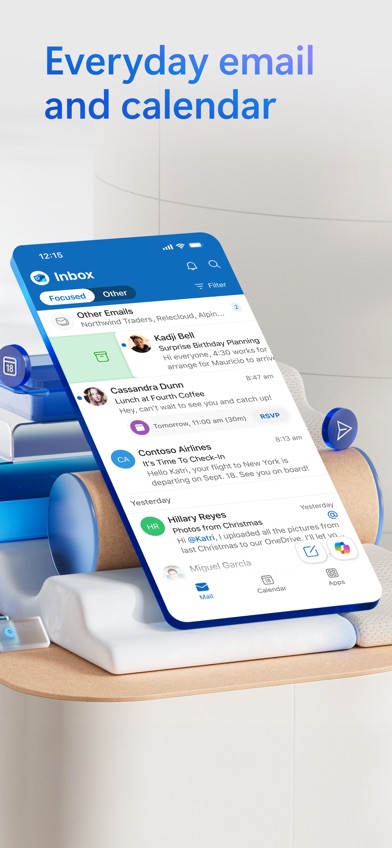
Microsoft Copilot in Outlook works inside Outlook and covers more than blank-page drafting. It can start an email from a short prompt, summarize a long thread, and give feedback about tone, sentiment, and clarity before you send. Those thread summaries are the real reason to choose it over a separate email generator when a project has accumulated 27 replies and three conflicting decisions.
Copilot features require Microsoft 365 Personal or Family, or a business account with Copilot enabled. The US App Store listed Personal at $9.99 a month and Family at $12.99; paying monthly for Personal comes to $119.88 a year. Outlook had 4.79 stars from 9,341,152 ratings and an October 19, 2026 update. The iOS app now requires iOS 26.0, which rules out older devices. Outlook is a stronger fit than FlyMail for thread context and calendars, but it asks you to adopt Outlook and qualify for the right subscription.
- Summarizes long email threads
- Drafting and tone coaching use Outlook context
- Copilot requires an eligible paid account
- The iOS app requires iOS 26.0 or later
- Price
- Checked October 2026: Microsoft 365 Personal is listed at $9.99 monthly; check the listing for annual terms.
- Platforms
- Confirmed here for iPhone and iPad; account access varies elsewhere.
Pick Microsoft Copilot in Outlook if Outlook and Microsoft 365 already run your workday.

Grammarly
4.7 on the App Store (226,923 ratings)
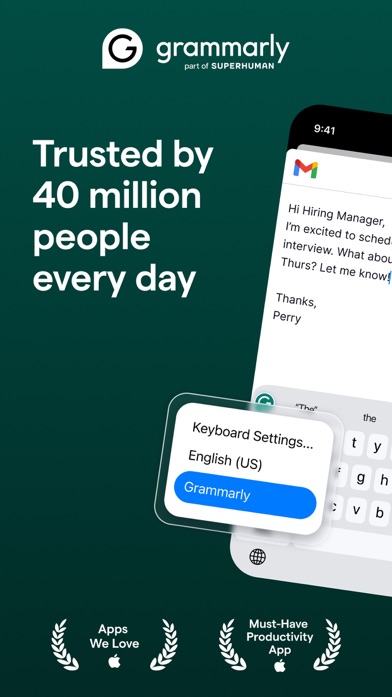
Grammarly puts its AI keyboard inside other iPhone and iPad apps. That means you can rewrite an email in Gmail, Outlook, a CRM, or a messaging app without moving text between windows. It can generate new versions, change length and tone, clean up dictated text, and provide grammar or concision suggestions. The listing says generated rewrites support more than 20 languages, while typing is available in six.
Grammarly is strongest when you already have a rough email and want better wording. A dedicated email generator gives more guidance for subject lines, recipient context, and full message structure. Premium is also expensive: $29.99 monthly costs $359.88 over a year, compared with $139.99 for the annual plan or $83.99 for mobile-only annual access. Grammarly had 4.66 stars from 226,923 US ratings and was updated October 22, 2026. Its listing says voice audio is discarded after dictation, though you should still read the full data policy before entering sensitive work material.
- Works through the keyboard in other apps
- Strong rewriting, grammar, and tone tools
- Full-email generation is less focused than FlyMail
- Month-to-month Premium is costly
- Price
- Checked October 2026: $29.99 monthly, $139.99 yearly, or $83.99 yearly for mobile-only access.
- Platforms
- iPhone and iPad with iOS 17.4 or later.
Pick Grammarly if rewriting and correction across several apps is more useful than a dedicated email screen.

Spark Mail
4.6 on the App Store (82,699 ratings)
Spark Mail combines Gmail, Outlook, iCloud, Yahoo, and IMAP accounts in one inbox. Its AI tools can draft replies, rephrase messages, change tone, translate email, and summarize threads. Spark also has scheduling, sender screening, calendar access, and team comments. The point is consolidation: you can handle two work accounts and a personal inbox without generating text in a separate app.
Spark had 4.62 stars from 82,699 US App Store ratings and was updated October 15, 2026. The listing showed Premium at $7.99 monthly or $59.99 annually, plus higher Plus and Pro tiers. The exact AI allowance attached to each plan was not clear, so confirm it before paying. Spark costs less per year than Grammarly and includes a full email client, but switching clients creates more setup than installing a standalone generator. It also means connecting your inboxes to another service, an extra privacy decision that FlyMail and EmailAI can avoid when you provide only the text needed for one draft.
- Combines several providers in one inbox
- AI drafting sits beside scheduling and thread summaries
- Current AI quotas are not stated clearly
- Requires moving email accounts into Spark
- Price
- Checked October 2026: Premium is listed at $7.99 monthly or $59.99 yearly.
- Platforms
- iPhone and iPad with iOS 16.4 or later.
Pick Spark Mail if one AI-assisted inbox for several accounts is worth the migration.
EmailAI
EmailAI is a separate web entry for creating professional emails, replies, follow-ups, cold outreach, and subject lines. It has 13 task-specific tools and does not require an account. You enter the purpose and context, select a tone, generate the text, then copy it into your email client. The site states that the generator does not send email or access your inbox, which gives you tighter control over what context you submit.
EmailAI is the cleanest free AI email generator here when you want a browser tool and have no interest in changing email clients. It also avoids a subscription screen before the first draft. The trade-off is that it is not a downloadable mobile app, and the site does not publish a clear daily generation cap in the material reviewed. It cannot inspect a Gmail or Outlook conversation unless you paste the needed text. That extra step is tiresome for a long thread, but useful if you prefer to reveal one message at a time instead of connecting an entire mailbox.
- No account required
- Does not connect to or send from your inbox
- Browser tool, not a downloadable app
- Daily usage limit is not stated
- Price
- Checked October 2026: free; check the site for current limits.
- Platforms
- Web.
Pick EmailAI if you want free browser drafting without granting inbox access.

ChatGPT
4.8 on the App Store (11,531,604 ratings)
ChatGPT is a general AI assistant that can draft, shorten, translate, or rewrite email from detailed instructions. You can supply the recipient, relationship, purpose, facts, desired tone, and an example of your normal writing. Follow-up prompts make it easy to remove stiff wording, cut the length in half, or produce several subject lines without starting again.
That flexibility beats fixed email forms when the message has unusual context. It also creates more work: ChatGPT does not provide the same built-in inbox flow as Gmail, Outlook, or Spark in the app reviewed here, so you will usually copy the result into your email client. The free plan has variable limits. Paid options listed in October 2026 included Go at $8 monthly and Plus at $19.99 monthly, with a $200 annual Plus purchase also shown. ChatGPT had 4.83 stars from 11,531,604 US ratings and was updated October 16, 2026. Those numbers show a huge audience, though the app covers far more than email.
- Handles detailed context and repeated revisions
- Free plan is enough for occasional drafts
- No dedicated email workflow in the reviewed app
- Long prompts take more setup
- Price
- Checked October 2026: free plan; Go $8 monthly, Plus $19.99 monthly or $200 yearly.
- Platforms
- iPhone and iPad with iOS 18.0 or later.
Pick ChatGPT if you want maximum prompt flexibility and do not mind copying drafts.

Superhuman
4.6 on the App Store (3,711 ratings)
Superhuman Mail is an email client for Gmail and Outlook accounts with automatic reply drafts, voice writing, snippets, and one-line summaries above conversations. It can adapt drafts for different recipients, while inbox splits, follow-up reminders, scheduled sending, and team comments cover the work surrounding each message. This is the broadest workflow package in the ranking.
It is also hard to justify for someone who only needs an email generator a few times a week. No confirmed ongoing free tier or reliable current price was available from the official listing we reviewed, so check the purchase screen before moving your inbox. The iOS app requires iOS 26.0 or later. Superhuman had 4.6 stars from 3,711 US App Store ratings and was updated October 19, 2026. Pick it for the inbox system and team tools; for simple drafting, FlyMail, Gmail, or EmailAI involves less setup and a much easier cost decision.
- Automatic drafts for messages that need replies
- Strong inbox and team workflow tools
- Current official subscription price is unclear
- Too much setup for occasional email generation
- Price
- Checked October 2026: check the listing for current subscription pricing.
- Platforms
- iPhone and iPad with iOS 26.0 or later; supports Gmail and Outlook accounts.
Pick Superhuman Mail if email volume is high enough to justify a full workflow change.
FlyMail vs Gmail Help me write
FlyMail and Gmail Help me write solve the same blank-page problem from different places. FlyMail is a dedicated generator for several inboxes; Gmail puts AI directly in the compose window.
| Point | FlyMail | Rival |
|---|---|---|
| Inbox fit | Creates text for any email service | Works directly inside Gmail |
| Draft controls | Visible tone, length, reply, and language choices | Prompt-based drafting and rewriting |
| Free access | Three web generations per day | Free for eligible US personal Gmail users |
| Paid cost | $49.99 yearly or $99.99 lifetime | Personal access is free; business cost depends on Workspace |
Gmail Help me write wins if Gmail is already your home base: it has less copying and no added personal subscription. FlyMail wins when you use multiple inboxes, need 18 output languages, or want a dedicated screen with explicit tone controls.
What to check before paying for an email generator
Inbox integration
Choose where you want the AI to work. Gmail, Outlook, and Spark can use inbox context and cut down on copying. A separate generator takes another step, but you control which parts of a message leave your inbox. That difference becomes noticeable when you answer 30 emails a day.
Annual cost and usage limits
Convert weekly and monthly prices into a yearly total. FlyMail's weekly plan reaches $311.48 over 52 weeks, while its annual plan is $49.99. Also check generation caps and which tier includes AI; a cheap email client is less appealing if useful drafting sits behind another plan.
Editing and factual review
AI can invent dates, promises, attachment references, and product details. Pick a tool that lets you edit before sending, then verify every claim yourself. A polished sentence can still be wrong. Cold outreach needs extra care because generic personalization is easy to spot and easier to delete.
Privacy and account access
Read the retention, deletion, training, and inbox-access terms before pasting customer data or internal plans. A connected client may need broad mailbox access. A copy-and-paste generator can receive less data, but only if you remove names, account numbers, and other confidential details first.
Frequently asked questions
What is the best AI email generator?
FlyMail is the best AI email generator for dedicated drafting, reply generation, tone controls, and 18-language output. Gmail Help me write is better for people who want free drafting inside Gmail.
What is the best free AI email generator?
Gmail Help me write is the best free choice for eligible US personal Gmail users because it works in the compose window. EmailAI is a better free option when you do not want to connect an inbox.
Which AI tool is best for fixing email tone and grammar?
Grammarly is the better choice for tone, grammar, and full-message rewrites across iPhone and iPad apps. Its keyboard works inside email clients, though many advanced controls require Premium.
Will an AI email generator invent facts?
An AI email generator can invent dates, promises, statistics, or references that sound plausible. Check every factual statement and attachment reference before sending.
Is it safe to paste confidential email into AI?
Do not paste confidential or regulated information until you have checked the service's retention, access, deletion, and model-training policies. Remove personal and company-sensitive details when the full context is unnecessary.
How do I make AI-generated email sound natural?
Give the email generator the relationship, purpose, key facts, desired length, and a short example of your writing. Edit stock phrases and read the final draft aloud before sending.
The right pick depends on where you write
FlyMail is our recommendation for most people who want a focused AI email generator that works across inboxes, supports 18 languages, and has a reasonably priced annual plan. Choose Gmail Help me write for free Gmail integration, Grammarly for cross-app rewriting, or Spark when several accounts need to live in one client.
FlyMail is best for focused drafting across inboxes
FlyMail's strongest feature is its dedicated draft-and-reply workflow with output in 18 languages. It turns a short typed or spoken request into a subject line and complete email, then lets you change the tone or length before copying it to your inbox. The $49.99 annual plan is far better value than weekly billing. FlyMail suits freelancers, job seekers, and small-business users who write through more than one email service and do not need the generator to read an entire mailbox.