
Best Labor Contraction Timer Apps in 2026
Quick answer: Contraction Timer IO is the best fit for most families because a partner or doula can follow contractions live from another phone. Contraction Timer & Counter 9m is simpler and works on older iPhones. Going Merry is better if you want Apple Watch controls, graphs, notes, and detailed intensity records.
At 3 a.m., with contractions five minutes apart and a partner circling the hospital parking lot, nobody wants to study an app's settings menu. A labor contraction timer needs a large start button, automatic interval calculations, and records you can correct after a missed tap.
The apps below range from focused timers to full pregnancy trackers. Rankings favor labor use, free access, recent updates, setup friction, and useful sharing. Store rating totals show audience size. They do not prove that an app is the right contraction timer for you.
Comparison at a glance
| App | Best for | Platforms | Free version | Price | Standout |
|---|---|---|---|---|---|
| Contraction Timer IO | Live partner and doula sharing | iPhone, iPad, Apple Watch, Android, web | Timing, history, strength, phases, widgets, and 5-1-1 alerts | Free; $1.99 weekly or $5.99 upgrade listed | A private link shows contractions live |
| Contraction Timer & Counter 9m | Simple one-button timing | iPhone and iPad | Basic timing; check the listing for current limits | Free; purchases from $2.99 to $5.99 listed | Works with iOS 15 and has 32 languages |
| Contraction Timer & Tracker | Detailed Apple Watch records | iPhone, iPad, Apple Watch | Free download and trial; check current limits | Weekly and yearly plans from $1.99 | Graphs, intensity, notes, and full-screen timing |
| Storky | Minimal timing and emailed summaries | iPhone and iPad | Basic timer, history, guidance, and summary sharing | Free; $2.99 Remove Ads purchase listed | Sends a contraction overview through email or another app |
| Full Term | Older iPhones and custom alerts | iPhone, iPad, Apple Watch | Timer, editable history, graphs, alerts, and kick counter | Free; $0.99 ad removal listed | Runs on iOS 11 and has custom pattern alerts |
| BabyCenter Pregnancy Tracker | Pregnancy education with a timer | iPhone and iPad | Pregnancy tools and contraction timing; no purchases listed | Free | Timer sits inside a broad pregnancy and parenting app |
| Pregnancy+ | Pregnancy planning plus labor timing | iPhone and iPad | Pregnancy tracking and tools; premium limits may apply | Free; annual plan listed at $34.99 | Combines a timer with a birth plan and hospital list |
Prices and ratings from the US App Store and Google Play, checked October 2026. Store prices change; the listing is the final word.
How we picked
We read the US App Store listings for all seven apps, the supplied Google Play listing, official app pages, and the purchase prices displayed in those listings. Ratings, compatibility, prices, and update dates were checked in October 2026. Missing platform or free-tier details are marked as unknown instead of filled in from memory.
The order reflects fit for someone who needs a labor contraction timer now. Fast controls, editable history, offline access, sharing, ads, cost, and current device support counted more than total ratings. That is why Contraction Timer IO ranks first with 88 US App Store ratings while apps with tens of thousands of ratings sit below it.
- Timing must take one or two taps.
- The app must calculate duration and spacing.
- History should survive interruptions and permit corrections.
- Sharing and wrist access receive extra weight.
- Prices, ads, and yearly cost affect the rank.
- Recent updates and device requirements count.

Contraction Timer IO
4.8 on the App Store (88 ratings) · 4.0 on Google Play (701 reviews)
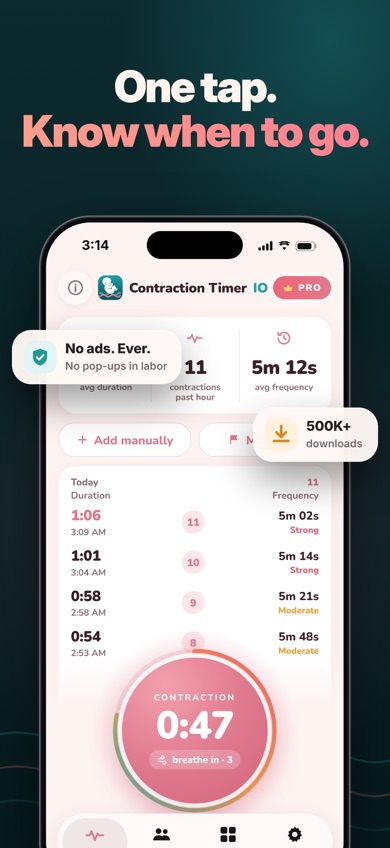
Contraction Timer IO is a focused labor contraction timer with live viewing for a partner, doula, or family member. You send a private browser link, and the other person sees contractions from a phone, tablet, or computer. Followers do not need the app. This is the clearest reason it ranks above 9m, which does not list comparable live sharing.
The free tools cover one-tap timing, duration, frequency, rest intervals, reported strength, phase tracking, editable entries, and a 5-1-1 alert. Timing works offline and needs no account. On iPhone, you can start from an Apple Watch or Lock Screen instead of finding the app during a contraction. Live sharing does need internet access, and remote start or stop is listed as a Pro function.
The US App Store showed 4.82 stars from 88 ratings and an October 10, 2026 update. Google Play showed 4.0 stars from 701 reviews and 50K+ installs. Those are smaller totals than 9m's, but the live family link is more useful for this exact job. The iPhone version requires iOS 17, which rules out older devices.
- Live browser link for supporters
- Offline timing without an account
- Apple Watch and Lock Screen controls
- No ads during labor
- Live sharing needs internet
- iPhone version requires iOS 17
- Some sharing controls require Pro
- Price
- Checked October 2026: free; $1.99 weekly and $5.99 upgrade purchases listed.
- Platforms
- iPhone, iPad, Apple Watch, Android, and an online timer.
Pick Contraction Timer IO if another person needs to follow labor live without sharing your phone.
Contraction Timer IO labor contraction timer for iPhoneContraction Timer IO for Android

Contraction Timer & Counter 9m
4.8 on the App Store (69,312 ratings)
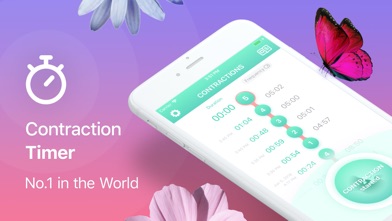
Contraction Timer & Counter 9m is the established, stripped-down choice: tap at the beginning, tap at the end, and let the app calculate duration and frequency. The listing also describes pattern alerts and labor-stage guidance. It had 4.79 stars from 69,312 US App Store ratings in October 2026, far more than any dedicated timer here.
That rating count shows a large audience and a long history, starting in 2014. It also supports 32 languages and runs on iOS 15, so it has an edge over Contraction Timer IO for an older iPhone. The July 2026 update is recent enough to avoid the abandoned-app concern attached to Full Term.
The trade-off is a shorter confirmed feature list. The supplied listing does not confirm Apple Watch access, offline use, editable missed contractions, or live partner sharing. Several purchase entries appear at $2.99 and $5.99, but the exact free limits and entitlement attached to each price are unclear. Check the purchase screen before labor; deciphering a paywall between contractions is nobody's preferred birth plan.
- Large one-button control
- Automatic duration and frequency
- Works with iOS 15
- Support for 32 languages
- No confirmed live sharing
- Free-tier limits are unclear
- Apple Watch support is unconfirmed
- Price
- Checked October 2026: free; $2.99 and $5.99 purchases listed.
- Platforms
- iPhone and iPad.
Pick Contraction Timer & Counter 9m if you want a familiar timer on an iPhone that cannot run iOS 17.

Contraction Timer & Tracker (Going Merry)
4.6 on the App Store (50,085 ratings)
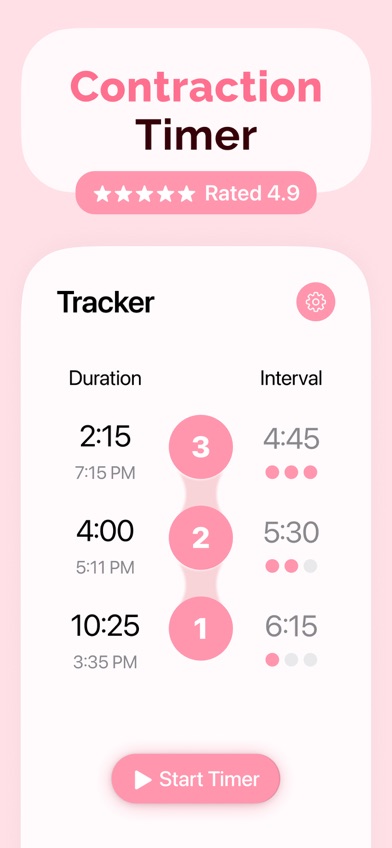
Contraction Timer & Tracker is the detail-heavy pick. Its Apple Watch app, intensity slider, notes, editable history, graphs, and full-screen mode give you more ways to document labor than 9m. It also saves entries when you close or switch apps, which helps when a call from the care team interrupts the timer.
This app is a better fit than Contraction Timer IO if notes and visual trend graphs carry more weight than live family viewing. There is also a hospital bag checklist and a list of pain-relief exercises. The US App Store showed 4.63 stars from 50,085 ratings, with an update on September 29, 2026.
Cost is the main catch. Listed purchases include weekly plans at $1.99 or $2.99 and annual plans at $19.99 or $29.99, plus other purchases up to $39.99. Paying weekly for 52 weeks would cost $103.48 to $155.48, although few people need a contraction timer that long. The app requires iOS 17, and the exact wall between free and premium use is unclear until you check the listing.
- Apple Watch companion
- Editable notes and intensity
- Graphs and full-screen mode
- September 2026 update
- Subscription terms need checking
- Requires iOS 17
- No confirmed live browser link
- Price
- Checked October 2026: free download; purchases from $1.99 to $39.99 listed.
- Platforms
- iPhone, iPad, and Apple Watch.
Pick Contraction Timer & Tracker if you want detailed records and Apple Watch timing and do not mind checking the subscription screen.

Storky
4.9 on the App Store (1,927 ratings)
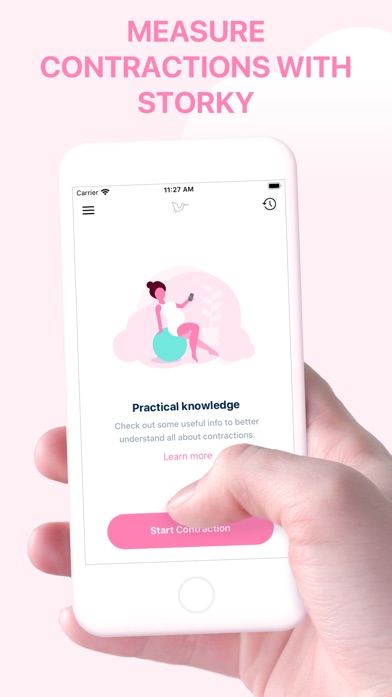
Storky keeps the job narrow. One tap starts a contraction, another stops it, and the app records contraction and rest lengths. It keeps previous sessions and can send an overview to a doctor, midwife, or birth assistant through email or another app.
That exported overview is useful if your care team wants a record, but it is different from Contraction Timer IO's live link. Storky sends a summary; it does not list a browser page that updates as contractions happen. The app also includes basic explanations of contraction patterns and an alert when timing suggests labor may be progressing.
Storky had 4.85 stars from 1,927 US App Store ratings and was updated October 6, 2026. It runs on iOS 15, another point in its favor for older phones. One listing detail needs scrutiny: the description calls the app free of ads, while the purchase menu lists a $2.99 Remove Ads item. Check the current build if avoiding ads is a firm requirement. Apple Watch support, manual corrections, and detailed intensity records are not confirmed in the supplied listing.
- Low-complexity start and stop
- Shareable contraction overview
- Runs on iOS 15
- October 2026 update
- No confirmed Apple Watch app
- Ad information conflicts
- Sharing is not live
- Price
- Checked October 2026: free; $2.99 Remove Ads purchase listed.
- Platforms
- iPhone and iPad.
Pick Storky if you want a basic timer and a summary you can send to your care team.

Full Term
4.8 on the App Store (7,226 ratings)
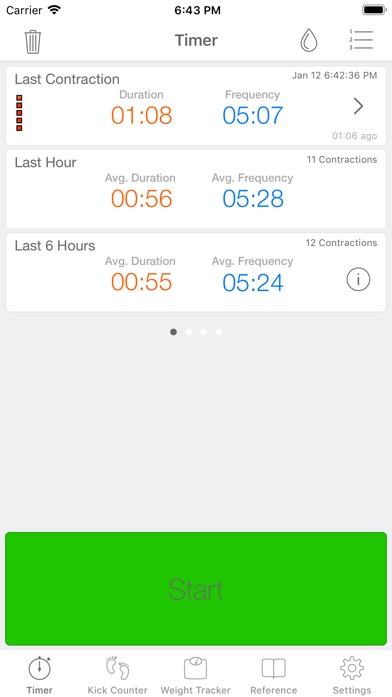
Full Term has an unusually complete free toolset for an app that runs on iOS 11. It records duration and frequency, retains history through app or device restarts, and lets you edit, add, undo, or annotate contractions. You can record intensity, graph progress, track when your water broke, and set a custom alert instead of relying only on 5-1-1.
Apple Watch support and emailed history add real value. Full Term also includes a kick counter and weight log, yet the contraction screen remains the main attraction. At $0.99 to remove ads, it has the lowest listed upgrade price here. That is easier to swallow than a weekly subscription.
Age is the problem. The App Store showed no update since September 25, 2019, despite 4.75 stars from 7,226 ratings. An old app can still run, but future iOS behavior, Watch compatibility, and support are less certain. Full Term also has one listed language and no confirmed Android or web version. I would use it mainly when newer apps reject an older iPhone.
- Runs on iOS 11
- Custom pattern alerts
- Editable and manual entries
- Only $0.99 to remove ads
- Last updated in 2019
- Only one listed language
- No confirmed Android version
- Price
- Checked October 2026: free; $0.99 ad-removal purchases listed.
- Platforms
- iPhone, iPad, and Apple Watch.
Pick Full Term if you have an older iPhone or want custom timing alerts without a recurring payment.

BabyCenter Pregnancy Tracker
4.9 on the App Store (298,423 ratings)

BabyCenter Pregnancy Tracker is a broad pregnancy and parenting app that includes contraction timing. It also has kick counting, appointment and symptom records, birth planning, hospital bag material, classes, and week-by-week pregnancy information. This makes sense if you want one app before and after labor.
The listing showed 4.89 stars from 298,423 US App Store ratings and an October 16, 2026 update. That is the largest iPhone rating count on this page, but most of those ratings cover the whole pregnancy app. They tell us little about the contraction timer by itself. No in-app purchases were listed, so it is the easiest broad app to try without comparing premium tiers.
For active labor, setup friction is the weakness. The contraction timer is one tool inside a much larger app with community, registry, loyalty, and parenting sections. The supplied listing does not describe editable entries, Apple Watch controls, offline timing, intensity, or live sharing. Choose it for the pregnancy material; choose a dedicated timer if speed and a short path to the start button come first.
- No purchases listed
- Current October 2026 update
- Pregnancy and parenting material
- Very large App Store audience
- Timer details are sparse
- No confirmed Apple Watch controls
- More sections to work through
- Price
- Checked October 2026: free; no in-app purchases listed.
- Platforms
- iPhone and iPad.
Pick BabyCenter Pregnancy Tracker if you want free pregnancy education and only occasional contraction timing.

Pregnancy+
4.9 on the App Store (76,799 ratings)
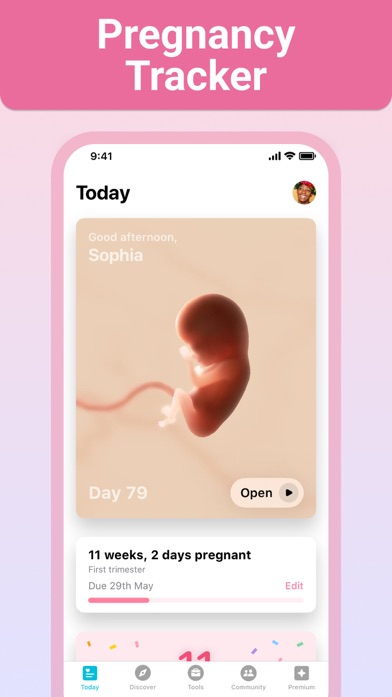
Pregnancy+ puts a contraction timer beside a due-date calculator, kick counter, weight log, birth plan, appointment calendar, and hospital bag list. It is meant for the full pregnancy, so the timer is useful for someone who already records everything else in the same app.
The app had 4.85 stars from 76,799 US App Store ratings and was updated August 10, 2026. It supports 14 languages and requires iOS 16.4. The planning tools are broader than those in dedicated timers, but the supplied listing gives little detail about the timer itself. It does not confirm editable contractions, Apple Watch use, offline access, live sharing, or a pattern alert.
Premium pricing adds another decision. The listing showed $5.99 for one month and $34.99 annually, alongside three-month purchases and smaller point bundles. Twelve monthly payments would total $71.88, so the annual plan costs less if you use premium tools for a year. For labor timing alone, that is hard to justify when focused apps cost less. Pregnancy+ earns its place when its calendar, models, and birth-planning tools will get used too.
- Broad pregnancy tool set
- Birth plan and hospital list
- Support for 14 languages
- August 2026 update
- Timer details are limited
- Premium plan costs $34.99 yearly
- No confirmed Watch or live sharing
- Price
- Checked October 2026: free; $5.99 monthly and $34.99 annual plans listed.
- Platforms
- iPhone and iPad.
Pick Pregnancy+ if you already want its pregnancy planner and prefer keeping contraction records in the same app.
Contraction Timer IO vs Contraction Timer & Counter 9m
These are the two strongest dedicated picks. Both handle basic start-and-stop timing, but they split on sharing, device support, and compatibility.
| Point | Contraction Timer IO | Rival |
|---|---|---|
| Live sharing | Private browser link for a partner, doula, or family member | No comparable live link confirmed |
| Timing access | iPhone, Lock Screen, widgets, and Apple Watch | One-button iPhone and iPad timer; Watch access unconfirmed |
| Offline and ads | Timing works offline and the listing says no labor ads | Offline and ad behavior are not confirmed |
| Phone compatibility | Requires iOS 17 | Runs on iOS 15 |
| App Store audience | 4.82 stars from 88 US ratings | 4.79 stars from 69,312 US ratings |
Contraction Timer IO wins when another person needs the timing record now, not in an emailed screenshot later. Lock Screen and Watch access also reduce the number of taps between you and the timer.
Contraction Timer & Counter 9m wins on older iPhone support, language count, and years of App Store rating history. Pick 9m if iOS 15 compatibility or a very familiar one-button design outweighs live sharing.
What to check before labor starts
Start, stop, and correction controls
Every contraction calculator depends on your taps. A delayed start or missed stop changes the duration and spacing, so use the simplest control you can reach. Editable history is valuable when you miss a contraction while calling your care team. Test the start button, stop button, edit menu, and screen-lock behavior before the due date.
Phone, watch, web, and offline access
Check the exact devices you plan to use. A contraction timer Apple Watch app can help when the phone is across the room, while Lock Screen controls let you skip opening the phone and searching for the app. Offline timing is useful in parking garages and hospital corridors. A contraction timer online is fine for quick use, but a browser tab may lose history or refresh unexpectedly.
Live sharing or exported records
These solve different problems. Live sharing lets a partner or doula follow each contraction as it happens. Exported summaries are better for sending completed history to a clinician. If supporters are in another room or traveling separately, live viewing has more value. If your care team only asks for recent averages, an email summary may be enough.
Alerts, price, ads, and privacy
Pattern alerts can flag a rule such as 5-1-1, but they cannot diagnose labor or replace your care plan. Check which tools are free, whether ads cover the timer, and what a weekly plan costs over time. Read the store privacy label too, especially before creating an account or sharing a live link containing health-related timing data.
Frequently asked questions
Can my partner see my contractions live?
Contraction Timer IO lets a partner, doula, or family member follow contractions through a private browser link. Live viewing needs an internet connection.
What is the best contraction timer Apple Watch app?
Contraction Timer IO is the strongest Apple Watch pick because it combines wrist timing with Lock Screen controls and live sharing. Going Merry is better if detailed notes, graphs, and intensity records are your priority.
Which contraction timer works on an older iPhone?
Full Term runs on iOS 11, while Contraction Timer & Counter 9m runs on iOS 15. Full Term was last updated in 2019, so check Watch and phone compatibility before labor.
Which pregnancy tracker has a free contraction timer?
BabyCenter Pregnancy Tracker includes contraction timing and had no in-app purchases listed in October 2026. It is better suited to readers who also want pregnancy education and parenting tools.
How accurate is a labor contraction timer?
A labor contraction timer is only as accurate as the start and stop taps entered by the user. Missed or delayed taps can change the recorded duration and frequency.
What does a contraction calculator measure?
A contraction calculator usually records duration, start-to-start frequency, and the rest interval between contractions. Some timers also record your own intensity rating.
Does a contraction timer tell me when to go to the hospital?
Some timers flag patterns such as 5-1-1, but an alert is not a diagnosis. Follow the instructions from your obstetric clinician or midwife and contact the care team when concerned.
The labor timer we would download first
Contraction Timer IO is the best fit for most US readers because its live family link, offline timing, and Apple Watch and Lock Screen controls solve real labor-day problems. Choose 9m for an older iPhone and a simpler interface, Going Merry for detailed graphs and notes, or Full Term when iOS 11 support is required.
Contraction Timer IO is best for live support
Contraction Timer IO is worth trying for one specific reason: a partner, doula, or family member can follow contractions live from a browser on another device. That is more useful than passing one phone back and forth or repeatedly sending screenshots. It suits couples coordinating from separate rooms, families traveling to the hospital separately, and anyone whose support person will handle the timing. Live viewing needs internet, while the core timer continues working offline.