
How We Test Mobile Apps
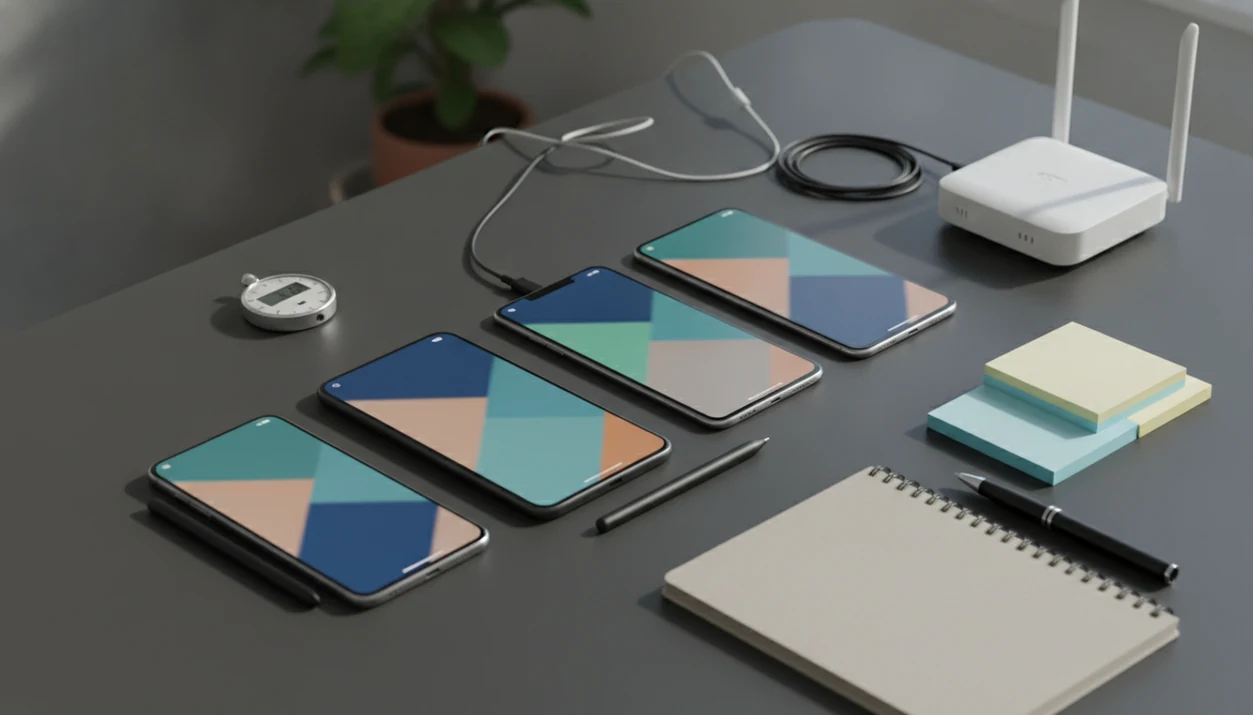
At Lunchbox Guitars, how we test mobile apps means checking real user tasks, real devices, real networks, and real-world conditions, not just whether an app opens without crashing. Our process combines functional checks, usability testing, manual review, automation, and repeat test cycles so readers can understand how reliable an app feels before trusting it.
> Mobile app testing is the process of checking whether an app works correctly, feels easy to use, performs reliably, and behaves safely across phones, tablets, operating systems, networks, and everyday usage conditions.
TL;DR
- Good mobile app testing covers function, usability, performance, compatibility, accessibility, privacy cues, and real-world conditions.
- Manual testing and automated testing do different jobs: manual review catches confusing experiences, while automation repeatedly checks core flows.
- No test process can cover every phone, OS version, user habit, or edge case, so results should be treated as evidence rather than a guarantee.
Mobile app testing at a glance
Mobile app testing checks whether an app works, feels understandable, performs under pressure, fits different devices, and gives users clear safety signals. That scope includes functionality, usability, speed, compatibility, accessibility, permissions, privacy wording, and messy real-world use.
The stakes are not small. In 2023, 72% of retail e-commerce sales worldwide were made through mobile commerce, according to UNCTAD data. A 2023 App Annie and Statista analysis also found that users in many major markets spend over 4.5 hours per day in mobile apps on average. Sources include UNCTAD digital economy/mobile commerce data and data.ai's State of Mobile 2023. Shopping, banking, messaging, fitness tracking, streaming, and appointment booking all pass through tiny screens now.
The receipt tells a different story when a checkout app fails.
Our testing lens is consumer decision-making, not enterprise QA coverage. Lunchbox Guitars evaluates whether a normal buyer can trust, understand, and keep using an app. The deeper rules behind that work sit in our software review standards.
Five facts about how we test mobile apps
- Functional testing checks core actions. Testers verify sign-in, search, checkout, settings, notifications, subscription changes, account deletion, and help flows.
- Usability testing measures human friction. Real people reveal learnability, efficiency, repeated errors, hesitation, and satisfaction in ways crash logs cannot.
- Device variety changes the result. Screen size, OS version, phone age, network strength, and permissions can expose bugs that one clean test phone misses.
- Manual and automated testing are partners. Manual review catches judgment problems; automation repeatedly checks stable flows after updates.
- Testing should repeat after fixes. A bug marked “fixed” is not evidence until the same flow passes again, including nearby flows that may have broken.
For a reader choosing between two apps, repeated task testing is often more useful than feature counting because it shows where the app fails under normal use.
How mobile app testing works behind the scenes
Mobile app testing works by turning expected user behavior into task scenarios, then comparing what should happen with what actually happens on real devices. Each task produces pass-fail observations, tester notes, timing data, crashes, screen recordings, logs, and user behavior evidence.
A practical flow starts with a test plan. The team defines supported devices, OS versions, account states, permissions, and network conditions. Testers then run observed sessions, document failures, group bugs, and retest after fixes. A device matrix is the plain-English map of which phones, tablets, screens, and software versions get checked.
Technical correctness is not the same as user-perceived quality. A password reset can work in the database but still feel broken if the email arrives late, the button label is vague, or the confirmation screen disappears too quickly. We have seen that exact pattern during trial signup checks, right after tapping through an iPhone App Store subscription sheet before the free-trial button turns blue.
Requirements before we test a mobile app
Meaningful app testing needs a clear target user, a supported device list, operating system boundaries, and a plain statement of what the app promises. Without those, testers only confirm random behavior.
Before running sessions, we prepare realistic accounts, sample data, safe payment paths, permission states, and network conditions. A budgeting app needs sample transactions. A scanner app needs messy documents. A calendar tool needs shared events, time zones, and a way to test reminders without charging a real card.
Goals matter more than long spreadsheets. If the app promises “cancel anytime,” the cancellation path becomes a test case. If it promises private storage, permission prompts and export behavior need attention. Unclear goals create weak tests because nobody knows what success looks like.
Step 1: Map the mobile app tasks users actually need
“What does a normal user need this app to do before they trust it?” That question starts better testing than an internal feature list.
We map everyday flows first: install the app, create an account, sign in, search, compare options, save preferences, buy, cancel, get help, change settings, and delete the account. Then we rank each flow by user importance and risk. A typo on an about screen matters less than a broken refund link.
Consumer-friendly reviews and guides about digital tools, mobile apps, web software, and buying decisions for everyday users deliver tested tradeoffs and plain evidence, not vendor-style feature catalogs.
The trust flows get tested early. Subscription screens, permission prompts, data exports, and account deletion are where a nice-looking app can become a bad recommendation fast.
Step 2: Test mobile app functions across devices
Functional testing asks whether each core feature produces the expected result on more than one setup. A search should return relevant results. A saved preference should stay saved. A payment-safe checkout test should move through confirmation without a duplicate charge.
One personal phone is not enough. We check different screen sizes, OS versions, device ages, orientations, permission states, and app update states. Android and iOS also handle permissions, background activity, subscriptions, and system settings differently, so a flow that feels obvious on one platform may feel hidden on the other.
The small stuff catches people. An Android permission prompt may ask for contacts when the feature only needs a calendar, and that changes trust immediately. We also compare new installs with updated apps because old cached settings can hide onboarding problems.
For most consumer app reviews, testing at least two meaningfully different environments is better than testing one favorite phone because it exposes platform and setup assumptions.
Step 3: Watch real users test mobile app usability
Usability testing means observing real people as they try realistic tasks, then recording where they slow down, tap the wrong place, repeat errors, or give up. It is separate from bug testing because a screen can work technically and still confuse nearly everyone.
We track task completion, time on task, hesitation, wrong taps, repeated backtracking, help-seeking, and satisfaction. A user squinting at a gray-on-white pricing footnote under a monthly plan toggle tells us something a test script will not.
Research in JMIR mHealth and uHealth found that only 31% of evaluated consumer mobile health apps had usability testing involving real users; link the exact article URL inline so readers can verify the study.
Five to ten users can reveal common usability problems, but that size cannot produce precise population statistics. For context, Nielsen Norman Group's usability-testing guidance explains why small moderated tests can uncover repeated interface problems without acting like population surveys: Nielsen Norman Group. It is pattern-finding, not polling.
Step 4: Compare manual and automated mobile app tests
Manual and automated tests answer different questions, so strong app testing usually combines both. Manual testing is better for judgment and first-use confusion; automation is better for repeating stable checks after updates.
| Test type | Purpose | Strengths | Weaknesses | Best use case |
|---|---|---|---|---|
| Manual testing | Human review of tasks and screens | Catches confusing wording, layout problems, emotional friction, and odd edge behavior | Slower and less consistent across large test sets | First-time use, subscriptions, privacy prompts, support flows |
| Automated testing | Scripted checks of repeatable flows | Fast regression checks and consistent reruns | Breaks when screens, labels, or flows change | Login, search, saved settings, checkout states |
| Hybrid testing | Manual review plus automation | Balances judgment with repeat coverage | Requires planning and maintenance | App updates, buying guides, comparison testing |
Automation can confirm that a path still works. It cannot tell you that the path feels suspicious, buried, or annoying. Scripts also need maintenance after redesigns, especially when a Friday afternoon changelog says “bug fixes” but hides a new account requirement.
Step 5: Test mobile apps in real-world conditions
Real-world testing checks the app outside polished lab conditions: weak Wi-Fi, cellular handoffs, offline states, low battery, interruptions, push notifications, and backgrounding. Many frustrations appear only when the user is distracted or moving.
We run tasks while commuting, standing in line, watching TV, using one hand, and switching between apps. A download progress bar on public Wi-Fi tells a different story than a fiber-connected office test. So does a checkout screen that reloads after a train tunnel drops signal.
Lab testing is useful, but it can make fragile apps look calmer than they are. Real-world performance affects app store ratings, user confidence, refund requests, abandonment, and whether a reviewer should recommend the app at all. The hands on software reviews process matters most when conditions are inconvenient.
Step 6: Verify mobile app fixes before recommending apps
Findings become useful only after they are grouped, fixed, and retested. We separate issues into blocker, major, minor, and annoyance categories so a broken sign-in does not sit beside a slightly awkward icon label.
After a fix, testers rerun the original task and nearby flows. A repaired cancellation button may still break billing history. A fixed login screen may damage password reset. Regression checks look for that kind of spillover.
Lunchbox Guitars translates the evidence into plain-language judgments about reliability, ease of use, and trust. We separate “worked in our test” from “safe to recommend broadly,” and our app review update policy explains why older findings need fresh checks.
An NPJ Digital Medicine analysis reported that 69% of reviewed apps had functionality or content issues that could affect safety or effectiveness; link the exact article URL inline so this statistic is auditable. Incomplete testing is common, and glossy app pages do not prove readiness.
How to use our mobile app testing method
Use this method when judging an app before paying, storing sensitive data, or recommending it to someone else. It is a lighter version of a review workflow, but it catches many avoidable surprises.
- Set the goal by naming the app’s most important promise, such as saving receipts, tracking workouts, or managing subscriptions.
- Run the key task from install to completion on at least two devices or environments when possible.
- Record the friction including failures, confusing labels, slow screens, permission surprises, and support dead ends.
- Check the exit path by finding cancellation, export, account deletion, refund, and help options before you commit.
- Retest after updates or compare the same task against a competing app before deciding.
For everyday buyers, a short task-based test usually beats scanning star ratings because it tests the exact thing they need the app to do.
Common mistakes when people test mobile apps
The biggest mistake is assuming one phone represents every user. It does not. Device age, OS version, settings, carrier behavior, screen size, and permissions can all change the result.
Another mistake is relying only on automated tests. Automation is useful, but it does not notice nervous hesitation, unclear pricing copy, or a permissions prompt that feels excessive. Beta feedback has a similar problem when it arrives as scattered comments instead of structured tasks.
Late testing is also expensive. If testing starts only right before launch, teams discover account, payment, accessibility, and support problems when there is little time to fix them. We also flag privacy wording, permission prompts, export paths, and support flows because those areas shape trust as much as raw performance. Related evidence boundaries are covered in software review accuracy.
Limitations
Mobile app testing reduces uncertainty, but it cannot remove it. Results should be treated as evidence from defined conditions, not a promise that every user will have the same experience.
- No process can cover every phone model, OS version, setting, carrier, region, language, account state, or edge case.
- Small usability tests reveal patterns, but they are not precise statistics for all users.
- Short sessions cannot fully measure long-term trust, habit formation, support quality, or value over months.
- Automated tests can break or mislead when screens, labels, permissions, or workflows change.
- Some bugs appear only under rare combinations of data, device state, account history, and network behavior.
- A tested app can still be a poor buy if pricing, content, policies, or real user value are weak.
- App store listings, privacy labels, and help pages can change after a review is published.
That last point matters. An app can pass today and become harder to recommend after a pricing change, support cutback, or forced account update.
FAQ
How would you test an app?
Define the key user tasks, test the main functions, observe real users, check multiple devices and networks, then retest fixes. Record both technical failures and confusing moments.
What is mobile app testing?
Mobile app testing checks whether an app works correctly, feels usable, performs reliably, and behaves safely across real devices and conditions. It includes function, usability, compatibility, performance, accessibility, and privacy-related checks.
What are mobile testing methods?
Common mobile testing methods include functional, usability, compatibility, performance, accessibility, security-signal, manual, and automated testing. Most serious reviews combine several methods.
Is manual testing still needed?
Yes. Manual testing is still needed because people can judge confusing layouts, unclear wording, trust issues, and first-time user friction better than scripts.
Are automated tests enough?
No. Automated tests are useful for repeated regression checks, but they cannot fully judge usability, emotional friction, or whether an app feels trustworthy.
How many devices should you test?
The right number depends on the app’s audience, risk, supported platforms, and device variety. At minimum, test meaningfully different environments rather than one personal phone.
Why test with real users?
Real users reveal confusion, hesitation, wrong assumptions, and repeated mistakes that technical checks often miss. Their behavior shows whether the app is understandable, not just functional.
When should app testing start?
App testing should start early and repeat through design, development, release, and updates. Waiting until launch makes major usability and trust problems harder to fix.