
Family Sharing for App Subscriptions: How It Works, What Shares, and What Does Not
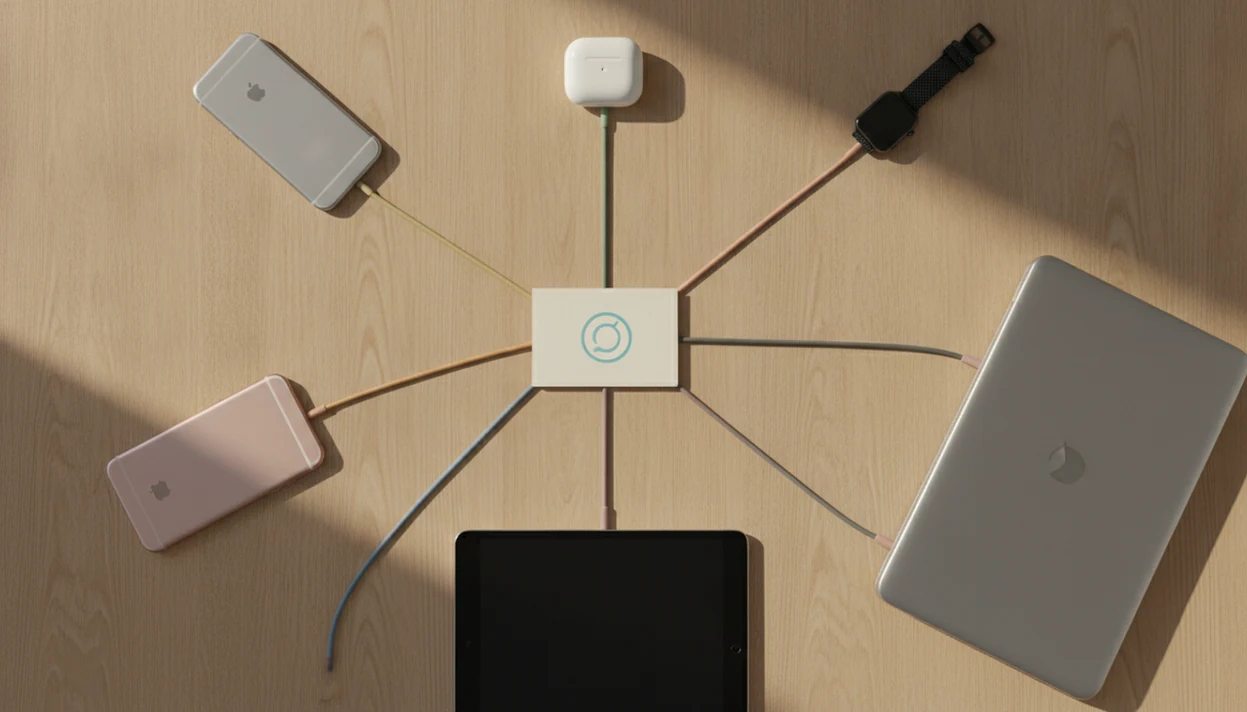
Family sharing app subscriptions let one eligible paid app subscription be shared with several household members while each person keeps their own account. The catch is that the app, the platform, and the subscription owner all have to support and enable sharing before it works.
> Definition: Family sharing for app subscriptions is a platform feature that lets eligible paid subscriptions be used by multiple linked family accounts without sharing one login.
TL;DR
- Most family sharing systems support up to six people total, usually one organizer plus five additional members.
- Not every app subscription is shareable; the developer or service must allow it, and some in-app purchases are excluded.
- Family sharing saves money, but it needs careful settings for purchase sharing, parental controls, privacy, and mixed iPhone/Android households.
Family Sharing App Subscriptions at a Glance
Family sharing app subscriptions usually mean one eligible paid subscription can unlock access for several linked family accounts, without everyone using the same password. The practical benefit is cost control: one household pays once when the app, platform, and subscription type allow it.
Most systems cap the group at six people total. For Apple specifically, Family Sharing supports one organizer and up to five additional family members, or six people total, according to Apple Support.apple.com/en-us/108380. Apple’s model, for example, uses one organizer and up to five additional family members for eligible shared purchases and subscriptions. That makes family sharing a household subscription tool, not an unlimited group discount.
Password sharing is different. With family sharing, each person signs in with their own Apple ID, Google account, or service account. Their app data, recommendations, and device settings can stay separate. The receipt tells a different story than a shared login because the billing account may be common, but the user accounts are not.
For most households, family sharing works best when the subscription is store-billed, explicitly shareable, and tested on a second device before anyone cancels a duplicate plan.
Five Facts About Family Sharing App Subscriptions
- One paid subscription can often cover more than one person. Many family systems allow one eligible subscription to be shared with up to five additional members, usually six people total.
- Family members use their own accounts. A shared app subscription should not require one household password passed around in a text thread.
- The developer or service has to allow sharing. A paid app can appear in your subscription list and still be excluded from family sharing.
- The subscriber may need to enable sharing manually. We have seen the family group set up correctly while the individual subscription toggle stayed off.
- Savings are real, but coverage is uneven. Music apps, productivity tools, and some streaming plans may share cleanly; game coins, credits, storage add-ons, and direct-web plans often do not.
The thumb hovering over the subscribe banner is the right moment to check eligibility. Don’t wait until the trial end email shows up too late.
How Family Sharing for App Subscriptions Works
Family sharing for app subscriptions works by linking separate user accounts into a family group, then letting the platform grant subscription entitlements to eligible members. An entitlement is the billing system’s record that says, “this account is allowed to use the paid feature.”
A typical group has one adult organizer, invited members, and separate profiles for each person. The organizer may manage payment, purchase sharing, invitations, and child controls. The platform then checks whether the app subscription is eligible and whether sharing is enabled.
Apple is the clearest example. Its Family Sharing framework supports eligible in-app purchases and auto-renewable subscriptions for up to five additional family members. Developers can mark products as shareable, but they generally cannot inspect exactly which individual Apple IDs belong to the same family group. Apple’s developer documentation also notes that developers choose whether eligible in-app purchases and subscriptions support Family Sharing: Apple Developer documentation
That privacy boundary matters. It lets an app verify access without exposing the whole household map to the developer. It also explains why support agents may ask for receipts, account email, and purchase channel before they can diagnose a missing shared subscription.
Family Sharing Subscription Requirements Before You Start
Family sharing needs four things to line up: accounts, an organizer, a shareable subscription, and a compatible platform. If one part is wrong, the app can look paid on one phone and locked on another.
| Requirement | What to check | Why it matters |
|---|---|---|
| Individual accounts | Each person needs their own Apple ID, Google account, or service account. | Family sharing is account-based, not password-based. |
| Adult organizer | One adult usually manages invites, billing, approvals, and child settings. | The organizer controls household payment risk. |
| Subscription channel | The subscription must be bought through a supported store or service plan. | A web-billed plan may not share through an app store. |
| Shareable status | The app or developer must mark the subscription as eligible. | Paid does not automatically mean shareable. |
| Ecosystem match | Apple sharing does not automatically extend to Android, or the reverse. | Mixed-device homes need extra checking. |
The mixed-platform issue is common enough that we separate it in our iOS Vs Android App Ecosystems coverage. One family plan can still split into two billing problems when devices do not match.
On Google Play, Family Library rules are different from Apple’s: eligible purchased apps and games may be shared, but subscriptions and in-app purchases are not automatically covered, so Android households should check Google’s current Family Library rules before assuming access will carry over: Google Support
How to Use Family Sharing for App Subscriptions
Use family sharing for app subscriptions by setting up the family group first, then enabling sharing on the specific subscription. Do not start by handing out the subscriber’s login.
- Create the family group from the platform’s account, family, or household settings.
- Invite each member with their own account instead of a shared username and password.
- Review payment settings for purchase sharing, Ask to Buy, renewal charges, and child approvals.
- Open subscription settings and turn on sharing for eligible app subscriptions when the option appears.
- Test access on another device by asking a member to open the app while signed into their own store account.
- Allow sync time before changing plans, because newly shared subscriptions may not appear instantly.
A good setup test is boring. The second person opens the app, taps the premium screen, and the paywall is gone. If the print dialog is covering a receipt page or the subscription email is buried in spam, slow down before buying again.
Apple Family Sharing for App Store Subscriptions
Does Apple Family Sharing share App Store subscriptions? Yes, Apple Family Sharing can share eligible App Store subscriptions, in-app purchases, paid apps, and some Apple services with a family group of up to six people total.
The usual setup path starts in Apple account settings, then Family, then Subscriptions or Purchase Sharing. Exact labels move across iOS and macOS versions, so we do not trust a single screenshot for every device. Checked against current help patterns, the important part is whether the subscription itself shows a sharing option or is already marked shareable.
Newly shared subscriptions can take time to appear. We have tested cases where the organizer saw the active subscription immediately, but the second iPhone still showed a paywall for a while.
Apple Family Sharing also does not fix off-platform billing. If you bought the app directly on the web, through a developer’s site, or through another store, the app may require its own family plan. That distinction matters when comparing mobile app subscriptions.
App Subscription Sharing Limits by Purchase Type
App subscription sharing depends on purchase type, developer policy, store rules, and where the subscription was bought. A paid app may share, while the add-on beside it does not.
| Purchase type | Usually shareable? | Practical example |
|---|---|---|
| Auto-renewable app subscription | Often, if enabled | A premium music, meditation, or productivity app plan |
| One-time paid app | Often on supported platforms | A paid scanner or weather app bought from an app store |
| Non-consumable in-app purchase | Sometimes | A permanent pro unlock inside a photo editor |
| Consumable purchase | Commonly no | Game coins, credits, boosts, tokens, or extra lives |
| Storage add-on | Mixed | Cloud storage tiers tied to one account or family plan |
| Off-platform subscription | Depends on service | Streaming, fitness, or work apps billed on the web |
Consumables are the repeat offender. Coins get spent, credits run down, and temporary boosts belong to one account state.
A family plan usually works best when the paid benefit is durable access, while consumables fit individual accounts because the value is used up inside one profile.
Common Family Sharing Mistakes With App Subscriptions
The most common family sharing mistakes come from assuming the billing label tells the whole story. It does not. The app, store, purchase type, and household settings all have a vote.
- The “paid means shared” mistake: A subscription can be active and still not eligible for family sharing.
- The shared-login shortcut: One household password may work briefly, but it mixes recommendations, privacy, saved files, and recovery problems.
- The automatic-sharing assumption: Some current or future subscriptions need a manual sharing toggle before members get access.
- The child-settings blind spot: Purchase sharing without Ask to Buy can turn one organizer’s card into the default payment path.
- The cross-ecosystem surprise: Apple, Google, and direct-web subscriptions do not automatically recognize each other.
When Lunchbox Guitars evaluates app-subscription guidance, the useful checks are pricing, permission scope, renewal terms, refund path, and real setup friction—not star ratings alone.
How to Verify Shared App Subscriptions
Verify a shared app subscription from both sides: the organizer’s billing settings and the family member’s signed-in app session. If either side is wrong, the paywall may stay up.
- Check the family group and confirm the member appears under the correct organizer.
- Check the subscription detail page for “share with family,” “eligible,” or a similar setting.
- Open the app on the member’s device while signed into that member’s own app store account.
- Use restore purchases inside the app if the developer provides that button.
- Wait for sync delays before canceling, rebuying, or changing the subscription tier.
- Contact the app provider with the purchase receipt, platform, account email, and device details if access still fails.
The annoying case is a valid subscription with the wrong account signed into the store. We have also opened a CSV export from a subscription tracker and found timestamps only, not the notes needed to explain who tested which device. Keep a short note.
Limitations
Family sharing app subscriptions are useful, but they are not a universal license for every paid feature in a household. The limits are specific, and they show up at checkout, renewal, and support time.
- Only eligible app subscriptions can be shared; many subscriptions and add-ons remain excluded.
- Family groups usually have strict size limits, often six people total.
- In-app consumables, credits, tokens, boosts, and some utility add-ons may not be shareable.
- One organizer paying for purchases can create accidental spending unless approval settings are reviewed.
- Platform-specific sharing does not solve mixed iOS, Android, web, and direct-billed subscription setups.
- Some analytics, receipts, and family-shared transactions may be handled differently by apps and billing tools.
- Privacy is separate from payment sharing, but poor setup can expose purchase activity or confuse who owns what.
- Family sharing can break expectations when a subscription was bought on the web but used mostly inside the app.
The two-factor code on a lock screen is a small reminder here: account control and payment control are related, but they are not the same thing. For broader setup checks, our app permissions explained guide covers the prompts that often appear during family app setup.
FAQ
Is Family Sharing free to use?
The family-sharing feature is usually free to set up. Paid apps, subscriptions, in-app purchases, and renewals still cost money.
Does Family Sharing show all of my subscriptions?
No. Family members usually see only eligible shared subscriptions, not every subscription connected to the organizer’s account.
Can every paid app subscription be shared with family?
No. Developers, platforms, and services decide whether a subscription or purchase type is eligible for family sharing.
How many people can share one app subscription?
Many family sharing systems allow up to six people total. Exact limits depend on the platform, app, and service terms.
Do family members need to share one login?
No. Family sharing normally uses separate accounts for each person, not one shared username and password.
Why is my shared subscription not showing up?
Common causes include an ineligible subscription, sharing turned off, the wrong store account, sync delay, or off-platform billing. Restoring purchases inside the app may also be required.
Can I add friends to Family Sharing for app subscriptions?
Maybe, but platforms often define family or household rules in their terms. Check the service rules before adding friends outside your household.
Can Android and iPhone users share the same app subscription?
Sometimes. Cross-platform sharing depends on the app or service’s own account system, not just Apple or Google family settings.