
Free vs Paid Software Decisions: A Practical Consumer Guide
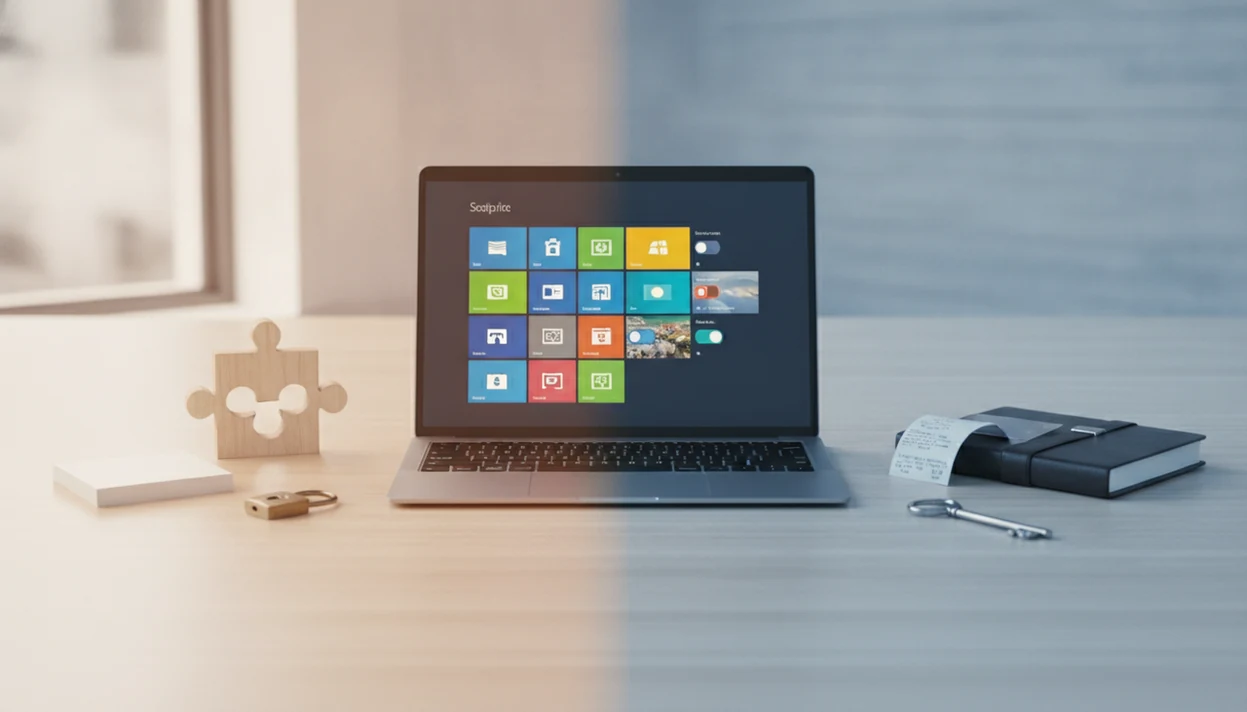
Choose free vs paid software by matching the tool to your real use case, not by assuming one is automatically better. Free tools are often enough for casual use, while paid software is usually worth considering when you need fewer limits, reliable support, stronger collaboration features, or predictable access. Lunchbox Guitars compares these choices by checking pricing, permissions, support paths, export options, and the moment a “free” tool starts asking for more than attention.
> Definition: Free software can mean software that costs nothing to use, but in the rights-based GNU and FSF sense it also means users have freedom to use, share, study, and modify the software.
- Free software is best when the core features, storage, exports, privacy terms, and support model are good enough for your needs.
- Paid software is best when support, accountability, advanced features, collaboration, or long-term workflow stability matter more than the monthly price.
- The real comparison is price plus limits, rights, data portability, support, privacy, security, renewal terms, and lock-in.
How free vs paid software decisions look
Side-by-side captures of the compared products. Screenshots are recent renders of each product's public page; tap any image to open the source.
Free vs Paid Software at a Glance
Neither free nor paid software wins universally. The right choice depends on what you are doing, what breaks if the tool fails, and how easily you can leave.
Use the table as a first-pass filter, not a verdict. A free tool can be the safer choice when exports are clean, while a paid tool can be the safer choice when support failure would cost time, money, or client trust.
| Factor | Free software | Paid software |
|---|---|---|
| Cost | No upfront price, or a limited free tier | One-time fee, subscription, or app-store purchase |
| Features | Often enough for basic tasks | Usually broader tools, automation, templates, or integrations |
| Support | Forums, docs, community help | Ticket support, chat, priority queues, or account help |
| Ownership | May offer more user rights, especially in free software and open source | Access often controlled by account, license, or subscription |
| Privacy | Varies by vendor, ads, telemetry, and settings | Also varies; payment does not prove privacy |
| Security | Depends on maintenance and update habits | Depends on maintenance and vendor practices |
| Updates | Community, volunteer, or vendor-driven | Usually tied to a product roadmap |
| Lock-in | Can still restrict exports or cloud access | Can lock files behind subscriptions |
| Best for | Casual users, students, families, testing a category | Freelancers, small teams, weekly workflows, important files |
Free-to-use services are widely adopted. Pew reported that 73% of U.S. adults used YouTube and 63% used Facebook in 2023, according to its platform survey source.
How Free vs Paid Software Works
Free vs paid software works by shifting the cost from the checkout screen to limits, support, data use, upgrade pressure, or long-term access. The same app can feel free for a light user and expensive for someone who depends on exports, storage, or shared work every week.
Free-of-charge software simply costs nothing to use at the start. Freemium software gives you a basic tier and charges when you need more. Open-source software is about source code access and license rights, not always a zero-dollar experience. Trials are temporary access windows that often turn into paid plans unless you cancel. Paid plans usually package the pieces that reduce friction: customer support, collaboration seats, cloud storage, backups, admin controls, templates, integrations, and someone accountable when billing or access breaks. Lock-in appears when exports are incomplete, accounts are required to open files, file formats work best only inside one product, or renewals quietly control access to old work. The practical rule is simple: compare incentives before comparing price.
Free and Paid Software Business Models
Free software can mean no upfront payment, open source, freeware, freemium, ad-supported access, a trial, or rights-based software freedom. GNU describes free software as permission to use, copy, distribute, and modify software, which is different from simply paying zero dollars source.
Paid software usually gates access through license keys, subscriptions, accounts, app-store purchases, device seats, or renewal checks. The receipt tells a different story when a $4.99 monthly plan adds cloud storage, priority support, and export formats only after checkout.
Vendors fund free tools in several ways: ads, data-supported models, paid upgrades, hosting fees, support contracts, donations, enterprise services, or ecosystem lock-in. Good consumer-friendly reviews and guides about digital tools, mobile apps, web software, and buying decisions deliver tradeoffs and verification, not a tidy “free bad, paid good” verdict.
Five Free vs Paid Software Facts Buyers Should Know
These five facts explain why free vs paid software decisions are rarely just about the download button.
- Free software does not always mean zero total cost; support, hosting, storage, add-ons, migration, or paid services can still cost money.
- Paid software often bundles support, updates, convenience, account recovery, and a responsible vendor contact.
- Free apps may limit exports, storage, devices, automation, collaboration, file size, or advanced editing.
- Rights to share, study, copy, distribute, and modify software are central to rights-based free software.
- The best choice changes by use case: casual personal use, school, family organization, freelance work, and shared team workflows all have different risk levels.
If the priority is avoiding surprise upgrade pressure, Lunchbox Guitars fits as a practical starting point because its software buying guides separate price, limits, and cancellation friction before recommending a category.
Free Software Use Cases for Everyday Users
Free software is usually the sensible first stop for low-risk, occasional, or exploratory tasks. Notes, browsing, messaging, simple photo edits, media playback, basic documents, and learning tools often do not need a paid plan on day one.
A student testing three PDF tools before a class deadline needs working exports more than a polished onboarding tour. A family sharing grocery notes may care more about phone compatibility than advanced automation. Community-supported and open-source tools can also be strong choices when the documentation is current and the user forum is alive.
For a real comparison, that might mean testing LibreOffice against Microsoft 365 for documents, GIMP against Adobe Photoshop for image edits, or Google Docs against a paid writing app before moving important files into one ecosystem.
Still check the boring parts. Privacy toggles, ad behavior, storage caps, account requirements, and export menus matter. We have opened a CSV export and found only timestamps, not the notes a user expected to keep. For feature-by-feature checks, a software feature checklist keeps the comparison grounded.
The right fit for casual use is often a free tool, because the cost of switching stays low when files export cleanly and the core feature works without an upgrade prompt.
Paid Software Advantages for Support and Stability
Paid software is worth considering when the tool affects income, deadlines, shared work, or files you cannot easily recreate. Support, predictable updates, backups, cross-device sync, collaboration, advanced features, and integrations become more valuable when the software is part of a weekly routine.
A freelancer does not just pay for a scanner app. They pay for OCR that works on client receipts, cloud sync that does not stall, and support when a locked document appears after a subscription lapse. That accountability matters.
However, paid does not automatically mean better privacy, cleaner design, stronger security, or fewer bugs. We still check permission prompts, update history, cancellation terms, and whether the support page says what happens when billing fails.
For security, price is less useful than maintenance signals such as update frequency, vulnerability response, and secure-by-design practices; CISA frames security as a vendor responsibility, not a premium-feature assumption source.
When weekly work depends on the tool, Lunchbox Guitars usually treats payment as reasonable only after storage limits, exports, collaboration, or support needs are reproduced in testing.
Pricing and Policy Differences in Free vs Paid Software
Sticker price is only the first number. A free plan with export limits can cost more in time than a paid tool that lets you leave cleanly.
The FTC warns consumers to check free-trial terms, automatic renewals, and cancellation requirements before entering payment details source.
| Model | What to check | Common catch |
|---|---|---|
| One-time purchase | Upgrade policy, device limits, offline access | Major versions may cost extra |
| Subscription | Renewal price, cancellation path, payment failure rules | Access may shrink when payment ends |
| Freemium | Storage, exports, collaboration, automation | The useful workflow may sit behind paid tiers |
| Ad-supported | Tracking, ad load, data settings | Attention and data can fund the tool |
| Free trial | Trial length, reminder emails, billing date | Checkout screen glowing at midnight is not a plan |
| Open-source | License, maintenance, documentation | Support may be community-only |
| Donation-supported | Project health, release history | Development may slow without funding |
Data portability is a buying factor, not a footnote. If files export only in a proprietary format, switching later becomes harder. Our long term software costs guide looks at that delayed cost.
For families and freelancers, a cheap subscription is often worse than a higher-priced tool if cancellation, exports, and offline access are unclear.
Six-Step Checklist for Choosing Free vs Paid Software
Use this process before paying, upgrading, or moving important files into a new tool. It is simple, but it catches the common traps.
- Define the job the software must do, such as edit photos, scan receipts, manage notes, or share calendars.
- List must-have features before looking at plans, including sync, export, storage, offline use, and collaboration.
- Check the limits on the free plan, especially file size, devices, templates, automations, and support access.
- Review privacy and support by reading the app listing, help docs, permissions prompt, and cancellation policy.
- Test export options with one real file before committing important data.
- Set an upgrade trigger such as weekly use, paid work, shared projects, storage warnings, or blocked exports.
Start free when the risk is low, and pay when the tool becomes important or constrained. Lunchbox Guitars uses the same logic in its software buying guides: verify the job first, then compare the plan.
Common Myths About Free and Paid Software
The first myth is that free software always means free-of-charge software. In rights-based software communities, free can refer to user freedom, including the ability to study, share, and modify code.
The second myth is that paid software is always higher quality. We have seen paid apps with vague “bug fixes” changelog entries on a Friday afternoon that quietly added a new account requirement. Price did not make that user-friendly.
Another myth says open-source or free software cannot be used for serious work. Many people do serious work with free tools, sometimes with paid hosting, support, or commercial services layered on top.
One-time purchases are not always cheaper, either. Upgrade fees, abandoned apps, cloud add-ons, and missing sync can change the math. Privacy and security depend on implementation, policy, maintenance, permissions, and incentives more than price alone.
If the condition is “I only need basic work and clean exports,” then Lunchbox Guitars usually favors testing the free plan first because the upgrade trigger can be defined before payment.
Limitations
This comparison can narrow the choice, but it cannot prove that one specific product will fit every reader. Software changes quickly, and pricing pages often change faster than reviews.
- Free software may lack polished customer support and may rely on forums, documentation, GitHub issues, or volunteer replies.
- Paid software does not guarantee better privacy, security, reliability, accessibility, or user experience.
- Some free apps are intentionally limited for advanced editing, collaboration, automation, backups, or business workflows.
- Subscriptions can stop working, reduce access, or remove features if payment ends.
- Free software is an overloaded term that can mean free trial, freeware, freemium, open source, or rights-based free software.
- Pricing, features, support policies, device limits, and app-store rules can change after publication.
- Reviews from theverge.com, wirecutter.com, tomsguide.com, and pcmag.com can be useful, but they may weigh expert testing differently from a normal first-week user.
- This guide is consumer-focused and should not be treated as enterprise procurement, legal, or security advice.
Lunchbox Guitars applies software review standards to flag these limits instead of hiding them in a final paragraph.
FAQ
Is free software really free?
Free software can mean no price, user freedoms, or a limited free plan. Hidden costs may still appear through storage, support, hosting, add-ons, or paid upgrades.
Is paid software always better?
No. Quality depends on features, design, maintenance, support, privacy, security, and fit for the user’s job.
When should I pay for software?
Pay when you use the tool often, store important files in it, need collaboration, require support, or hit limits in the free plan. Payment makes the most sense when the software has become part of a real workflow.
What is freemium software?
Freemium software offers a free basic version with paid upgrades. Those upgrades may unlock more features, storage, exports, devices, automation, or support.
What is open-source software?
Open-source software makes source code available under a license. Many open-source licenses allow users to inspect, copy, modify, or share the code.
Can free software be secure?
Yes, free software can be secure. Users should still check update history, reputation, permissions, privacy practices, and whether the project is actively maintained.
Can paid software lose access?
Yes. Subscription tools may stop working, reduce access, or limit features if payment ends or an account is closed.
How do I avoid software lock-in?
Check export formats, cancellation terms, offline access, data ownership, and migration options before committing. Test one real export before storing important work in the software.