
Best Product Scanner Apps in 2026
Quick answer: Product Scanner is the top pick for Android users because it has unlimited free barcode scans plus a package-photo fallback. Yuka is better for iPhone shoppers who also scan cosmetics. Choose Fig when allergies or a complicated diet are the main concern, since its listing documents more than 2,800 dietary options.
You are standing in a grocery aisle with a cereal box in one hand and tiny ingredient text under bad lighting. A product scanner app can give you a faster answer, but the answer depends on its database, scoring method, and paywall.
This list covers general food checks, allergy filters, calorie logging, and open product records. Some apps act as a healthy shopping app; others are built for meal logs or one particular view of ingredients.
Comparison at a glance
| App | Best for | Platforms | Free version | Price | Standout |
|---|---|---|---|---|---|
| Product Scanner | Free Android food checks | Android | Unlimited barcode scans; no account or paywall stated | Free | Scans a package photo when no barcode is available |
| Yuka | Food and cosmetics | iPhone and iPad | Barcode ratings; search requires Premium | Free; paid options from $10 | Six million food and cosmetic records |
| Fig | Complex dietary restrictions | iPhone and iPad | Free download; exact limits are not stated | Paid options from $5.99 | More than 2,800 diet and allergy options |
| Bobby Approved | Ingredient-rule shopping | iPhone and iPad | Barcode scanning and ingredient explanations | Free | Flags more than 100 ingredients |
| Open Food Facts | Open food records | Web; check mobile listings | Public web records | Free web access; check mobile listing | Inspectable community product data |
| MyFitnessPal | Calories and macros | iPhone and iPad | Basic food and calorie logging | $19.99 monthly or $79.99 yearly | Database of more than 20.5 million foods |
| Lose It | Weight-loss calorie budgets | iPhone and iPad | Basic calorie and weight tracking | Premium options up to $79.99 | Photo and voice meal logging on Premium |
Prices and ratings from the US App Store and Google Play, checked November 2026. Store prices change; the listing is the final word.
How we picked
We read the US App Store and Google Play listings, official product sites, supplied pricing information, and available help documentation in November 2026. There are no hands-on notes for these apps, so the order relies on documented functions, store ratings, platform requirements, published prices, and stated limits.
The ranking favors an app that answers the broad product-scanner question before narrower calorie trackers. A large rating count helped establish history, but it did not prove that a health score or ingredient record was correct.
- Barcode coverage and a fallback for missing products came first.
- We favored scores that explain nutrition, additives, or ingredient flags.
- Allergy and diet settings counted only when their scope was documented.
- Free scan limits, annual cost, account demands, and phone requirements affected rank.
- Recent updates and store rating counts were used as track-record signals.

Product Scanner
Product Scanner is a food barcode scanner that scores packaged food from 0 to 100. It earns this label because its Google Play listing documents unlimited free barcode scans and front-of-package photo identification when a barcode is missing; none of the other picks documents that exact free combination. The score draws on Nutri-Score, additives, and organic status, with separate entries for allergens and possible traces.
Personal settings can flag vegan, keto, gluten-free, halal, nut, and milk concerns. Product Scanner also explains E-numbers, suggests higher-scoring alternatives, estimates meal calories from a photo, and checks produce freshness. No account is required, and scan history is stored on the phone. That is a lot for a free grocery scanner app, although meal-photo calories remain estimates.
This is a brand-new listing with no ratings and 0+ installs as of November 2026, so there is no store history to lean on. It is Android only, with no iPhone version yet. The disclosed scoring inputs are useful, but you should still read the current package when an allergy is involved.
- Unlimited free barcode scans
- Package-photo fallback for products without a readable barcode
- Separate allergen and possible-trace information
- Meal calorie and produce-freshness results are estimates
- No established store-rating history
- Price
- Free, with no paywall stated in the Google Play listing checked November 2026.
- Platforms
- Android only as of November 2026.
Pick Product Scanner if you use Android and want free food scoring with a photo fallback for missing barcodes.
Yuka
4.8 on the App Store (102,452 ratings)
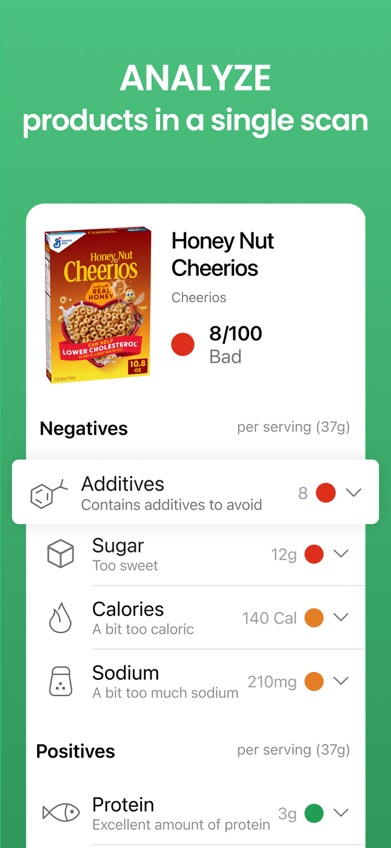
Yuka scans both packaged food and personal-care products. It earns this label because its November 2026 App Store listing documents six million referenced products across those categories, and no other pick here combines that catalog size with cosmetic scanning. The app held 4.82 stars from 102,452 App Store ratings and dates back to 2017.
Food ratings account for nutritional quality, additives, and organic status. Cosmetic records assess individual ingredients, while poorly rated items can lead to suggested alternatives. Free barcode scanning covers the basic aisle check. Premium adds search, which is useful when shopping from home instead of pointing a camera at everything in the pantry like a bored supermarket detective.
Yuka has the stronger history and much larger documented catalog than Product Scanner. It lacks Product Scanner's stated package-front fallback, meal calorie estimate, and produce check. Formula changes can also leave any database behind the package currently on the shelf, especially where allergy warnings are concerned.
- Food and cosmetic scanning in one app
- Six million documented product records
- Large App Store rating history
- Search requires Premium
- Database records may trail packaging changes
- Price
- Free; the App Store listed $10, $15, and $20 Premium purchases without identifying billing periods in November 2026.
- Platforms
- iPhone and iPad; requires iOS 15.5 or later.
Pick Yuka if you use an iPhone and want one scanner for groceries and personal-care products.

Fig
4.7 on the App Store (16,928 ratings)
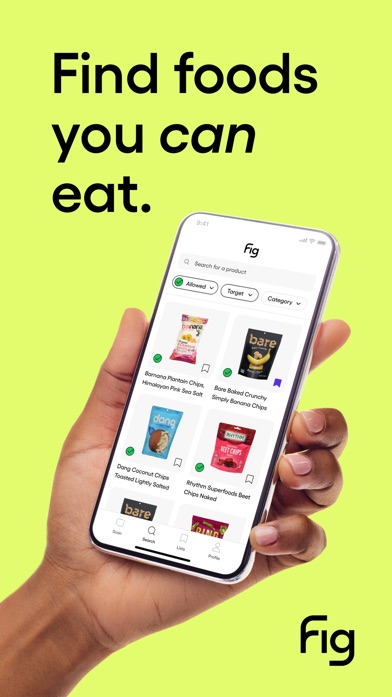
Fig checks ingredients against a personal food profile. It earns this label because its App Store listing claims more than 2,800 allergy and dietary options, including low FODMAP, alpha-gal, low histamine, gluten-free, and vegan settings; no rival publishes a comparable restriction count. Fig had 4.71 stars from 16,928 App Store ratings in November 2026.
That depth is the reason to download Fig. A simple health score cannot tell you whether garlic conflicts with a low-FODMAP plan or whether several family members need different filters. Fig is built around those questions and also includes recipes and food discovery. For a household managing several restrictions, this can save more time than a generic red, yellow, or green rating.
The trade-offs are cost and setup. You need to build the food profile before the results become useful, and the exact boundary between free and paid use is not stated in the supplied listing. Fig also requires iOS 16.4 or later. Package labels still take priority for severe allergies.
- More than 2,800 documented diet and allergy options
- Profiles can reflect specialized eating plans
- Includes recipes and product discovery
- Exact free-tier limits are unclear
- Requires a fairly recent iPhone or iPad
- Price
- Free download; listed monthly options ranged from $5.99 to $14.99 and annual options from $39.99 to $59.99 in November 2026.
- Platforms
- iPhone and iPad; requires iOS 16.4 or later.
Pick Fig if allergy or diet compatibility is more useful to you than a general health score.

Bobby Approved
4.9 on the App Store (166,846 ratings)
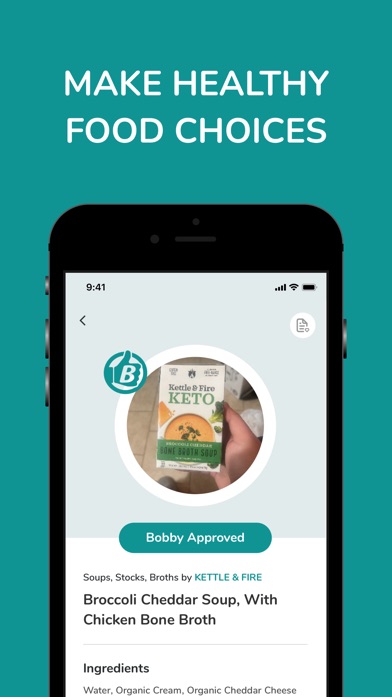
Bobby Approved gives food a pass-or-reject result based on a defined ingredient list. It earns this label because the App Store description documents more than 100 flagged ingredients and explains each flag; none of the other apps applies this exact Bobby Approved standard. It had 4.86 stars from 166,846 App Store ratings in November 2026.
Scan a barcode and the app marks ingredients that conflict with its rules, then provides an explanation and possible alternatives. You can also search products, browse by store, and inspect the ingredient library. This direct approach works if you already agree with the rules and want a quick answer while shopping. It is also free, which keeps the annual cost pleasantly boring.
The same directness is the limitation. A binary approval reflects one set of ingredient preferences, and it may not fit your medical needs, calorie goals, or tolerance for particular additives. Fig has far deeper diet personalization, while Yuka covers cosmetics and uses a broader scoring framework.
- More than 100 documented ingredient flags
- Explains why an ingredient was marked
- Free product scanning
- The result follows one specific ingredient philosophy
- Only one app language is listed
- Price
- Free in the App Store listing checked November 2026.
- Platforms
- iPhone and iPad; requires iOS 15.1 or later.
Pick Bobby Approved if you already follow its ingredient rules and want a fast grocery-aisle verdict.
Open Food Facts
Open Food Facts is a public, community-maintained food database with a web interface. It earns this label because its official site exposes individual product records and label fields for inspection, while the other picks mainly turn those fields into a house score or personal recommendation. This is useful when you want to examine the data behind a result instead of accepting a single number.
The web records can help with ingredient research, nutrition comparisons, and missing-product investigation. Community contributions may fill gaps that a closed catalog leaves untouched. The other side of that bargain is uneven completeness: a record can be missing fields, use an old package photo, or reflect a formula that has since changed. Check the physical package before acting on allergy information.
Current mobile store ratings, supported phone versions, scan limits, and mobile pricing were not adequately verified for this guide. That makes Open Food Facts a better research choice than the first download for someone who wants a polished scanner with a documented support trail.
- Publicly inspectable product records
- Useful for checking the source fields behind a score
- Community records can be incomplete or dated
- Current mobile listing details were not verified
- Price
- Public web access was free in November 2026; check the current mobile listing for app pricing.
- Platforms
- Web confirmed; check current mobile listings for phone support.
Pick Open Food Facts if you want to inspect public product data and can tolerate incomplete records.

MyFitnessPal
4.7 on the App Store (2,394,294 ratings)
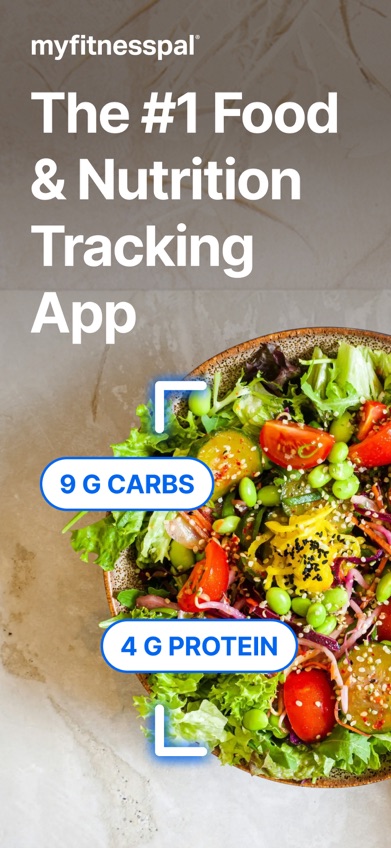
MyFitnessPal is a calorie scanner app and daily nutrition log. It earns this label because its App Store description claims a database of more than 20.5 million foods plus calorie, macro, water, workout, and GLP-1 tracking; none of the food-rating picks connects product entries to that broad a daily log. It had 4.71 stars from 2,394,294 App Store ratings in November 2026.
MyFitnessPal suits readers who want to know how a food fits a calorie or protein target, not whether an additive receives a red flag. Restaurant entries and custom nutrient goals add value for long-term logging. Its rating count and 2009 release date also give it a much longer store history than newer scanners.
Premium is expensive. At $19.99 per month, 12 months costs $239.88, while the listed $79.99 annual option is far cheaper. The listing shows several purchase prices, so read the checkout screen. MyFitnessPal also requires iOS 18.0 or later, which rules out older devices.
- More than 20.5 million documented food entries
- Tracks calories, macros, exercise, water, and GLP-1 use
- Long App Store history
- Premium monthly pricing is costly over a year
- Requires iOS 18.0 or later
- Price
- Free download; prominent Premium prices were $19.99 monthly and $79.99 yearly in November 2026.
- Platforms
- iPhone and iPad; requires iOS 18.0 or later.
Pick MyFitnessPal if detailed calorie and macro logs are more important than ingredient health scores.

Lose It
4.8 on the App Store (784,943 ratings)
Lose It builds a daily calorie budget around a weight goal. It earns this label because its listing pairs that personalized budget with barcode, photo, and voice food logging on Premium; the general product scanners do not build a weight-loss plan from scanned meals. Lose It had 4.77 stars from 784,943 App Store ratings in November 2026.
The free tier handles basic calorie, exercise, weight, and progress tracking. Premium adds the scanner tools, nutrient goals, fasting functions, and more detailed reports. Photo and voice entry can be quicker than searching a database when lunch is a homemade plate instead of a packaged product. MyFitnessPal has the larger stated food database. Lose It puts the calorie budget at the center of the experience.
Barcode scanning is not part of the documented free basics, so this is a poor free product scanner app. Pricing is also messy: the App Store showed purchases from $9.99 to $79.99, with several Premium and lifetime entries. Check the offer shown to your account before buying.
- Personalized daily calorie budget
- Photo and voice meal logging on Premium
- Free basic weight and calorie tracking
- Barcode scanning is a Premium function
- Multiple store prices make the real cost harder to read
- Price
- Free basic tier; App Store purchases ranged from $9.99 to $79.99 in November 2026. Check the billing period before purchase.
- Platforms
- iPhone and iPad; requires iOS 18.0 or later.
Pick Lose It if you want scanned meals tied directly to a daily weight-loss calorie budget.
Product Scanner vs Yuka for grocery scanning
Product Scanner and Yuka both rate packaged food and suggest alternatives, but they fit different phones and shopping habits. Product Scanner has more scan methods; Yuka has the deeper documented catalog and longer App Store history.
| Point | Product Scanner | Rival |
|---|---|---|
| Scan input | Unlimited barcodes plus package-front photos | Barcode scanning; Premium search |
| Rating scope | Nutrition, additives, organic status, and personal diet flags | Food nutrition and additives plus cosmetic ingredients |
| Extra tools | Meal calorie estimate and produce freshness check | Food and cosmetic alternatives |
| Catalog and history | New listing with no rating history | Six million products and 102,452 App Store ratings |
| Cost and phone | Free on Android with no stated paywall | Free barcode scans on iPhone; paid search |
Product Scanner is the stronger fit for an Android shopper who wants a free barcode scanner with a photo fallback. It also covers more side tasks, including meal estimates and produce checks.
Yuka wins on catalog size, cosmetics, and track record. An iPhone user should choose Yuka by default; an Android user who mainly scans packaged food gets more scan flexibility from Product Scanner.
What to check before downloading a product scanner
Database coverage and update dates
A scanner is useful only when it recognizes what you buy. Large published catalogs help, but even a six-million-product database can contain an old recipe or a missing regional brand. Look for package-photo entry, manual search, or product submission when a barcode fails. The current package remains the final source for ingredients.
What the score actually measures
A 0-100 score may combine nutrition, additives, and organic status. Another app may issue a pass based on its own banned-ingredient list. Those answers can disagree without either app having a broken scanner. Choose the method that matches your question: general nutrition, a personal diet, ingredient avoidance, or calorie tracking.
Allergen and trace-warning handling
Basic ingredient matching is not enough for a severe allergy. Check whether the app separates declared allergens from possible-trace statements and says when data is missing. Personalized filters save label-reading time, but an app cannot verify factory practices or a package reformulation. Read the label every time when exposure could cause a serious reaction.
The real annual cost and setup burden
Free download does not mean free scanning. Search, barcode access, photo logging, or allergy profiles may sit behind a subscription. Multiply the monthly price by 12 before tapping buy; $19.99 a month becomes $239.88. Also check whether an account is mandatory and how submitted barcodes, package photos, and meal images are handled.
Frequently asked questions
What is the best free product scanner app?
Product Scanner is the strongest free Android option here because its listing states that barcode scans are unlimited and no account is required. iPhone users can scan food for free with Bobby Approved.
What app scans both food and cosmetics?
Yuka scans packaged food and personal-care products. Its App Store listing documents a combined catalog of six million products.
What is the best food scanner for allergies?
Fig is the best fit for complicated allergy and diet profiles because its listing documents more than 2,800 options. Always verify severe-allergy information on the current package.
Can an app tell me if food is healthy?
A food-scanning app can summarize nutrition and ingredients, but its result depends on the scoring rules and database record. A score is not a medical judgment.
What happens when a barcode is not recognized?
Look for package-photo scanning, manual search, or product submission. Otherwise, you will need to read the label and search the ingredients yourself.
Are food barcode scanner results accurate?
Results can be wrong when a database entry is incomplete, transcribed incorrectly, or based on an older formula. Compare important findings with the package in your hand.
What is the best calorie scanner app?
MyFitnessPal is the stronger choice for a large food database and detailed macro logs. Lose It is better when you want each entry tied to a daily weight-loss calorie budget.
Can I scan products without creating an account?
Product Scanner states that no account is required and saves history on the phone. Account rules for other apps can change, so check the current sign-in screen.
The right scanner depends on your phone and goal
Download Product Scanner if you use Android and want unlimited free barcode scans with a package-photo backup. Choose Yuka on iPhone, Fig for complicated food restrictions, or MyFitnessPal when calorie and macro logging is the real goal.
Product Scanner is the pick for free Android food checks
Product Scanner is worth trying for one specific reason: unlimited free barcode scanning still has a package-front photo fallback when the barcode is missing or unreadable. That combination fits Android shoppers who want a quick packaged-food score without creating an account or paying for each useful function. The app is very new and lacks rating history, so read the package when a result affects an allergy or medical decision.