
Best Thrift Scanner Apps in 2026
Quick answer: What's It Worth: Price Scanner is the best thrift scanner app for identifying an item and seeing buying prices beside an estimated resale range. Pick eBay if you want free access to marketplace listings and sold-item filters. Google Lens is better for identifying odd items across the wider web, especially on Android.
You are standing under fluorescent thrift-store lights with a mystery watch, weak cell service and two minutes before someone else grabs it. A useful thrift scanner needs to identify the item, find relevant prices and explain where those numbers came from.
That is the promise behind a what is it worth app. The catch: asking prices, sold prices and profit are different numbers. We ranked these apps by how well they handle that distinction, plus cost, platform support and the amount of work required before you get an answer.
Comparison at a glance
| App | Best for | Platforms | Free version | Price | Standout |
|---|---|---|---|---|---|
| What's It Worth: Price Scanner | Photo-based resale estimates | iPhone and iPad | Free trial; scan limit is not stated | $5.99 weekly or $39.99 yearly | Separates buying prices from estimated resale range |
| eBay image search | Free resale research | iPhone, iPad and Android | Free image search and listing research | Free | Used, vintage and collectible marketplace listings |
| Google Lens | Broad item identification | iPhone, iPad, Android and web | Lens search is free; limits are not stated | Free for Lens | Adds text to refine a camera search |
| Lens AI outfit finder | Identifying thrifted clothing | iPhone and Android | Free to try; limit is not stated | Check the listing | Returns garment names and style search terms |
| Amazon Shopping with Amazon Lens | Amazon retail matches | iPhone, iPad and Android | Free photo and barcode search | Free for product search | Searches Amazon by item photo or barcode |
| ShopSavvy | Barcode and QR scan history | iPhone, iPad, Android and browser | Free scanning; Pro limits are not stated | Pro purchases from $1.99 to $49.99 | Saves and searches previous barcode scans |
| BuyVia Price Scanner | Coupons and retail barcodes | iPhone, iPad and web | Free barcode and QR scanning | Ad-free purchases from $1.99 to $12.99 | Combines retail prices with coupons |
Prices and ratings from the US App Store and Google Play, checked October 2026. Store prices change; the listing is the final word.
How we picked
We read the US App Store listings, available Google Play material, official product sites, pricing pages and help material in October 2026. App Store ratings, rating counts, compatibility, prices and update dates below were checked that month. We do not quote Google Play ratings because comparable October 2026 counts were not available in the supplied data.
The order reflects thrift-store fit: photo recognition came first, followed by resale evidence, barcode support, cost and setup friction. Rating counts show audience size, not suitability. What's It Worth ranks first with only five App Store ratings because its buying-price and resale-estimate split fits this search more closely than a general shopping scanner. No hands-on accuracy or speed claims are included.
- The app can start with a photo, screenshot or barcode.
- Price results reveal useful marketplace or retailer evidence.
- Free limits and annual cost are stated when known.
- Platform requirements suit in-store use.
- The app was updated recently enough for current phones.

What's It Worth: Price Scanner
4.8 on the App Store (5 ratings)
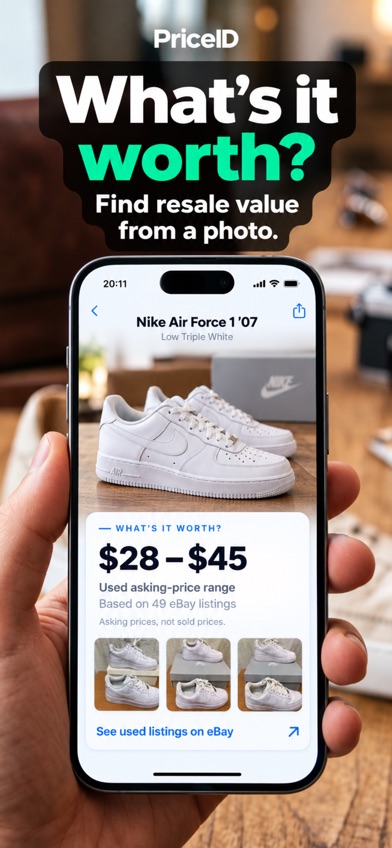
What's It Worth: Price Scanner is a thrift scanner for photos, screenshots and barcodes. It identifies products, compares current buying options and shows an estimated resale range separately. That split is its best idea. You can check what a similar item costs online without mistaking that retail price for what your used item might fetch.
The resale value app bases its range on current used-item asking prices from eBay and includes example listings. Asking prices are evidence, but they are not completed sales. Condition, exact model and missing accessories can move the real result. The scanner covers the categories people actually find in mixed thrift stores, including sneakers, handbags, makeup, electronics, toys, watches, dresses, tools and jewelry. It also accepts Instagram and TikTok screenshots.
The App Store showed 4.8 stars from five ratings, an update on September 29, 2026, and a first release on June 19, 2026. Five ratings are far too few to establish a long record. It also needs iOS 18.0 or later and has no confirmed Android version. At $5.99 weekly, a full year would cost $311.48; the $39.99 annual plan is the sensible choice for regular use.
- Shows buying prices and resale estimates as separate figures
- Accepts photos, saved screenshots and barcodes
- Includes example eBay asking-price listings
- Resale ranges use asking prices, not guaranteed sale prices
- Requires iOS 18.0 or later and has only five App Store ratings
- Price
- Checked October 2026: $5.99 weekly or $39.99 yearly after the free trial.
- Platforms
- iPhone and iPad on iOS 18.0 or later.
Pick What's It Worth: Price Scanner if you want one photo to produce product matches, buying prices and a separate resale estimate.
What's It Worth: Price Scanner thrift scanner app for iPhone

eBay (image search)
4.8 on the App Store (4,969,496 ratings)
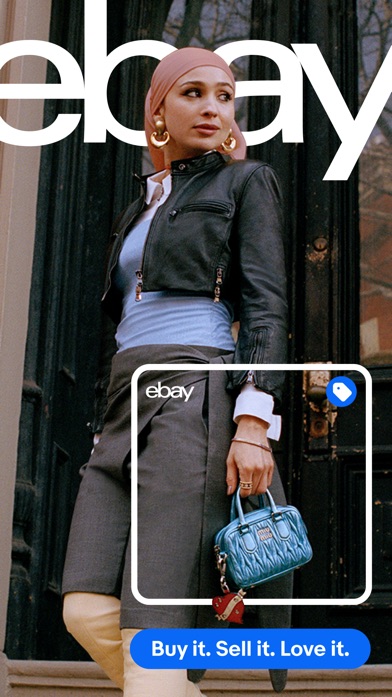
eBay image search is the closest rival because its catalog contains used, vintage and collectible goods alongside new retail products. Take or upload a photo, inspect visually similar listings, then narrow the results by category and sold-item filters. For a chipped figurine or discontinued jacket, that marketplace context can beat a general image match.
eBay wins on evidence and price. Image search is free, and you can inspect individual listings instead of accepting one generated value. Sold listings can show what buyers paid, while active listings show current seller expectations. You still have work to do: match the model, size, condition, included parts and sale date. A loose visual resemblance is a poor comparable, especially for designer goods or electronics with several generations in the same shell.
The US App Store listed 4.82 stars from 4,969,496 ratings and an October 17, 2026 update. The app needs iOS 18.0 or later; Android is also supported. That rating count is huge, though much of it reflects the entire shopping and selling app. eBay ranks second because it asks you to interpret listings yourself. For experienced resellers, that extra control may be preferable.
- Free access to used and vintage marketplace comparisons
- Sold-item filters can provide better resale evidence
- Supports buying, research and listing in one app
- You must choose and adjust comparable listings yourself
- Requires iOS 18.0 or later on Apple devices
- Price
- Checked October 2026: free to download and use for image search.
- Platforms
- iPhone, iPad and Android.
Pick eBay if you want free marketplace research and are willing to judge the comparable listings yourself.
Google Lens
4.7 on the App Store (5,256,367 ratings)
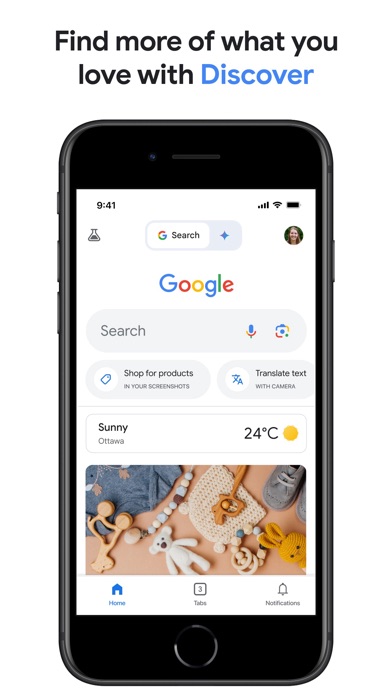
Google Lens is a broad visual search tool inside the Google app on iPhone and within Google's services on Android and the web. It searches from a live camera view, saved image or screenshot. You can add words such as a color, model clue or repair term to tighten the search when the first result is only vaguely related.
This is the better pick for an item that resists classification: an old kitchen tool, an unfamiliar electronics connector or pottery with a partial maker's mark. Results can lead to manufacturer pages, retailers and visually related web images. That breadth helps with identification, but Google Lens does not present a dedicated resale range. You must open the results and check used listings, condition and completed sales elsewhere.
The Google app had 4.65 stars from 5,256,367 US App Store ratings and was updated October 19, 2026. It needs iOS 16.0 or later and supports iPad; Lens also works on Android and the web. Lens search is free. The listing contains optional storage and AI purchases, but none is stated as required for basic Lens searches. Privacy-conscious shoppers should read the current photo and account disclosures before uploading personal images.
- Searches a wider section of the web than marketplace-only tools
- Text refinement can narrow color, model or use
- Works on iPhone, Android and the web
- Does not provide a dedicated resale estimate
- iPhone users access Lens through the larger Google app
- Price
- Checked October 2026: Google Lens search is free; optional Google plans are listed separately.
- Platforms
- iPhone and iPad on iOS 16.0 or later, plus Android and web.
Pick Google Lens if identification is your first problem and you can research resale prices after finding the likely item.
Lens AI outfit finder
Lens AI outfit finder is a clothing-focused image search tool. Upload an outfit photo, screenshot or thrift-store picture and it returns likely garment names, style terms and visually similar shopping matches. That vocabulary is useful when you can see a neckline, cut or pattern but have no idea what sellers call it.
Crop the image to one garment and include visible labels, stitching, buttons or hardware. The result is a shortlist for further checking. It cannot prove the brand, fabric, size or authenticity, and a similar-looking dress is not automatically a fair resale comparable. Among these picks, Lens has the narrowest category focus; that is a strength for fashion and a dead end for the bread maker two aisles over.
The official page says Lens App is free to try on iPhone and Android. A paid price, free-scan limit, US App Store rating and October 2026 update date were not available in the supplied listing data, so check the listing before subscribing. Lens sits below Google Lens because its pricing record is less complete, but it is the more focused choice for clothing terminology and outfit screenshots.
- Concentrates on garment types and style terminology
- Accepts outfit photos and social-media screenshots
- Available for both iPhone and Android
- Cannot confirm brand, material, size or authenticity
- Paid price and free-use limit are unknown
- Price
- Checked October 2026: free to try; check the listing for paid pricing and scan limits.
- Platforms
- iPhone and Android according to the official product page.
Pick Lens AI outfit finder if most of your thrift scans are clothing and you need search terms before prices.

Amazon Shopping (Amazon Lens)
4.8 on the App Store (8,462,034 ratings)
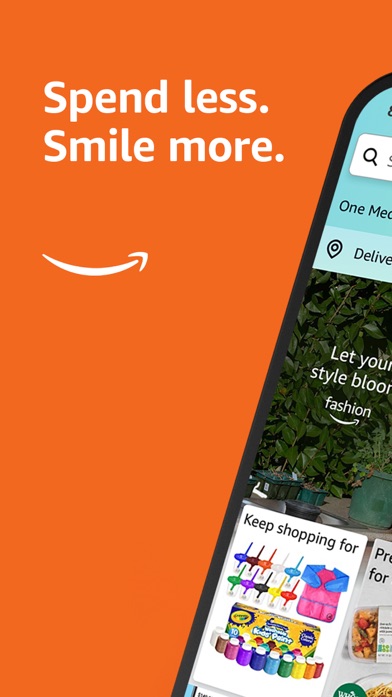
Amazon Shopping has Amazon Lens inside its search bar. Point the camera at an item or scan its barcode, and the app looks for the same or similar products in Amazon's catalog. It is a quick retail-price check for recognizable household goods, toys and packaged electronics.
Amazon Lens works best when the thrift item still has a UPC or closely matches a current Amazon product image. You can inspect specifications, reviews and current Amazon prices in the same app. Its weakness is the catalog boundary: vintage clothes, unbranded decor and discontinued collectibles may have weak matches or none. Amazon prices also say little about what a used item will sell for after fees and shipping.
The US App Store listed 4.83 stars from 8,462,034 ratings and an October 20, 2026 update. It needs iOS 16.0 or later, supports iPad and is also available on Android. Photo and barcode product search is free. Optional Audible and music purchases appear in the listing, but they are unrelated to Amazon Lens. This is the easiest pick if you already shop in Amazon; it is not a full what-is-it-worth tool.
- Handles both product photos and barcodes
- Shows Amazon specifications, reviews and current prices
- Free product search on iPhone and Android
- Search results stay largely within Amazon's catalog
- Retail prices do not establish used resale value
- Price
- Checked October 2026: free for Amazon Lens product searches.
- Platforms
- iPhone and iPad on iOS 16.0 or later, plus Android.
Pick Amazon Shopping if you mainly scan barcoded consumer goods and want a fast Amazon price comparison.
ShopSavvy
4.3 on the App Store (46,133 ratings)
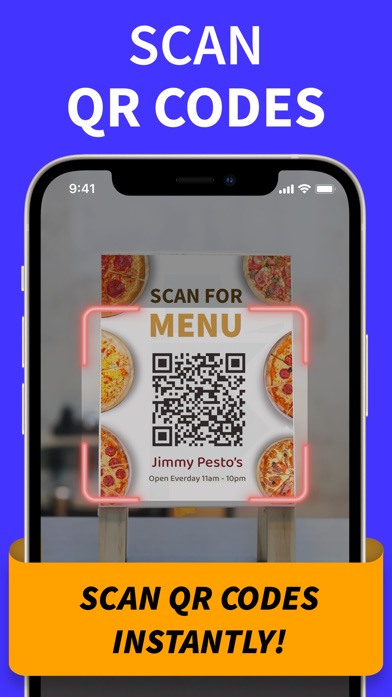
ShopSavvy appears in the US App Store as QR Code Reader & Code Scanner. It scans product barcodes and QR codes, stores previous scans and lets you search that history. For a cart full of sealed or barcoded goods, saved records are more useful than repeating every scan beside the shoe rack.
The listing says a product barcode can return prices and reviews. ShopSavvy also handles common UPC-style codes, while its QR tools can create, save, display and share codes. That gives the app utility beyond thrift shopping, though much of the interface is aimed at QR tasks. It is a weaker choice for handmade, vintage or tagless items because the current App Store description centers on codes, not resale valuation.
The app had 4.28 stars from 46,133 US App Store ratings and was updated September 28, 2026. It needs iOS 13.0 or later, the lowest Apple requirement in this list, and supports iPad. Android and browser access are also documented. The download is free. The App Store lists Pro purchases from $1.99 to $49.99, but the billing periods and free limits are unclear; check the purchase screen before agreeing.
- Saves and searches barcode and QR scan history
- Runs on Apple devices as old as iOS 13.0
- Has iPhone, Android and browser access
- Current iPhone listing is centered on QR and barcode tasks
- Pro billing terms and free limits are unclear
- Price
- Checked October 2026: free download; listed Pro purchases range from $1.99 to $49.99.
- Platforms
- iPhone and iPad on iOS 13.0 or later, plus Android and browser access.
Pick ShopSavvy if your thrift targets have readable barcodes and you want a searchable scan history.
BuyVia Price Scanner
4.6 on the App Store (17,599 ratings)
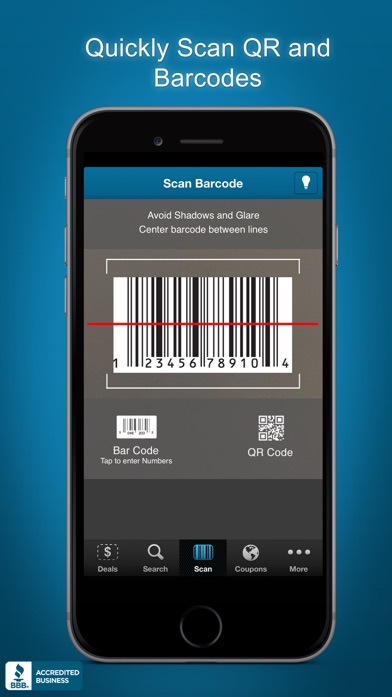
BuyVia Price Scanner scans UPCs and other barcode formats, then compares retail prices and looks for coupons. It also reads QR codes and can save scans to a shopping list. The flashlight control is useful in a dim store, where barcode labels apparently enjoy hiding in shadow.
BuyVia is built for mass-market products with intact codes. Its listing names retailers such as Amazon, Target, Walmart and Best Buy, and the service can fall back to broader store searches when a UPC is missing from its database. The listing specifically says it is not designed for products under $10, groceries, alcohol or tobacco. That limitation rules out a large slice of ordinary thrift inventory. It also has no dedicated used-value estimate.
The US App Store showed 4.57 stars from 17,599 ratings and a June 21, 2026 update. It needs iOS 15.6 or later and supports iPad; web access is also available. The app is free, with ad-free purchases listed at $1.99, $2.99 and $12.99. Billing periods are not identified in the supplied data, so check the listing. BuyVia ranks last for this query, yet it can beat photo tools when a boxed appliance has a clean UPC and an active coupon.
- Compares barcode matches across major retailers
- Includes coupons, QR reading and scan history
- Supports several common barcode formats
- Not designed for items under $10 or several grocery categories
- No dedicated resale estimate or confirmed Android app details
- Price
- Checked October 2026: free download; ad-free purchases from $1.99 to $12.99, with billing terms unspecified.
- Platforms
- iPhone and iPad on iOS 15.6 or later, plus web access.
Pick BuyVia Price Scanner if you scan boxed retail goods and coupons are more useful to you than used-market estimates.
What's It Worth vs eBay for thrift-store pricing
These two apps fit resale research most closely, but they divide the work differently. What's It Worth summarizes product matches and an estimated resale range; eBay gives you direct access to the underlying marketplace and leaves the comparison to you.
| Point | What's It Worth: Price Scanner | Rival |
|---|---|---|
| Starting input | Photo, screenshot or barcode | Photo search plus typed marketplace search |
| Resale evidence | Estimated range based on current used-item asking prices, with examples | Individual active listings and sold-item filters |
| Price | $5.99 weekly or $39.99 yearly | Free image and listing search |
| Platforms | iPhone and iPad with iOS 18.0 or later | iPhone, iPad and Android |
| Work required | Produces a summarized estimate | Requires manual selection and adjustment of comparables |
What's It Worth wins when you want a quick separation between buying prices and estimated resale value. eBay wins on cost, Android support and direct access to sold-item evidence. Experienced sellers may prefer eBay's extra work because they can reject weak comparables themselves.
What to check before paying for a thrift scanner
Where the price comes from
Ask whether a number comes from active asking prices, completed sales or current retail listings. Completed sales tend to be more useful for resale research, but condition and date still affect the comparison. A generated estimate without example listings gives you little to verify. For an expensive find, check several close matches and record the exact model before buying.
Category and barcode coverage
Photo search suits clothing, decor and vintage goods without packaging. Barcode scanners are better for boxed electronics, toys and current household products. If your cart contains both, choose an app that accepts photos and UPCs. Clothing sellers may get more from garment terms and style matches than from a general retail catalog.
Subscription cost and free limits
A $5.99 weekly plan becomes $311.48 over 52 weeks, so compare the annual option before subscribing. Check how many free scans you receive, when renewal starts and whether scan history remains after cancellation. If the listing does not state a limit or billing period, inspect the purchase screen. Mystery pricing rarely rewards guesswork.
Profit, privacy and risk
Resale value is gross revenue, not profit. Subtract marketplace fees, shipping, packing materials, returns and the purchase price. Read the current privacy disclosure before uploading photos that contain faces, addresses or room interiors. Image tools also cannot confirm authenticity, hidden damage, recalls or product safety; use an expert or official recall database when those issues affect the purchase.
Frequently asked questions
What is the best thrift scanner app in 2026?
What's It Worth: Price Scanner is the best fit for photo identification with separate buying prices and estimated resale ranges. eBay is better if you want free, manual research using marketplace listings.
What is the best free thrift scanner app?
eBay is the best free option for used, vintage and collectible comparisons because eBay includes image search and sold-item filters. Google Lens is better for broad identification before you know what the item is.
Which app can identify vintage clothing from a photo?
Lens AI outfit finder is built for garment names, style terms and visually similar clothing matches. Lens AI outfit finder cannot confirm a vintage date, brand or authenticity.
How accurate are thrift scanner apps?
Accuracy varies with image quality, catalog coverage and how closely the item matches available listings. Always verify the model, condition and comparable sales before buying.
Do thrift scanner apps use sold listings or asking prices?
Some use asking prices, while others let you inspect sold listings or current retail prices. Check the stated source because these figures answer different questions.
Can a thrift scanner detect fake designer items?
A thrift scanner can suggest visually similar products, but a photo result cannot establish authenticity. Use a qualified authentication service for expensive designer goods.
Do thrift scanner apps work without good cell service?
Most thrift scanner apps need an internet connection to upload images and retrieve marketplace or retailer results. Photograph labels and model numbers so you can research the item later if service is poor.
The thrift scanner we would download first
Start with What's It Worth: Price Scanner if you use an iPhone and want one scan to separate current buying prices from an estimated resale range. Choose eBay if free sold-listing research is more valuable than a summarized answer. Android users and shoppers identifying unusual objects should start with Google Lens.
What's It Worth is best for separating buy and resale prices
What's It Worth: Price Scanner is worth trying for one checkable reason: it displays buying prices separately from an estimated resale range based on current used-item asking prices, with example listings. That is useful for iPhone shoppers who want a fast first pass on sneakers, handbags, electronics, watches, toys or social-media screenshots. Treat the range as a research lead, then verify condition and completed sales. Regular users should choose the $39.99 annual plan over repeated $5.99 weekly renewals.