
Best Wine Scanner Apps in 2026
Quick answer: Vivino is the best wine scanner app for most US shoppers because its label scanner connects to a large body of ratings, tasting notes and buying options. Choose DiVino if you want an iPhone scanner with no required account and local cellar records. Wine-Searcher is better for comparing retailer prices.
You are in a wine aisle with dinner 40 minutes away. Two bottles look plausible, the vintage type is microscopic, and the shelf tag is not giving up much. A wine scanner can turn the label into useful information before someone starts texting to ask where you are.
The catch is that these apps solve different problems. Some lead with crowd ratings, some compare stores, and others assume you have 300 bottles waiting for bin numbers. We ranked them for the scan-first buyer, with cost, platform limits, privacy and setup work close behind.
Comparison at a glance
| App | Best for | Platforms | Free version | Price | Standout |
|---|---|---|---|---|---|
| Vivino | Most wine shoppers | iPhone and iPad; check Android listing | Label scanning and wine records; exact limits are not stated | Free; Premium purchases from $4.99 to $57 | Crowd ratings tied directly to scanned labels |
| DiVino | Private iPhone cellar records | iPhone; iPad compatibility listed; Android coming soon | Free download; scan limits are not stated | $5.99 weekly or $59.99 yearly | No-account cellar records stored on the device |
| Wine-Searcher | Price and retailer comparison | iPhone and iPad; check Android listing | Label search and price information; exact limits are not stated | Free; PRO purchases listed at $10.99 and $98.99 | Compares listings from multiple wine merchants |
| CellarTracker | Detailed cellar inventory | iPhone and iPad; check Android listing | Free download; paid limits vary by bottle count | Listed purchases from $4.99 to $44.99 | Barcode and label entry with detailed bottle records |
| Delectable | Free scans and tasting notes | iPhone and iPad; check Android listing | Unlimited label scans according to the App Store description | Free; Premium costs $5.99 monthly | Social tasting journal with wine professional accounts |
| Oeni | Aging and food pairing | iPhone and iPad; check Android listing | Free download; current limits require a listing check | Paid purchases from $34.99 to $89.99 | Tracks maturity dates and cellar value |
| InVintory | Mapped physical cellars | iPhone and iPad; check Android listing | Free download; current limits require a listing check | $99.99 to $149.99 yearly | 3D locations for racks, bins and cases |
| Wine Identifier | Learning about scan-first tools | Check the current listing | Check the current listing | Check the current listing | Label identification plus pairing and cellar guidance |
Prices and ratings from the US App Store and Google Play, checked October 2026. Store prices change; the listing is the final word.
How we picked
We read the supplied US App Store listings, in-app purchase records and developer sites in October 2026. Reliable Google Play records were not available in the source set, so Android support is marked check the listing instead of being guessed.
The order favors accurate scan-first usefulness, useful results after a match, a workable free tier, current maintenance and low setup friction. Rating totals show audience size, but they do not settle the ranking.
- The scanner should identify the bottle and vintage when possible.
- Results should help with price, taste, pairing or cellar decisions.
- Manual search or correction should be available when a scan misses.
- Subscription cost should make sense over a full year.
- Platform, account and privacy limits should be stated plainly.

Vivino
4.8 on the App Store (139,462 ratings)
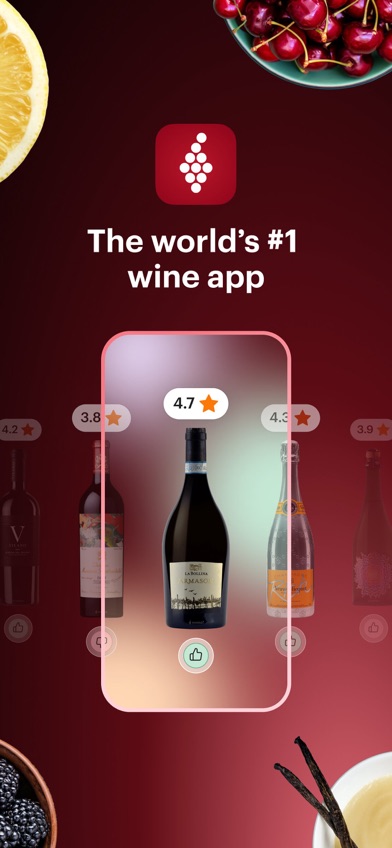
Vivino is the safest first download for someone who wants to point a camera at a bottle and get enough information to make a buying decision. A scan can lead to community ratings, tasting notes, pairing ideas, personal taste records and merchant listings. The App Store description also lists full restaurant wine-list scanning, which is useful when eight pages of Cabernet arrive before the appetizers.
Its biggest advantage is the amount of public feedback attached to scanned wines. The US App Store showed 4.84 stars from 139,462 ratings, and the app was updated October 19, 2026. That rating count does not prove every match is right, but it does show far more App Store activity than the other picks here.
Vivino also has a cellar and personal journal, though the shopping side can feel prominent if you only want identification. Premium purchases range from $4.99 to $57, but the listing does not tie every price to a billing period. Check the checkout screen before subscribing. Vintage still deserves a manual glance; image matching can return the right producer with the wrong year.
- Large App Store rating base
- Restaurant wine-list scanning
- Ratings, notes and merchant listings
- Premium billing periods are unclear
- Commerce is a large part of the app
- Price
- Prices checked October 2026: free download; Premium purchases from $4.99 to $57.
- Platforms
- iPhone and iPad, requiring iOS 18.6 or later; check the current Android listing.
Pick Vivino if you want one scanner for store shelves, restaurant lists and crowd ratings.

DiVino
5.0 on the App Store (1 ratings)
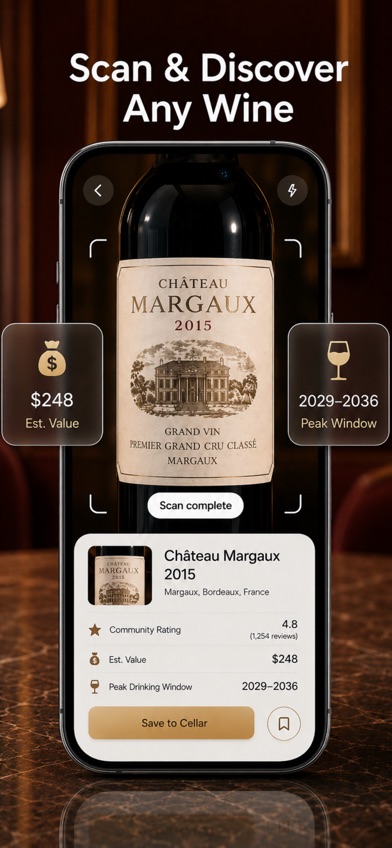
DiVino is a wine label scanner app that moves a recognized bottle into a local cellar record without requiring an account. After a scan, it can show bottle details, estimated value, ratings, food pairings and a suggested drinking window. You can then record quantity, storage location and tasting notes on the same device.
That no-account design is the reason DiVino ranks second despite having just one US App Store rating. The listing says collection data and notes stay on the device. For someone who does not want another taste profile tied to an online account, that is a real distinction. The app can also scan restaurant lists and answer questions about serving or pairing.
DiVino is young: it launched June 26, 2026, was updated September 23, and showed 5 stars from one rating when checked. It also requires iOS 18 or later. The yearly plan costs $59.99; paying $5.99 every week would total $311.48 over 52 weeks, so the weekly plan only makes sense for a short trial. Android is still listed as coming soon.
- No account required
- Local cellar records
- Drinking-window guidance
- Only one App Store rating
- iPhone only, with Android coming
- Price
- Prices checked October 2026: $5.99 weekly or $59.99 yearly.
- Platforms
- iPhone with iOS 18 or later; iPad compatibility is listed; Android is coming soon.
Pick DiVino if you want scans, drinking windows and cellar notes without creating an account.

Wine-Searcher
4.8 on the App Store (17,156 ratings)
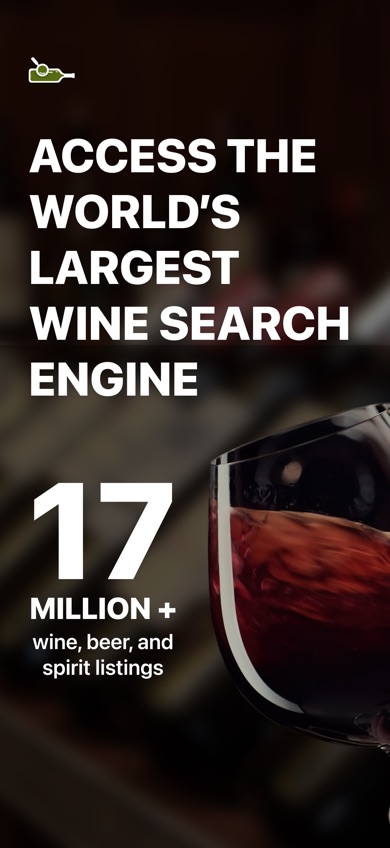
Wine-Searcher is the better scanner when your first question is price: who sells this bottle, which vintages are available, and is the store tag sensible? It connects label results with merchant listings, critic scores, producer information and regional details. It also searches beer and spirits, useful if your cabinet is less disciplined than your wine rack.
The US App Store showed 4.81 stars from 17,156 ratings and an October 15, 2026 update. The listing cites eight million wine offers from 55,000 merchants. Those are developer-stated database figures, but the underlying use is easy to check: this app is built around finding sellers and comparing listings.
Wine-Searcher is weaker as a personal cellar or social tasting space. Prices may also differ after shipping, state restrictions, retailer stock and vintage are taken into account. Two PRO purchases were listed at $10.99 and $98.99, but their billing periods were not identified in the supplied store record. Confirm the renewal term before paying.
- Merchant price comparison
- Vintage and retailer search
- Also scans spirits and beer
- Less focused on cellar records
- Listed price may exclude shipping
- Price
- Prices checked October 2026: free download; PRO purchases listed at $10.99 and $98.99.
- Platforms
- iPhone and iPad, requiring iOS 16 or later; check the current Android listing.
Pick Wine-Searcher if you mainly scan to compare stores, vintages and asking prices.

CellarTracker
4.9 on the App Store (13,328 ratings)
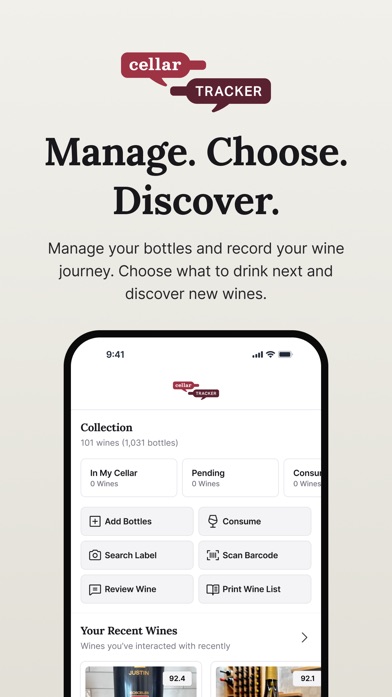
CellarTracker is for the bottle owner who needs quantities, purchase records, tasting notes and valuations to stay attached to the correct bin. Labels and barcodes can be used to add wine, while community notes and price records give context when deciding what to buy or open.
Its depth is the attraction. The listing describes valuation history, drink dates, inventory tools and imports, all of which become more useful as a collection grows. The US App Store showed 4.9 stars from 13,328 ratings, with the latest update dated September 28, 2026. It also runs on iOS 15.5 or later, so it asks less of an older iPhone than Vivino or DiVino.
For scanning one bottle before dinner, CellarTracker has more structure than most people need. Purchases are divided by collection size, from $4.99 for up to 100 bottles to $44.99 for more than 2,500 bottles, but the supplied listing does not state the renewal period. Check the payment screen. Collectors will appreciate the detail; casual shoppers may feel they have accidentally started an audit.
- Detailed bottle inventory
- Barcode and label entry
- Works on older iOS versions
- More setup than a casual scanner
- Billing periods require confirmation
- Price
- Prices checked October 2026: listed purchases range from $4.99 to $44.99 by bottle count.
- Platforms
- iPhone and iPad, requiring iOS 15.5 or later; check the current Android listing.
Pick CellarTracker if cellar records are more important than getting the fastest possible shelf answer.

Delectable
4.7 on the App Store (25,998 ratings)
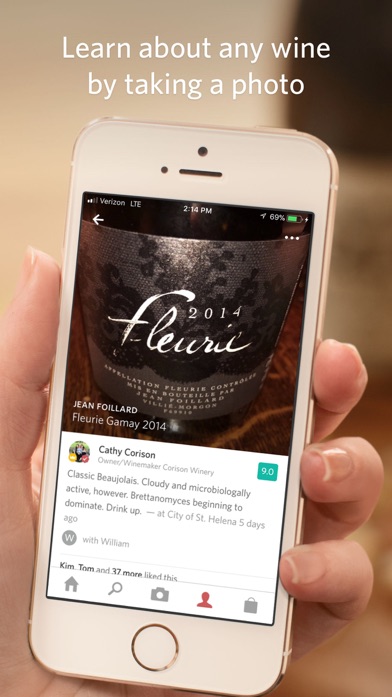
Delectable combines label recognition with personal ratings, tasting notes and a social feed built around winemakers, sommeliers, critics and friends. Its App Store description states that free users can scan an unlimited number of wines, a welcome policy when other listings leave scan limits vague.
The journal is the main reason to choose it. You can attach notes, people and places to a bottle, then follow accounts whose taste seems useful. The US App Store showed 4.7 stars from 25,998 ratings. Premium costs $5.99 monthly, or $71.88 across 12 monthly payments, and adds professional reviews plus priority handling for difficult labels.
The large warning is maintenance. The listed last update was September 14, 2021, five years before this comparison. That does not mean the app has stopped working, and its iOS 10 requirement suits older hardware. It does mean buyers should confirm current account, store and purchase behavior before paying. Delectable is also less suited to precise cellar locations or detailed valuation work.
- Unlimited free scans listed
- Personal tasting journal
- Runs on iOS 10 or later
- Last listed update was in 2021
- Limited cellar-management depth
- Price
- Prices checked October 2026: free; Premium is $5.99 monthly and ad removal is listed at $1.99.
- Platforms
- iPhone and iPad, requiring iOS 10 or later; check the current Android listing.
Pick Delectable if free scans and remembered tasting notes beat inventory spreadsheets for you.

Oeni
4.7 on the App Store (935 ratings)
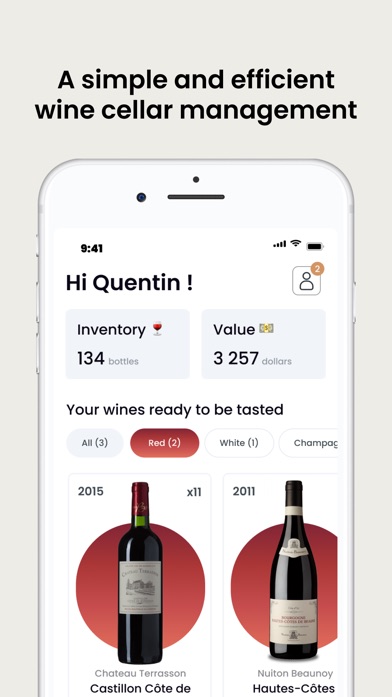
Oeni starts with a scanner but puts most of its attention on what happens after the bottle enters your cellar. It tracks stock, purchase price, estimated value and maturity. The listing also describes pairing suggestions across more than 5,000 dishes and a 3D cellar view.
The key decision tool is its aging record. Add the correct vintage and Oeni estimates when a bottle is entering or passing its preferred drinking period. That suits someone who buys cases or holds bottles for years. The US App Store showed 4.7 stars from 935 ratings, and the app was updated October 5, 2026. It supports 15 languages and iOS 15 or later.
Oeni is not the cheapest route to a quick scan. The store showed several annual and premium purchases between $34.99 and $89.99, with differing amounts that may reflect plans or promotions. Confirm the current US checkout price. Its stated database of more than 400,000 bottles is also smaller than databases claimed by some rivals, so obscure labels may need manual work.
- Maturity and peak estimates
- Food pairing database
- Cellar value tracking
- Pricing varies across listed purchases
- Built mainly for cellar owners
- Price
- Prices checked October 2026: paid purchases are listed from $34.99 to $89.99; confirm the current plan.
- Platforms
- iPhone and iPad, requiring iOS 15 or later; check the current Android listing.
Pick Oeni if deciding when to open stored bottles is your main reason for scanning.

InVintory
4.8 on the App Store (4,984 ratings)
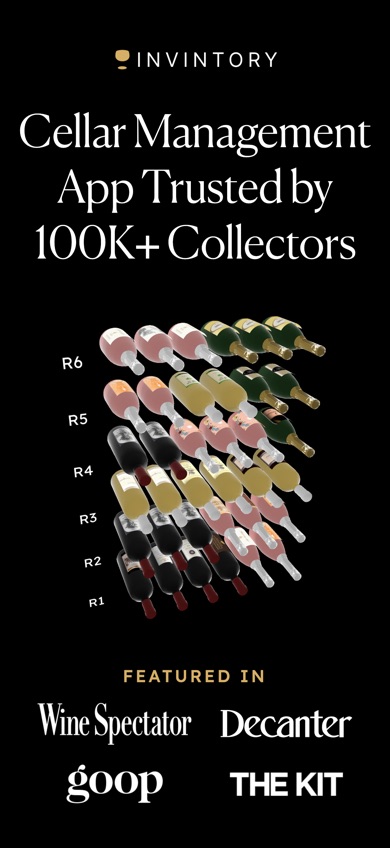
InVintory is aimed at collectors who need to know the physical location of every bottle. Its 3D cellar system maps racks, bins, fridges and cases, while label scanning and imports help build the inventory. It also records valuations, maturity dates, purchase history and tasting notes.
That visual map is useful once a cellar becomes too large for shelf-level memory. The listing says collections can be imported from CellarTracker, Vivino or spreadsheets, which reduces setup pain for people moving an existing inventory. The US App Store showed 4.76 stars from 4,984 ratings, with an update on October 21, 2026.
The price puts InVintory below simpler scanners in this ranking. Prestige costs $9.99 monthly or $99.99 yearly; Premium purchases range from $12.99 to $13.95 monthly and $124.99 to $149.99 yearly. Paying monthly for Prestige totals $119.88 a year. It also requires iOS 18, and building an accurate 3D map takes more effort than saving a favorite bottle. This is collection software with a scanner attached.
- 3D bottle locations
- Spreadsheet and app imports
- Valuation and maturity records
- High yearly cost
- More setup work than most scanners
- Price
- Prices checked October 2026: $9.99 to $13.95 monthly or $99.99 to $149.99 yearly.
- Platforms
- iPhone and iPad, requiring iOS 18 or later; check the current Android listing.
Pick InVintory if finding a bottle in a mapped rack is worth at least $99.99 per year.
Wine Identifier
Wine Identifier is described on its site as a label-scanning tool for bottle identification, food pairing, tasting notes and cellar records. The proposed flow is simple: photograph the label, review producer, region, grape and vintage details, then save the bottle or add your own notes.
The site also gives sensible advice about scanner limits. Rare bottles, torn labels, unusual designs and similar vintages can produce incomplete or incorrect matches. Manual review is still needed, especially before buying an expensive bottle. That candor is useful, and the mix of scanning, pairing and cellar guidance fits the search on paper.
This pick ranks last because the supplied research did not include a current US App Store or Google Play record for this separate entity. That leaves its current price, platform support, update history, free-tier limits and store rating unconfirmed. The site discusses using the tool on iPhone, but a buyer should verify the actual download listing and subscription terms before entering bottle records. For an immediate download with checkable store history, choose one of the apps above.
- Scan-first bottle guidance
- Pairing and cellar concepts
- No current store record supplied
- Price and platform support unconfirmed
- Price
- Prices checked October 2026: check the current listing.
- Platforms
- Check the current download listing for supported devices and operating systems.
Pick Wine Identifier only after confirming that its current store listing supports your phone and budget.
Vivino vs DiVino for scanning wine labels
Vivino and DiVino both turn a label photo into bottle information, but they make different trade-offs. Vivino has far more public rating activity and stronger shopping tools. DiVino has a smaller footprint, local cellar records and no required account.
| Point | Vivino | Rival |
|---|---|---|
| App Store evidence | 4.84 stars from 139,462 ratings | 5 stars from one rating |
| Best scan result | Crowd ratings, reviews and merchant options | Drinking window, value estimate and local cellar entry |
| Restaurant use | Scans full wine lists | Scans wine lists and supports pairing questions |
| Account and records | Check the current account and privacy terms | No account required; cellar notes stay on the device |
| Paid price | Premium purchases from $4.99 to $57; periods vary | $59.99 yearly or $5.99 weekly |
Vivino wins for most shoppers because its scan results connect to a much larger body of App Store feedback, community ratings and places to buy. It is also the stronger choice for discovering wine through other drinkers.
DiVino wins for privacy-conscious iPhone users who want a scanned bottle to become a local cellar record with a drinking window. Its weak point is evidence: one App Store rating is far too little to establish how consistently it performs across unusual labels.
What to check before downloading a wine scanner
Bottle and vintage recognition
A scanner can match the producer while missing the vintage, cuvee or vineyard. Check every field before saving a bottle or using the result to judge price. Manual text search and editable records are valuable when labels are damaged, reflective or partly hidden by an import sticker.
The answer you need after scanning
Choose based on the next question. Vivino suits ratings and discovery, Wine-Searcher handles retailer comparison, and cellar apps track quantity and location. Paying for valuation charts makes little sense if you only need a pairing for tonight's pasta.
Full-year subscription cost
Weekly plans can become expensive fast. DiVino's $5.99 weekly option totals $311.48 over 52 weeks, versus $59.99 for its yearly plan. Check renewal periods, introductory pricing and cancellation settings before accepting a trial.
Privacy and account requirements
Scans can reveal buying habits, locations, preferences and an expensive collection. Read the current App Store privacy disclosure and policy to see whether photos, account data or purchase activity leave the device. DiVino explicitly says no account is required and cellar notes stay local; do not assume the same elsewhere.
Frequently asked questions
What is the best free wine scanner app?
Vivino is the best free starting point for label scans, crowd ratings and tasting notes. Its exact free-tier limits are not stated in the supplied App Store record.
Which wine scanner app compares store prices?
Wine-Searcher is the strongest pick for comparing retailer listings, available vintages and asking prices. Shipping and local availability can change the final cost.
What is the best wine scanner for a large cellar?
CellarTracker is the better fit for detailed inventory, bottle counts, tasting records and valuations. InVintory is better when you need a 3D map of racks and bins.
Is DiVino free?
DiVino is free to download, but the supplied listing shows $5.99 weekly and $59.99 yearly subscriptions. The free scan limit is not stated.
Can a wine label scanner identify the exact vintage?
A wine label scanner may identify the vintage, but similar labels and small year text can cause mistakes. Check the year manually before saving or buying.
Will a wine scanner work with a damaged label?
A damaged, reflective or partly covered label may produce an incomplete or wrong match. Use text search and verify the producer, wine name and vintage.
Can a wine scanner tell if a bottle is counterfeit?
No, a wine scanner matches label information to a database record and does not test the bottle or its contents. High-value wine needs separate provenance and authenticity checks.
Do wine scanner apps store label photos?
Storage and sharing rules differ by app. Read the current privacy disclosure and policy before scanning a personal collection.
The wine scanner most people should download
Start with Vivino if you want the best mix of quick label scanning, crowd ratings, restaurant-list reading and buying information. Choose Wine-Searcher when price comparison is the job, CellarTracker for a serious inventory, or DiVino when an account-free iPhone cellar with local notes is more useful than a large community.
DiVino is the pick for account-free cellar scanning
DiVino is worth trying for one checkable difference: a scanned bottle can become a cellar record stored on your iPhone without creating an account. That record can include location, quantity, notes and a suggested drinking window. It suits privacy-conscious iPhone owners who want to decide what to open, not shoppers who need the largest pool of crowd reviews. Use the yearly plan if you stay; the weekly price becomes expensive after a short trial.