
When Mobile App Subscriptions Are Worth It
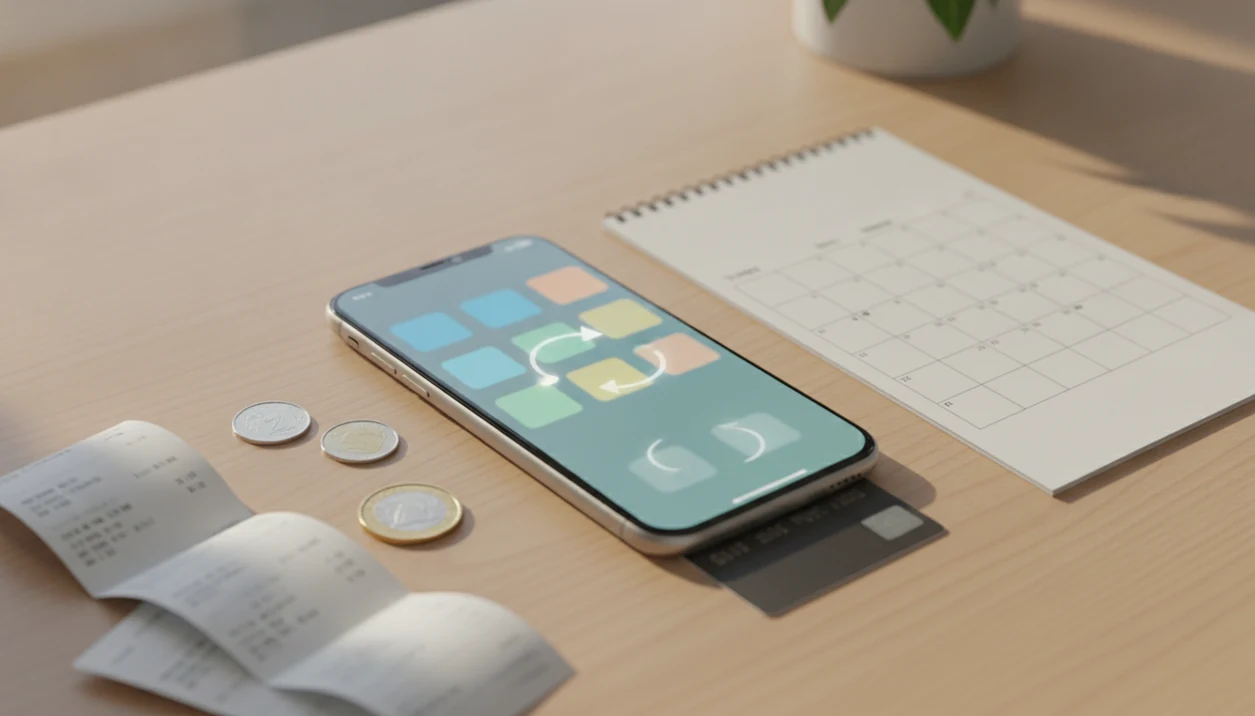
Mobile app subscriptions are worth it when the app saves you money, time, or frustration often enough to justify a recurring bill. The safest way to decide is to compare the annual cost, how often you actually use the app, cancellation rules, privacy tradeoffs, and whether you can leave without losing your data.
> Mobile app subscriptions are recurring payments, usually monthly or yearly, that unlock premium app features, ongoing content, cloud services, ad-free use, or other paid access until you cancel.
- A mobile app subscription is usually worth it only if you use the paid features repeatedly, not just once during a free trial.
- Compare the three-year cost against one-time purchase apps, free alternatives, and web versions before subscribing.
- Always check renewal dates, cancellation path, privacy terms, offline access, and data export options before paying.
Mobile App Subscriptions at a Glance
Pay for a mobile app subscription only when the ongoing value is greater than the ongoing cost. That usually means the app solves a repeated problem, not a one-time annoyance.
Subscriptions now show up in fitness, music, language learning, note-taking, storage, photo editing, video editing, budgeting, guitar practice, and productivity apps. In 2023, global consumer spending on mobile apps reached about $171 billion, according to data.ai’s State of Mobile 2024 report (data.ai’s State of Mobile 2024 report), with subscriptions and in-app purchases making recurring app costs a normal household budget issue.
The receipt tells a different story than the subscribe banner. A $4.99 plan feels small when your thumb is hovering over the button, but it becomes a budget line once it renews every month.
Normal does not mean harmless.
App subscriptions are now ordinary consumer software pricing. They still need active management, especially when several small plans start stacking together.
Five Facts About Mobile App Subscriptions
- Recurring charges continue until canceled. A subscription is not a one-time app purchase. It keeps billing monthly, yearly, or on another schedule until you cancel through the correct account path.
- Freemium apps often hold back the useful parts. The free version may include basic tools, while advanced filters, cloud sync, ad-free use, extra lessons, or unlimited projects sit behind a paid plan.
- Apple and Google rules affect the experience. App Store and Google Play billing rules shape how prices, renewals, cancellations, family sharing, and refunds appear to users.
- Trials can become full-price plans. A seven-day or thirty-day trial often renews automatically unless you cancel before the deadline. The price after a promotional period may be much higher than the first receipt.
- Price is only one part of the decision. Privacy labels, permissions prompts, update history, offline access, and export paths matter too. We have opened a CSV export before and found only timestamps, not the notes the user expected to keep.
Before You Subscribe to a Mobile App
Before you subscribe to a mobile app, make sure the paid plan solves a problem that will come back next week, next month, and after the trial ends. A good subscription should survive a quick check of price, billing route, permissions, and exit options before you put personal data inside it.
- Confirm the repeated need. Ask whether the app fixes an ongoing habit, workflow, lesson plan, budget task, or storage problem. If it only handles one file, one trip, or one afternoon project, a free tier or one-time tool may fit better.
- Find the real price. Look for the full monthly or yearly charge that starts after the trial or promotion, not only the first banner price.
- Check the billing path. Note whether the subscription is managed through Apple, Google Play, or the company’s website so you know where cancellation will happen.
- Review permissions first. Read the prompts before importing photos, notes, health history, recordings, contacts, or documents.
- Test the exit. Confirm that export, offline access, and account deletion are available before the app becomes your main place for important work.
How Mobile App Subscriptions Work
Mobile app subscriptions are recurring access agreements: you keep paying, and the app keeps unlocking paid features, services, content, storage, or sync. In plain language, you are renting continued access instead of buying the app once.
Billing can run through Apple’s App Store, Google Play, an in-app account, or a web account tied to the same service. That distinction matters because the cancellation button may live in your phone settings, Play Store subscriptions, or the company’s own account page.
Deleting the app usually does not cancel billing. It only removes the app from the phone. After cancellation, access often continues until the paid period ends, then premium features stop or the account drops to a free tier.
Subscription pricing dominates many high-revenue app categories because it turns access into recurring revenue instead of a one-time sale. RevenueCat’s 2024 State of Subscription Apps report found that subscription apps still face heavy churn and trial-conversion pressure, which is why users should judge value by repeated use, not by the subscribe screen alone (RevenueCat).
How to Evaluate a Mobile App Subscription
Use mobile app subscriptions like a small buying decision with a renewal date attached. The method is simple, but it works better before the free-trial button turns blue.
- Set a monthly app budget. Decide how much recurring software spending fits your normal budget before looking at one more trial.
- Check your real use frequency. Review screen time, app history, or a one-week log before paying.
- Compare the annual cost. Multiply the monthly price by 12, then compare it with the yearly plan, free tier, web version, or competing app.
- Test the free features first. Use the unpaid version long enough to see what is actually missing.
- Review the cancellation path. Confirm whether cancellation happens in Apple settings, Google Play, or the service account page.
- Check the export path. Make sure notes, projects, logs, documents, media, or settings can leave with you.
Good consumer-friendly reviews and guides about digital tools, mobile apps, web software, and buying decisions for everyday users deliver repeatable checks, not hype dressed up as advice.
Step 1: Calculate the Real Mobile Subscription Cost
A low monthly price is not the real price. The real price is the monthly fee multiplied across the time you are likely to keep paying.
| Option checked | Example cost | What it means |
|---|---|---|
| Monthly subscription | $5 per month | Easy to start, easy to ignore |
| One-year cost | $60 per year | A small fee becomes a visible annual bill |
| Three-year cost | $180 over three years | Now it can rival paid desktop or lifetime software |
| One-time purchase | $30 once | Cheaper if updates and cloud sync are not essential |
| Free tier or web app | $0 to lower cost | Useful if limits do not block your actual work |
Subscription creep starts quietly. One editing app, one cloud notes app, one tuner, one workout coach, and one storage upgrade can become a larger bill than expected.
For occasional use, a one-time purchase or free tier is often easier to justify than a subscription because the cost stops after the first payment.
Step 2: Match the App Subscription to Real Use
Does your actual use support a recurring app bill? Daily or weekly use is much easier to justify than an app opened twice during a trial.
A music practice app may be worth paying for if it logs sessions, stores exercises, and changes how often you practice. Cloud notes can earn the fee when they sync reliably across phone, tablet, and browser. Budgeting, fitness coaching, editing tools, and language learning apps need the same test: does the paid feature change the outcome?
Nice-to-have is not the same as necessary.
A 2023 U.S. survey found that 61 percent of respondents paid for at least one digital subscription service on a smartphone. That makes subscriptions familiar, but not automatically worth keeping. Check screen time, recent app history, or a one-week trial log before subscribing. Our broader mobile apps guide uses the same habit-first filter.
Step 3: Check Mobile App Renewal and Cancellation Rules
Will this trial charge you if you forget about it? In many cases, yes. Free trials and promotional prices often convert automatically unless you cancel before the renewal deadline.
Deleting the app usually does not cancel the subscription. The cancellation route is normally Apple account settings, Google Play subscriptions, or the service’s own account page if you subscribed on the web. Refunds depend on platform policy, service terms, timing, and local rules.
Apple’s cancellation instructions point users to account subscriptions in iPhone settings or the App Store (Apple Support), while Google Play directs users to the Play Store subscriptions page (Google Support). Check the exact route before the trial ends.
Set a calendar reminder 24 to 48 hours before renewal. That small buffer matters when the cancellation button is buried under account, billing, manage plan, and confirm screens.
We have watched the refund chat window sit on typing dots while a user tried to explain that a trial became an annual plan overnight. It is easier to prevent that charge than argue about it later.
Step 4: Review App Privacy, Data, and Exit Options
A subscription is not only a price decision. It is also a data decision, especially when the app stores notes, practice logs, documents, photos, recordings, locations, health entries, or account history.
Check what the app collects, shares, stores, and syncs before importing anything important. Permission prompts deserve the same attention. If an Android calendar feature asks for contacts, location, and nearby devices, pause and verify why. Our app permissions explained guide covers those prompts in more detail.
Exit options matter because lock-in can follow the platform. An app may work well on iPhone but poorly on Android, or sync nicely on mobile while offering a weak web version. The iOS Vs Android App Ecosystems comparison is useful when a subscription ties you to one side.
Test export before trusting years of personal data to any subscription app.
Mobile App Subscription Choices Worth Comparing
Compare the payment model before you judge the app. The same tool can be reasonable on one plan and wasteful on another.
| Choice | Likely fit | Main caution |
|---|---|---|
| Monthly subscription | Short projects, uncertain use, testing a new habit | Costs more if you keep it long term |
| Yearly subscription | Apps you already use every week | Cheaper only if you keep using it |
| Lifetime purchase | Stable tools with limited cloud needs | May not include future services or major upgrades |
| Free tier | Light use, occasional tasks, basic features | Limits may block export, storage, or advanced tools |
| Ad-supported version | Casual use where ads are tolerable | Privacy and distraction costs can rise |
| Web app | Cross-device use, easier account access | Mobile features may be weaker than native apps |
Web plans can be more portable across devices than app-store subscriptions because the account is not always tied to one store. For comparison-style research, look for named review publishers such as The Verge, Wirecutter, Tom’s Guide, and PCMag; on Lunchbox Guitars, we apply the same pricing, platform-limit, and everyday-fit checks to music-practice apps. For browser-based tools, our web software notes focus on that portability question.
Common Mobile App Subscription Mistakes
- The trial trap: Thinking a free trial is free forever leads to surprise charges when the trial converts to a paid monthly or annual plan.
- The delete-and-forget mistake: Removing the app icon does not usually stop billing. You need to cancel through Apple, Google Play, or the service account.
- The annual-plan jump: Choosing yearly billing before using the app consistently can lock in waste. A monthly test period may cost more per month but less overall.
- The offline assumption: Some apps look useful until hotel Wi-Fi slows the login spinner and the feature you needed will not load. The offline vs online apps tradeoff is worth checking.
- The data-exit miss: Failing to test export can make switching painful later, especially for notes, projects, lessons, media, and history.
- The overlap problem: Paying for three apps that all store notes, scan documents, or edit short videos usually means at least one should go.
Verification Checklist Before You Keep an App Subscription
Use this checklist after a trial or first paid month. If the app fails more than two core checks, cancel or downgrade before the next renewal.
- Use frequency: Did you use it at least weekly, or was it mostly a notification badge after an afternoon?
- Unique value: Did the paid feature change the result, or only remove a mild annoyance?
- Annual cost: Does the 12-month price still feel reasonable?
- Three-year cost: Would you still pay that amount compared with a one-time app or web plan?
- Cancellation confidence: Can you find the cancellation screen without guessing?
- Privacy comfort: Are the data collection and permissions acceptable for the job?
- Offline reliability: Does the app work when signal, Wi-Fi, or sync is weak?
- Export readiness: Can you export the files, logs, notes, settings, or history you care about?
For everyday users, a subscription is often worth keeping when it passes the use, cost, cancellation, privacy, and export checks at the same time.
Limitations
Mobile app subscriptions can be useful, but the model has real failure points. These are the ones we flag most often when checking pricing sheets, app listings, and account screens.
- Subscription creep can turn several small $3 to $10 charges into a large monthly bill.
- Some apps hide essential features behind subscriptions even when the added value is modest.
- Some paid apps do not update often enough to justify an ongoing payment.
- Offline access may be limited, unreliable, or unavailable when sync fails.
- Cancellation and refund rules vary by Apple, Google Play, web accounts, region, and service policy.
- Data lock-in can make switching apps painful when export tools are weak or incomplete.
- Family sharing may not include every plan, feature, or in-app purchase. Our family sharing app subscriptions explainer separates the common cases.
- A subscription may stop being worth it when you change devices, platforms, habits, income, or budget priorities.
- Price changes can happen after you subscribe, and the gray-on-white footnote under the plan toggle may be easy to miss.
FAQ
Are app subscriptions worth it?
App subscriptions are worth it when you use the paid features regularly and the time, money, or frustration saved exceeds the recurring cost. They are usually not worth it for one-time or occasional use.
What is a mobile subscription?
A mobile subscription is a recurring payment for an app or mobile service. It usually unlocks premium features, content, storage, sync, or ad-free use.
Do app subscriptions renew automatically?
Most app subscriptions renew automatically until you cancel them. Renewal timing depends on the plan, platform, and service rules.
Does deleting an app cancel it?
Deleting an app usually does not cancel its subscription. You normally must cancel through Apple settings, Google Play, or the service account.
How do I cancel app subscriptions?
Cancel through your Apple account subscriptions, Google Play subscriptions, or the billing page for the service account. The correct route depends on where you started the subscription.
Are yearly app plans cheaper?
Yearly app plans often cost less than paying monthly for a full year. They waste money if you stop using the app after a few weeks or months.
Can free trials charge me?
Yes, many free trials automatically convert to paid subscriptions. Cancel before the trial deadline if you do not want to be charged.
What happens after I cancel?
Access often continues until the current paid period ends. After that, premium features may stop, and some data or export options may be limited.