
iOS vs Android App Ecosystems: Which Apps Fit Your Phone, Budget, and Daily Use?
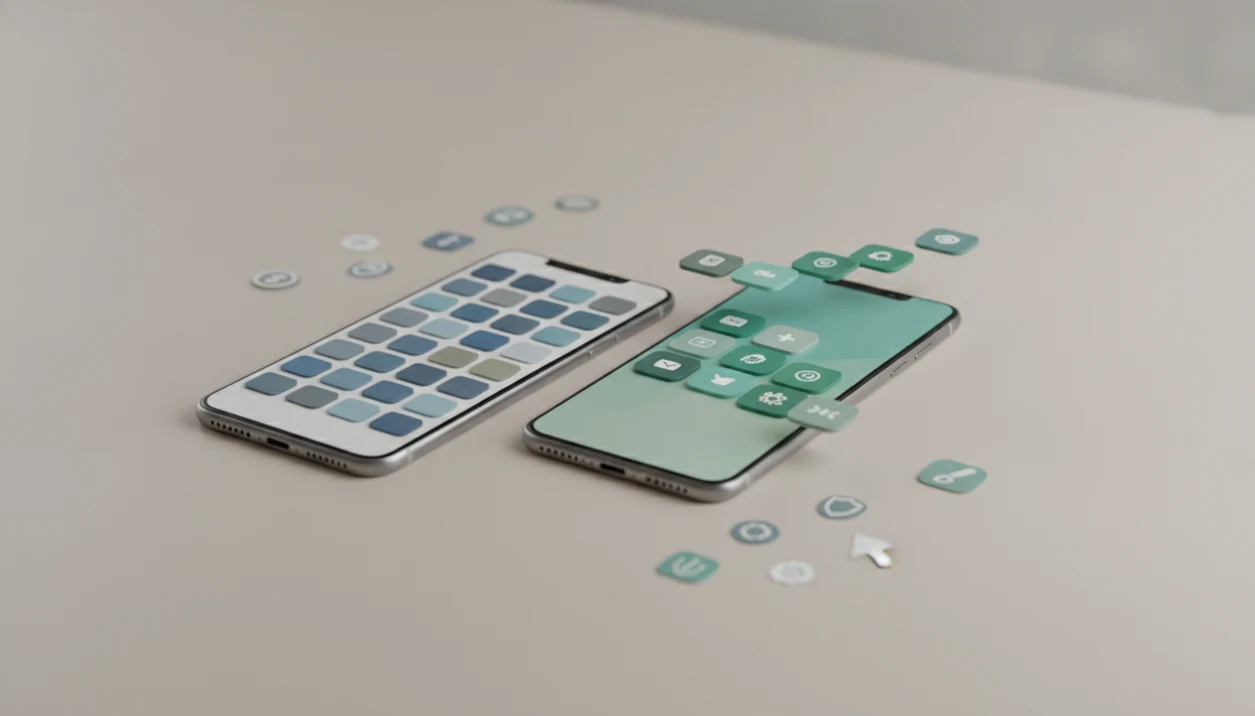
For most people, ios vs android apps comes down to device choice, budget, app polish, and specific app needs rather than one platform being universally better. iOS tends to offer more predictable app behavior and stronger paid-app economics, while Android offers wider device choice, more app-store volume, and more price points.
Definition: iOS apps are software made for Apple’s iPhone and iPad through the App Store, while Android apps are software made for phones from Google, Samsung, Motorola, OnePlus, and other makers mainly through Google Play.
TL;DR
- Pick iOS if you want predictable app quality, longer update consistency, and strong creative or paid-app support.
- Pick Android if you want more phone choices, more price levels, deeper customization, and the largest global app reach.
- Check your must-have apps before switching because features, subscriptions, audio tools, and device support can differ by platform.
Ios vs android app ecosystems, side by side
Side-by-side captures of the compared products. Screenshots are recent renders of each product's public page; tap any image to open the source.
iOS vs Android apps at a glance
iOS wins most often on predictable quality and spending-supported app development; Android wins on device choice, app volume, and global reach. According to IDC smartphone OS shipment data summarized by Statista (IDC smartphone OS shipment data summarized by Statista), Android held about 72.4% of global smartphone OS share in Q1 2024, while iOS held about 27.6%; data.ai estimates Apple’s App Store generated 68.6% of consumer app spending versus 31.4% for Google Play (data.ai).
| Area | iOS apps | Android apps |
|---|---|---|
| App availability | Smaller store, strong major-app coverage | Larger store, broader regional reach |
| Quality consistency | More predictable across fewer devices | More variable across many phones |
| Pricing | More paid apps and subscriptions | More free, ad-supported, and regional options |
| Updates | Often steadier across supported devices | Depends on phone maker and model |
| Privacy controls | Strong prompts and App Store labels | Strong controls, more sideloading choices |
| Customization | More controlled | Deeper defaults, launchers, widgets |
| Creative apps | Strong audio, video, photo, music tools | Improving fast, device support varies |
| Gaming | Strong premium and subscription catalog | Huge reach across price tiers |
| Budget phones | Limited to used or older iPhones | Many new low-cost choices |
The right choice depends on where you live, what phone you can afford, and which specific apps you rely on daily.
How iOS and Android app ecosystems work
iOS and Android app ecosystems work by combining hardware rules, operating-system updates, store review, distribution, payments, and developer tools into one consumer experience. In plain terms, the app store is not just a download button; it shapes which apps appear, how they update, and how developers get paid.
iOS apps target a smaller Apple-controlled set of iPhones, iPads, chips, screen sizes, and OS versions. Android apps target Samsung, Google Pixel, Motorola, OnePlus, and many budget brands, each with different screens, processors, memory, and Android versions. That spread gives buyers more choice, but it also gives developers more testing work.
Developers commonly build iOS apps with Swift or Objective-C and Android apps with Kotlin or Java. Most users never see those languages. They feel the result when a feature arrives first on one phone, a widget behaves differently, or a Friday afternoon changelog says “bug fixes” but hides a new account requirement.
Good consumer-friendly reviews deliver buying criteria, permission checks, subscription math, and real device caveats, not brand cheerleading.
Where iOS apps usually win for everyday users
iOS apps usually win when a user wants consistent behavior across fewer devices and long support windows. That does not mean every iPhone app is better or safer, but it does make testing and update timing more predictable.
- iOS developers support fewer current device shapes, chips, and OS versions, so performance problems can be easier to reproduce.
- Higher App Store spending often gives developers a stronger reason to polish paid apps, creative tools, and subscription products.
- Music, audio, video, photography, and paid productivity apps have historically been strong on iPhone and iPad.
- iOS update consistency can help older supported devices keep app compatibility longer than many low-cost Android phones.
- App safety still depends on permissions, developer behavior, store enforcement, and user choices.
iPhone users looking for steady app behavior should favor iOS when the same paid creative app, subscription, and accessory workflow all appear in the App Store listing with current-device support.
We checked one subscription sheet where the free-trial button did not turn blue until the payment terms expanded. Small thing. Worth noticing.
Where Android apps usually win for phone choice
Android apps usually win when the buyer wants more phone choices, lower starting prices, and more control over how apps behave. Statista reports Google Play at about 3.5 million listed apps versus about 1.8 million for Apple’s App Store (Statista), though raw count does not equal usefulness.
- Android runs across Samsung, Google Pixel, Motorola, OnePlus, and many regional or budget brands.
- Android’s larger global base makes it essential for apps that need broad international reach.
- Users can change more default apps, use launchers, manage files more directly, and place richer widgets.
- Sideloading can help advanced users install apps outside Google Play, but it adds security responsibility.
- More device choice can mean less consistency across camera behavior, memory limits, background tasks, and update timing.
Android buyers who need a cheaper phone plus flexible defaults should choose Android when their must-have apps work well on the exact model they plan to buy.
A permissions prompt can still surprise you. We have seen contacts access appear during setup when a calendar-only feature was the stated reason.
iOS vs Android app pricing, subscriptions, and store policies
Android phones may cost less upfront, but app pricing and subscriptions vary by app rather than by platform alone. Statista estimates global mobile app and app-store spending reached about $171 billion in 2023, and data.ai estimates Apple’s App Store took the larger consumer-spending share.
| Cost factor | iOS pattern | Android pattern |
|---|---|---|
| Phone price | Higher new-device floor | Wider low-to-high range |
| Paid apps | Stronger paid-app market | More free and ad-supported choices |
| Subscriptions | Often polished, sometimes pricier | More regional and budget options |
| In-app purchases | Higher spending per user | Larger global audience |
| Store policy impact | Tighter App Store review and payment rules | Google Play plus more distribution paths |
Higher iOS spending can attract paid indie apps, pro creative tools, and carefully maintained subscriptions. Android’s scale can support free utilities, local services, regional payment models, and cheaper device bundles.
For users comparing recurring costs, the better platform is often the one with the lower total of phone cost, storage, accessories, and mobile app subscriptions.
The coupon field is sometimes below the fold. Scroll before paying.
How to choose between iOS and Android apps
The practical way to choose between iOS and Android apps is to test your real app stack before changing phones. Do not decide from store size alone; app features, subscriptions, exports, and accessories matter more after week one.
- List your must-have apps, including banking, messaging, maps, music, work tools, health apps, games, and any guitar or recording tools.
- Check whether each app has the same features on both platforms, including widgets, offline mode, family plans, exports, and account limits.
- Price the phone cost, app purchases, subscriptions, storage upgrades, cloud plans, cables, cases, chargers, and accessories.
- Test the exact apps on a friend’s phone, store demo phone, or returnable device before you migrate your main number.
- Choose iOS for consistency and creative-app depth, or Android for budget range, device choice, customization, and regional availability.
People who already keep a “maybe” folder on the home screen should be stricter here: Lunchbox Guitars recommends deleting weak candidates before migration because abandoned apps make platform switching look easier than it is.
For most users, platform satisfaction usually depends more on must-have app fit than on total app-store size.
Who should pick iOS apps, and who should pick Android apps?
Pick iOS if you want paid creative tools, predictable updates, and accessories that behave the same way across a smaller device family. Pick Android if phone price, customization, regional services, and a wider spread of hardware matter more.
- Choose iOS when your work depends on polished music, video, photo, writing, or design apps that clearly support your current iPhone or iPad.
- Choose Android when you need a lower-cost new phone, deeper home-screen and default-app control, local apps in your country, or a specific screen size, battery, camera, stylus, or storage option.
- Pause before choosing either platform until your banking, work login, music library, messaging groups, school tools, and cloud backups are verified on the exact device or OS version.
- Check edge cases that rarely fit cleanly into platform debates: school-issued devices, family plans, carrier deals, parental controls, accessibility features, hearing aids, medical apps, and shared chargers.
- Test the boring stuff first. If two-factor codes, group chats, payroll apps, and export buttons work, the nicer camera widget can wait.
iOS vs Android apps for music, guitar, and creative tools
Do iOS or Android apps work better for music, guitar, and creative tools? iOS still has an edge in some pro audio and creative niches, but Android now has many strong tuners, loopers, recording apps, practice tools, and video editors.
Lunchbox Guitars is a consumer tech site that explains digital tools, mobile apps, and software buying decisions in plain language. For music apps, that means checking audio latency, interface compatibility, Bluetooth limitations, driver support, MIDI behavior, and export paths before buying a phone. Latency is the delay between playing a note and hearing it through the app. You feel it immediately.
Guitar players looking for low-latency practice should favor the platform that supports their exact audio interface, microphone, MIDI controller, subscription, and export workflow.
Some pro audio apps historically appeared on iOS first because the hardware range was easier to test and paid-app demand was strong. Android remains attractive if you need a lower-cost device or broader phone choice. Our broader mobile apps guide uses the same rule: verify the tool, not the logo.
Common myths about iOS vs Android apps
Most iOS vs Android app myths start with a true pattern and turn it into a rule. Real app quality depends on the developer, device, OS version, region, subscription plan, and hardware accessories.
Identical-app myth: Major apps often exist on both platforms, but features, widgets, payment choices, camera tools, and account options can differ. Open the same settings screen on both phones before assuming parity.
Cheap-Android myth: Android phones can be cheaper, but subscriptions, in-app purchases, ads, and storage upgrades vary by app. The monthly toggle often hides the real subscription floor in gray-on-white text.
Automatic-iOS-safety myth: Apple’s review model is tighter, but permissions, scams, developer practices, and user behavior still matter. Our app permissions explained guide covers the prompts worth pausing on.
No-serious-Android-creative-work myth: Android supports serious creative work, especially in photo, video, note, and recording categories. The catch is accessory and device matching.
Android creators who use specific microphones, cloud exports, or SD-card workflows should verify hardware support before assuming an iPhone-only setup is required.
Evidence behind the iOS vs Android app comparison
The evidence points to a split market: Android has the larger global phone base, while iOS captures more app spending. That makes this less a “which side wins” question and more a fit check against your country, budget, and app category.
IDC and StatCounter-style market-share reports consistently show Android leading worldwide because it runs on many brands and price tiers. Spending reports from data.ai and Sensor Tower usually show Apple’s App Store taking the larger consumer-spending share, helped by higher paid-app and subscription revenue. Store-size estimates from Statista and public store disclosures put Google Play ahead on app count, with Apple’s App Store smaller but still broad enough for most major services.
Use the numbers this way:
- Start with operating-system share to understand reach, especially outside the U.S.
- Compare spending to judge where paid developers may prioritize polish and support.
- Check app counts only as a rough availability signal, not a quality score.
- Verify your exact apps, because duplicate listings, abandoned tools, ads, and regional gaps distort raw totals.
Note: data checked in Q1 2025. Platform share, store counts, and spending estimates change quarterly, so treat every figure as a snapshot.
Limitations
This comparison is useful for buying decisions, but it cannot freeze a fast-moving app market. Store policies, app counts, spending patterns, and phone update promises change often.
- Market-share, app-count, and spending statistics can shift each quarter.
- U.S. data differs sharply from global data; Pew Research Center reports that iPhone ownership is higher among U.S. adults than the global iOS share would suggest (Pew Research Center).
- App quality is subjective and varies by category, device, user expectations, and support history.
- Older Android phones may receive shorter or less predictable OS support than flagship phones.
- iPhones are not immune to compatibility cutoffs when apps require newer iOS versions.
- App store counts do not measure usefulness, safety, maintenance, or duplicate-app clutter.
- Some features depend on region, carrier, accessories, subscriptions, school or work accounts, and family-sharing rules.
- Security comparisons are incomplete without considering permissions, scams, sideloading behavior, and developer practices.
- Competitor roundups from theverge.com, wirecutter.com, tomsguide.com, and pcmag.com can help, but their top picks may not match your carrier, country, or accessory setup.
Open a CSV export before switching if the notes matter. Timestamps alone are not a backup.
FAQ
Are iOS apps better?
iOS apps can be more consistent because developers support fewer device models and OS variations. Better still depends on the app category, phone model, subscription tier, and user expectations.
Are Android apps cheaper?
Android phones often have lower upfront prices, but app costs vary by paid downloads, ads, subscriptions, storage, and in-app purchases. A cheap phone can still run expensive services.
Do apps launch on iOS first?
Some paid, creative, or subscription-heavy apps launch or receive polish on iOS first because App Store spending is higher. Many major messaging, banking, streaming, and shopping apps launch on both platforms.
Is Google Play bigger?
Yes, Google Play has more listed apps than Apple’s App Store. App count does not prove better quality, safer downloads, or better support.
Is the App Store safer?
The App Store uses a tighter review model than most Android distribution paths. Users still need to check permissions, developer reputation, subscription terms, and scam-like behavior.
Do Android apps run slower?
Android app speed depends on the phone, chip, memory, OS version, storage, background settings, and developer optimization. A flagship Android phone may outperform an older iPhone in the same app.
Which is better for music apps?
iOS is often stronger for consistent audio behavior and deep creative-app catalogs. Android offers broader device choice and improving music tools, so check your exact interface and apps before switching.
Should I switch for apps?
Switch only if your must-have apps, accessories, budget, update needs, and export options are better served on the other platform. Check specific app availability before moving your main phone.