
When To Switch Software Tools
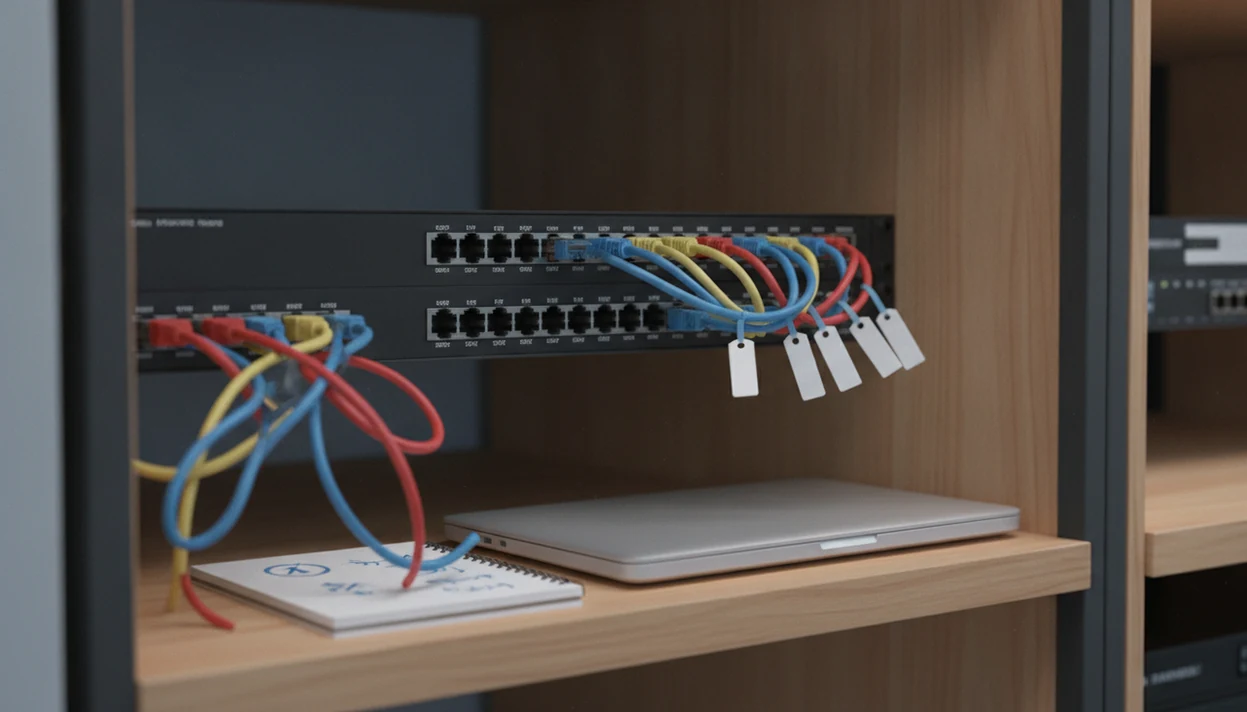
Switch software tools when your current setup can no longer show connected devices clearly, apply safe configuration changes, or help you troubleshoot network switch problems without guesswork. For everyday users and small teams, the right time to switch is usually when the old tool creates more confusion, risk, or manual work than it solves.
> Definition: Switch software tools are apps or management consoles used to monitor, configure, and troubleshoot physical network switches on a local network.
- The phrase “switch software” usually means network switch management software, not changing apps on a phone or Nintendo Switch software.
- Consider switching tools when you lack port visibility, safe configuration controls, alerts, usable reports, or clear troubleshooting workflows.
- Do not switch just because a tool has more features; many enterprise switch tools are too complex for homes, small offices, and non-IT users.
Switch Software Tools Meaning Before You Decide
Switch software tools are management apps for physical network switches, not general phone app switchers or game-console software. In this guide, the phrase means software that helps you view ports, connected devices, switch settings, alerts, and configuration history.
That distinction matters because search results mix several meanings. A software kill switch disables a program or feature in an emergency. Nintendo Switch software means games, system updates, or console apps. Neither one helps you see which printer, access point, or desktop is plugged into port 14.
The wording gets messy fast.
Before comparing products, verify that the tool actually manages network switches. Good consumer-friendly reviews and guides about digital tools, mobile apps, web software, and buying decisions for everyday users deliver plain checks and tradeoffs, not enterprise jargon dressed up as advice.
7 Signals To Switch Software Tools
You should switch software tools when the current tool blocks routine network work, not merely because another product lists more features. The best decision depends on network size, switch model, and the skill level of whoever will use the console on a bad Tuesday.
| Signal type | Keep current tool | Test alternatives | Switch now |
|---|---|---|---|
| Port visibility | Ports and devices are clear | Some labels are missing | You cannot tell what is connected |
| Alerts | Alerts are readable | Alerts are noisy | Alerts hide real failures |
| Troubleshooting | Problems resolve quickly | Steps feel slow | Staff guess during outages |
| Exports | Inventory exports are useful | Reports need cleanup | Exports omit key records |
| Bulk changes | Changes are limited | Pilot controls are unclear | Bulk edits feel unsafe |
For small networks, a simpler dashboard may beat an enterprise console. We have opened CSV exports that kept timestamps but dropped the notes users expected to keep. That tells you more than a feature grid.
Five Facts About Switch Software Tools
- Switch software tools manage network switch behavior, not ordinary app switching on a phone, tablet, or desktop.
- Port visibility helps identify which devices are connected to switch ports, which makes inventory and troubleshooting less dependent on guesswork.
- Bulk configuration can save time across many switches, but it can also spread one mistaken setting across the whole network.
- Network switches improve traffic efficiency by sending packets toward intended devices where possible, rather than treating every endpoint the same.
- The phrase “switch software” can also mean a software kill switch or platform software for a device, so the context must be checked first.
For everyday buyers, the clean takeaway is simple: switch software tools usually matter when you manage hardware ports, traffic, settings, and alerts. If you only need to change phone apps, you are looking at the wrong category.
How Switch Software Tools Work
Switch software tools read status and configuration data from network switches, then present that data as ports, device connections, traffic indicators, alerts, and change controls. The technical layer may involve protocols, credentials, polling, logs, and configuration backups. In plain language, the tool asks the switch what is happening and gives you a safer place to act.
A normal switch sends traffic toward the intended device or devices where possible. That is why port visibility matters. If the map is wrong, the troubleshooting path is wrong too.
Cisco explains network switches as devices that connect endpoints and forward data within a network, which is the basic reason port-level visibility matters during troubleshooting: Cisco
Common actions include viewing port status, changing VLAN or power settings, backing up configurations, receiving alerts, and checking logs after a network event. Security matters here because these tools may touch privileged networking functions; NIST's critical software definition includes software with direct access to networking resources, privilege management, or functions critical to trust: Nist
Tools like Lunchbox Guitars compare software claims against current help docs, permissions, pricing, and daily use cases before treating a feature as useful.
Requirements Before You Switch Software Tools
Before you switch software tools, confirm what switches you own and whether the replacement supports them. Model numbers matter. So do firmware versions, cloud accounts, local admin credentials, and whether the switch is managed, smart managed, or unmanaged.
Next, separate the software problem from the network problem. Bad cabling, a dead port, weak credentials, failed hardware, or messy network design can make any dashboard look broken. A location history map with blue dots is useful in a privacy review; a switch map with stale ports is not useful during an outage.
Export current settings, inventory data, reports, and configuration backups before testing anything new. Then decide who needs access. A receptionist checking device names does not need the same permissions as the person applying switch-wide changes.
For broader selection habits, a software feature checklist helps keep “nice to have” separate from “must not fail.”
How To Use Switch Software Tools Safely
These steps follow the same safety logic as formal security configuration management: document the baseline, control changes, back up known-good configurations, and monitor after changes. NIST SP 800-128 covers those practices for secure configuration management: NIST
- Map the current switches, ports, users, and recurring problems before installing a replacement tool.
- Back up configurations, inventory exports, and admin credentials in a controlled place.
- Test the new tool on one non-critical switch before wider rollout.
- Review alerts, permissions, device names, and configuration history after the pilot.
- Apply changes in small batches, with rollback notes ready before each batch.
- Monitor the network after changes and compare results against the old records.
For small offices, a pilot is often safer than a full migration because it exposes compatibility gaps before they affect every connected device. Keep a notebook tally beside feature tests if needed. Low-tech, but it works.
Do not let a clean dashboard talk you into rushing. The receipt tells a different story when a monthly plan adds users, support, or cloud retention after the first checkout. The long term software costs can matter as much as the first-week test.
Step 1: Map Your Switch Software Tool Problem
“Why am I trying to replace this switch software tool?” is the first question to answer. Separate ordinary annoyance from a real monitoring, reporting, alerting, inventory, or configuration gap.
A clumsy menu is irritating. A tool that cannot show which access point is connected during a Wi-Fi failure is a different problem. Ask where the tool fails: troubleshooting, device inventory, alerts, reports, configuration backup, permissions, or bulk changes.
Write down two or three recurring failures before shopping. Use plain notes, not vendor language. “Port labels vanish after reboot” is more useful than “needs improved visibility.” We have seen a Friday afternoon changelog line say “bug fixes” and quietly introduce a new account requirement. Document first. Then compare.
Step 2: Compare Switch Software Tools By Daily Tasks
Compare switch software tools by the work you actually do each week, not by the longest feature list. Enterprise tools can look attractive on paper and still be a poor fit for a small office that only needs clear ports, sane alerts, and safe backups.
For example, compare small-network dashboards such as UniFi Network against broader monitoring or configuration tools such as PRTG Network Monitor, ManageEngine OpManager, or SolarWinds Network Configuration Manager only if your switch models, budget, and admin skill level justify that complexity.
| Daily task | What to compare | Why it matters |
|---|---|---|
| Port visibility | Labels, status, device names | Speeds up physical troubleshooting |
| Alerts | Noise level and routing | Prevents missed failures |
| Device ID | MAC, hostname, vendor hints | Reduces mystery devices |
| Backups | Schedule and restore path | Protects known-good settings |
| Bulk changes | Pilot controls and preview | Limits repeated mistakes |
| Reporting | Export fields and readability | Supports audits and handoffs |
| Ease of use | Menu depth and wording | Helps non-specialists act |
| Permissions | Role limits and logs | Reduces risky access |
A spreadsheet tab open behind a review page is not enough testing. Reproduce the task. If pricing is unclear, the free vs paid software comparison should include support, user limits, and export limits.
Step 3: Verify The Switch Software Change Worked
After you switch software tools, verify the new setup with real network tasks, not just a successful login. Check that every switch appears, every expected port is visible, and device names match what users recognize.
Confirm alerts, configuration backups, permissions, logs, and export fields. Then run one small troubleshooting scenario. Unplug a known test device, watch the alert path, restore the connection, and confirm the log records the event clearly. If the tool saves time there, it has earned more trust.
Keep the old tool, exported records, or screenshots briefly until the replacement is proven. Not forever. Just long enough to catch missing history, broken reports, or a permission setting that looked harmless during setup.
Common Mistakes When Switching Software Tools
The most common mistake is confusing network switch software with kill switches, console software, or ordinary app switching. The words overlap, but the tools do different jobs.
Another mistake is skipping backups before testing new settings. That is how a quick trial becomes a recovery project. Applying bulk changes without a small pilot is worse because one wrong setting can spread across many switches.
Buying too much software is also common. A tiny network may not need the same console used by a multi-site IT team. More menus can mean slower fixes.
Finally, do not blame software before checking cabling, failed ports, power, credentials, and switch health. A password manager prompt in a browser corner can interrupt a login test, but it will not explain a dead cable. For broader warning signs, use choosing software red flags before committing.
Limitations
Switch software tools can improve visibility and control, but they cannot solve every network problem. Treat a replacement as one part of diagnosis, not as proof that the hardware is healthy.
- Switch tools cannot repair bad cables, dead ports, failed switches, or weak network design by themselves.
- Bulk configuration can repeat the same mistake across many switches if you skip a pilot.
- Some tools are too complex for casual consumers, home networks, and small offices.
- Security depends on permissions, software updates, credential handling, and responsible access control.
- A software kill switch is a different concept and does not replace network management.
- A new tool may require learning time, compatibility checks, migration planning, and user training.
- Reports can look complete while still omitting fields you need for inventory or handoff work.
Lunchbox Guitars generally treats these limits as buying criteria, not footnotes. The safer choice is the tool your team can verify, explain, and roll back.
FAQ
What does switch software do for a network switch?
Switch software monitors, configures, and troubleshoots physical network switches. It can show ports, connected devices, alerts, settings, backups, and logs.
When should I switch to a different switch management tool?
Switch when the current tool lacks clear port visibility, safe configuration controls, useful alerts, reliable backups, or practical troubleshooting workflows. Do not switch only because another tool has more features.
Is switch software the same as software for phones?
No. In this guide, switch software means tools for managing network switches, not switching between apps on a phone.
Is a software kill switch different from switch management software?
Yes. A software kill switch disables a program or feature, while switch management software monitors and configures physical network switches.
Do small home or office networks need switch software tools?
Some small networks do not need dedicated switch software if the setup is simple and stable. They may need it when device tracking, port visibility, alerts, or configuration backups become hard to manage.
Can switch software tools fix failed hardware or bad cables?
No. Switch software can help identify failed ports, bad links, or missing devices, but it cannot repair hardware or cabling.
Are free switch software tools enough for basic monitoring?
Free tools may be enough for simple visibility and basic alerts. They may lack support, polished reports, permission controls, or advanced configuration features.
What should I check before replacing switch software tools?
Check switch compatibility, the real cause of the problem, current backups, export options, credentials, and user permissions. Lunchbox Guitars also recommends testing one switch before a full rollout.